
Undo and redo a branch checkout
Checking out a branch or resetting HEAD isn't a one-way door: both go on an undo stack you can step back and forward through with the same shortcuts you'd use in any editor.
Undoing a checkout returns to the previous branch and redo re-applies it
Actions like checking out a branch or resetting HEAD go on the same undo stack you'd expect from any editor: ⌘Z reverts the last one, and ⌘⇧Z re-applies it if you change your mind — no separate "undo this checkout" button to hunt for, and no limit to one step back. The branch indicator (or the HEAD commit, for a reset) reflects every step immediately.
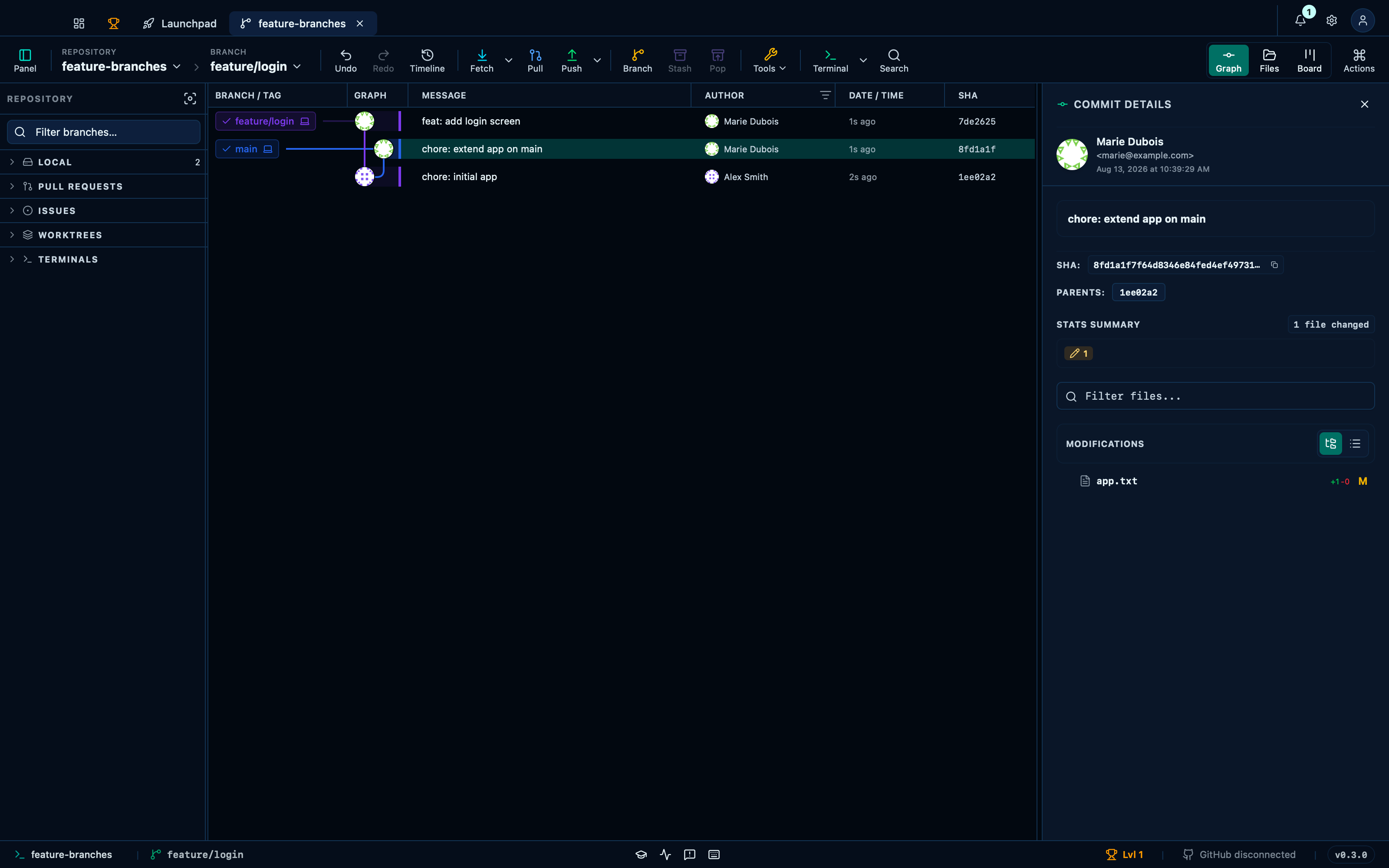
Captured from the running app by this scenario.
Do this
- Check out the
feature/loginbranch - Undo the last action
- Redo the last undone action
You should see
- The branch indicator reads
main - The branch indicator reads
feature/login - The branch indicator reads
main - The branch indicator reads
feature/login
Scrubbing the timeline previews an earlier state before committing to it
The clock icon next to Undo/Redo opens a scrubber over the whole history of undoable actions, not just the last one: dragging it back — or picking a step from the list beside it — previews that point read-only, with a hint saying exactly what Validate would apply from here. Nothing in the repository actually changes until that click.
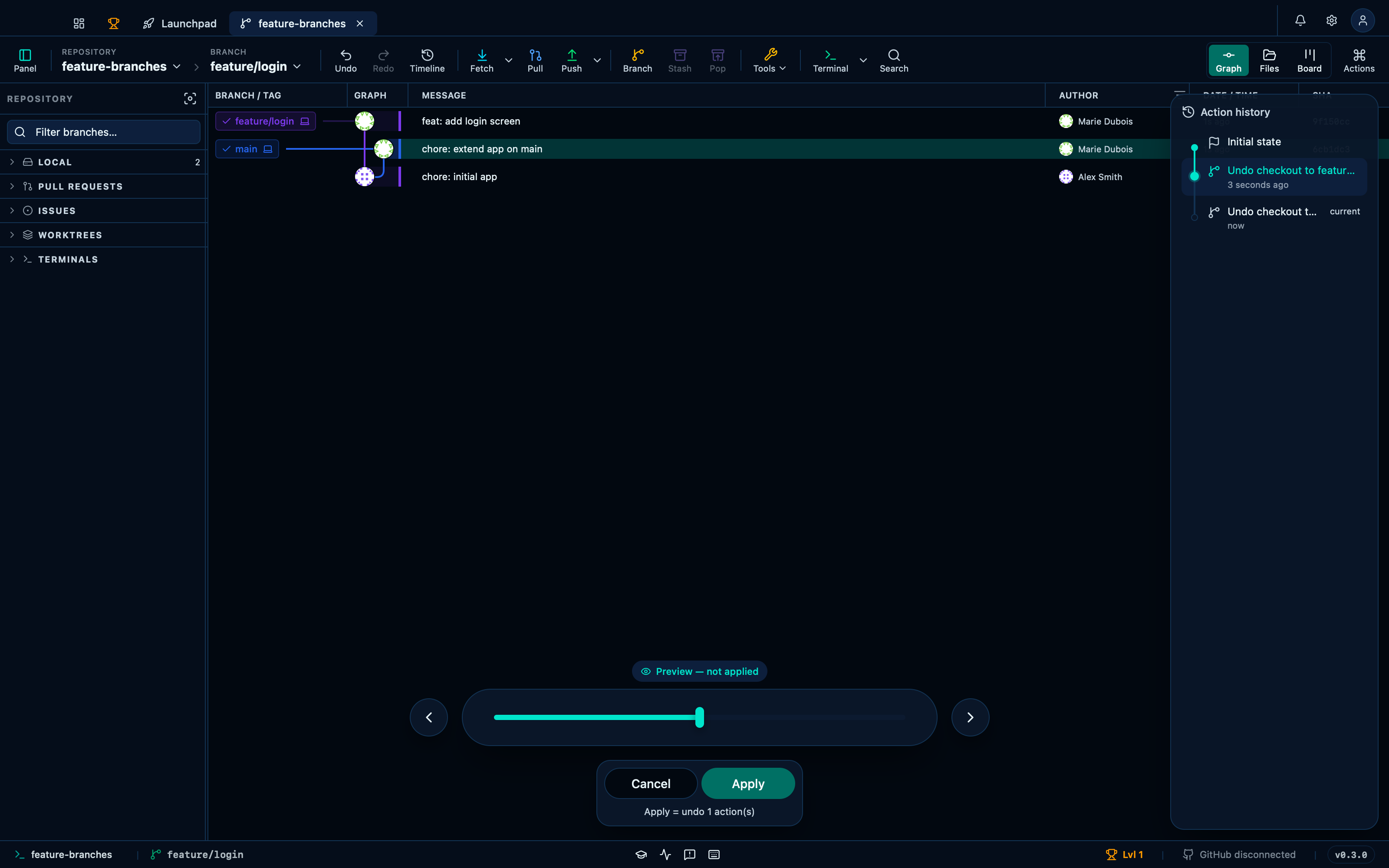
Captured from the running app by this scenario.
Do this
- Check out the
feature/loginbranch - Open the undo timeline
- Scrub the timeline back one step
- Validate the timeline
You should see
- The branch indicator reads
main - The branch indicator reads
feature/login - The timeline scrubber is shown
- The timeline hint reads
undo 1 - The branch indicator reads
main
This page is generated from apps/e2e/features/undo-redo.feature, the end-to-end test that drives the feature it describes.