
Three-way merge editor
When a merge, a pull or a rebase cannot reconcile two versions of a file on its own, Git Manager opens that file in a three-way editor instead of leaving conflict markers in your working copy for you to untangle by hand. The two versions sit on either side, the result you are building is in the middle, and each side is labelled with where it comes from — worth reading, because which one counts as "yours" flips between a merge and a rebase.
Resolve a conflicted file block by block
Clicking a conflicted file in the graph's conflict panel opens it here, in its own window. A conflicted file is rarely conflicted everywhere — most of it is changes only one side made, which have exactly one sensible outcome, and "Apply non-conflicting changes" takes all of those in one click. What is left is the blocks where both sides really did edit the same lines: for each of those you pick a side from the gap between the panes, or type the answer yourself in the middle pane when neither version is quite right. The apply button stays disabled until every block has an outcome, so you cannot accidentally write a half-resolved file; applying it writes the merged result to disk and stages it, which is what tells Git the conflict is settled.
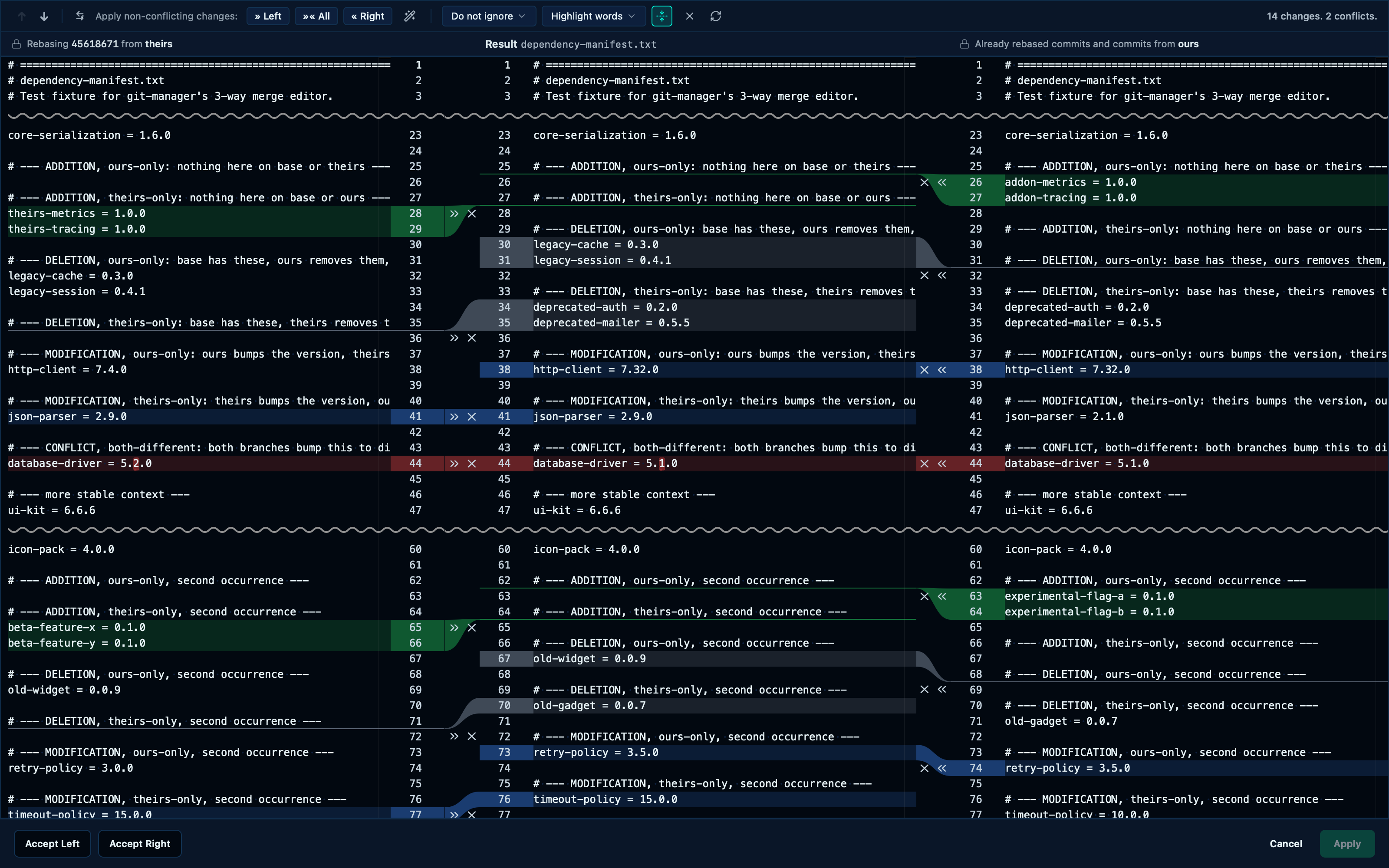
Captured from the running app by this scenario.
Do this
- Open the merge editor for
dependency-manifest.txt
You should see
- The merge editor is shown
- The merge editor offers to auto-merge the non-conflicting blocks
Filtering the diff by whitespace, highlight mode, and unfolding everything
The same toolbar that resolves conflicts also decides how the diff itself reads. "Do not ignore" is the default; pointing it at "Ignore whitespace" hides changes that are only reindentation, so what's left is what actually changed. The highlight mode chooses whether an edit is marked word by word or by the whole line it sits on. Unchanged fragments between blocks are collapsed away from the moment the editor opens — one click on the fold icon gets the whole file back, for the times a change only makes sense next to what didn't change.
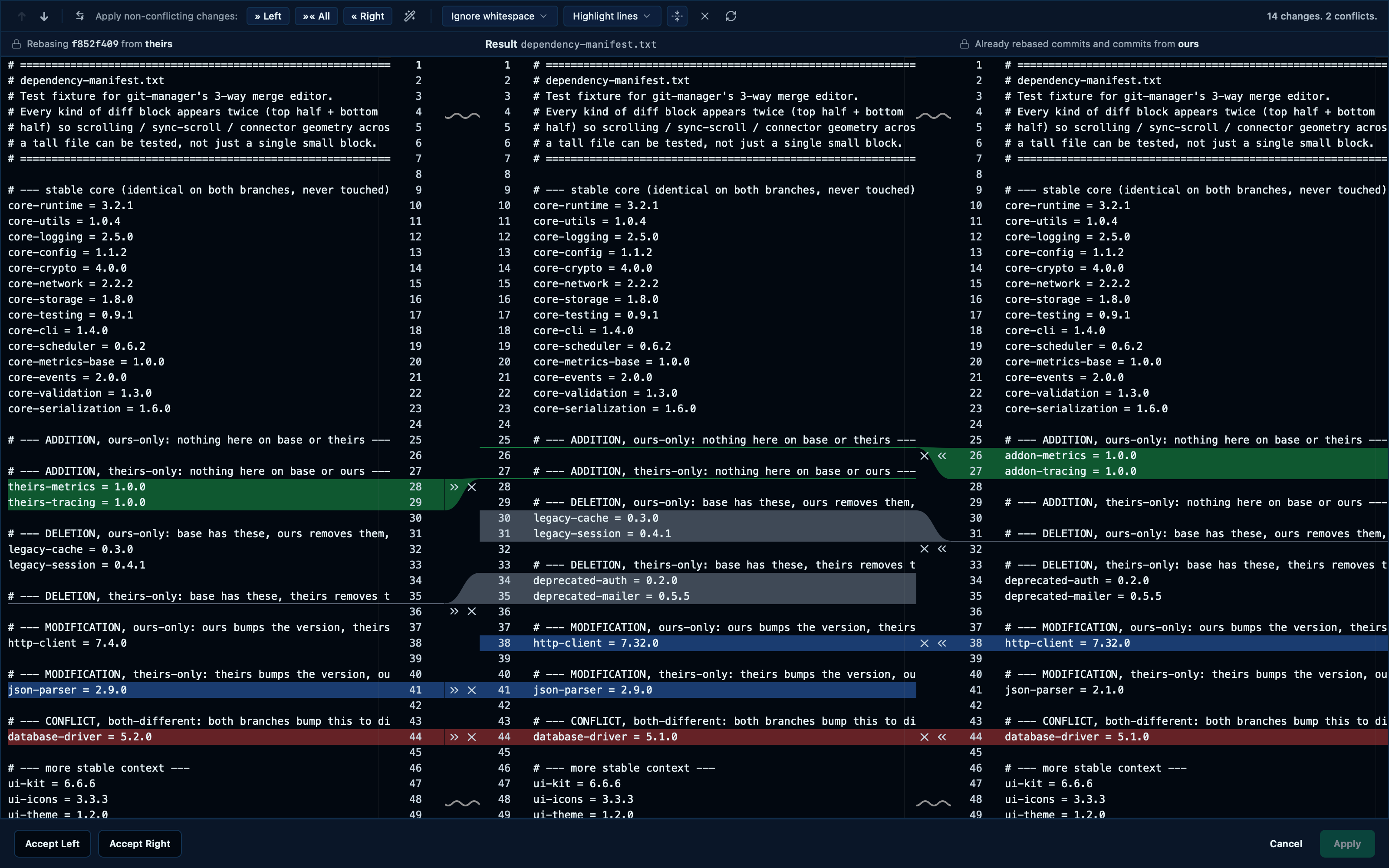
Captured from the running app by this scenario.
Do this
- Open the merge editor for
dependency-manifest.txt - Turn off collapsing unchanged regions
- Set the whitespace mode to
Ignore whitespace - Set the highlight mode to
Highlight lines - Click the recalculate-diff button
You should see
- The whitespace mode is
Do not ignore - The highlight mode is
Highlight words - Unchanged regions are collapsed
- Unchanged regions are not collapsed
- The whitespace mode is
Ignore whitespace - The highlight mode is
Highlight lines - The merge editor is shown
- No error notification is displayed
Auto-merging then resolving the remaining conflicts writes the merged result to disk
"Apply non-conflicting changes" is the wand icon in the toolbar: one click resolves every block where only one side actually changed something, which on a real conflicted file is most of it. What survives is the handful of blocks both sides genuinely touched — pick a side from each remaining gap the same way as always, and the apply button enables the moment none are left undecided.
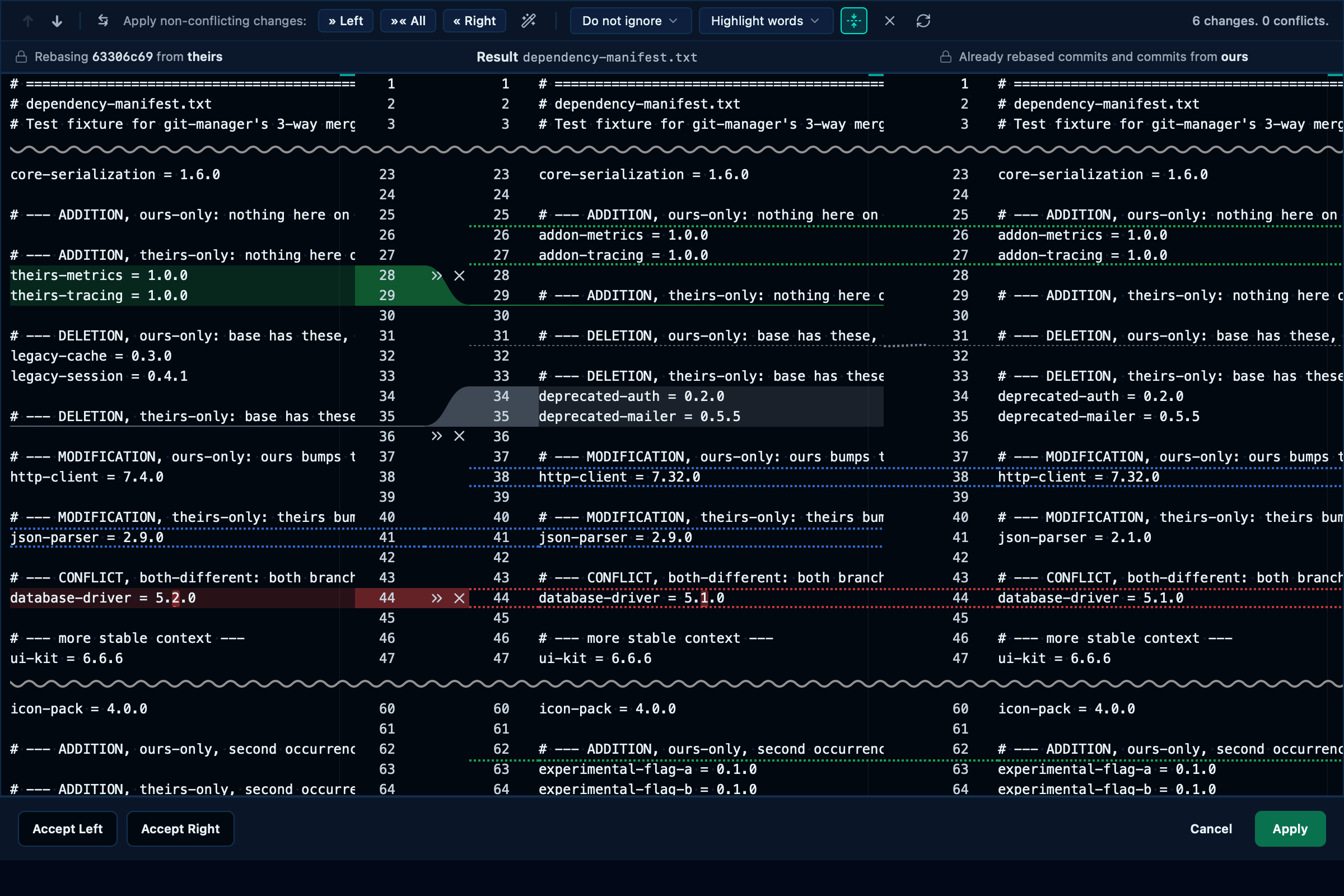
Captured from the running app by this scenario.
Do this
- Click the conflicted file
dependency-manifest.txtto resolve it - Click the merge editor auto-merge wand
- Accept the right side for every remaining conflicting block
- Click the merge editor apply button
You should see
- The merge apply button is enabled
- The file
dependency-manifest.txtis staged and no longer conflicted - The file
dependency-manifest.txtcontains the linehttp-client = 7.32.0 - The file
dependency-manifest.txtcontains the linejson-parser = 2.9.0 - The file
dependency-manifest.txtcontains the linedatabase-driver = 5.1.0 - The file
dependency-manifest.txtcontains the lineauth-provider = 2.1.0 - The file
dependency-manifest.txtcontains the lineaddon-metrics = 1.0.0 - The file
dependency-manifest.txtdoes not contain the linelegacy-cache = 0.3.0 - The file
dependency-manifest.txtcontains the linedeprecated-auth = 0.2.0 - The file
dependency-manifest.txtdoes not contain the linetheirs-metrics = 1.0.0
This page is generated from apps/e2e/features/merge-editor.feature, the end-to-end test that drives the feature it describes.