
Fixup autosquash
A fixup! commit is Git's own convention for "this belongs squashed into an earlier commit" without rewriting anything yet. Git Manager notices them and banners the graph the moment any exist, groups each with the target commit it belongs to, and rewrites history in one action once you approve the plan — no manual interactive rebase required.
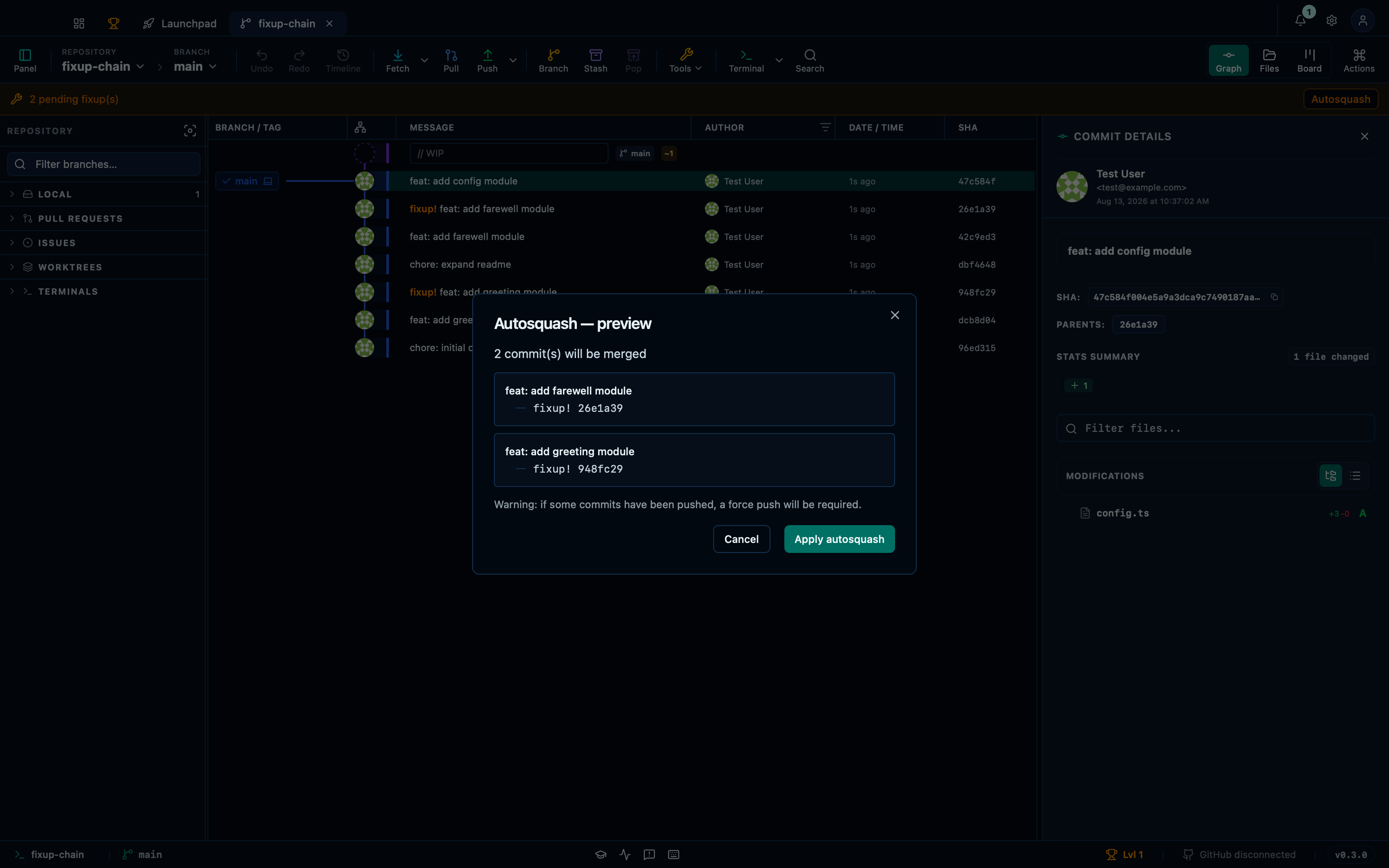
The preview groups the two fixup!/target pairs
The pending-fixups banner appears as soon as any fixup! commit exists, and opening the autosquash preview from it groups each one with the target commit it belongs to — so you can check the pairing is right before running it. Running it rewrites history in a single action, exactly as if you'd run git rebase --autosquash by hand.
Captured from the running app by this scenario.
Do this
- Open the autosquash preview
You should see
- The preview groups the commit
feat: add greeting module - The preview groups the commit
feat: add farewell module - The preview does not show the commit
feat: add config module
Creating a fixup commit from a staged change via the palette
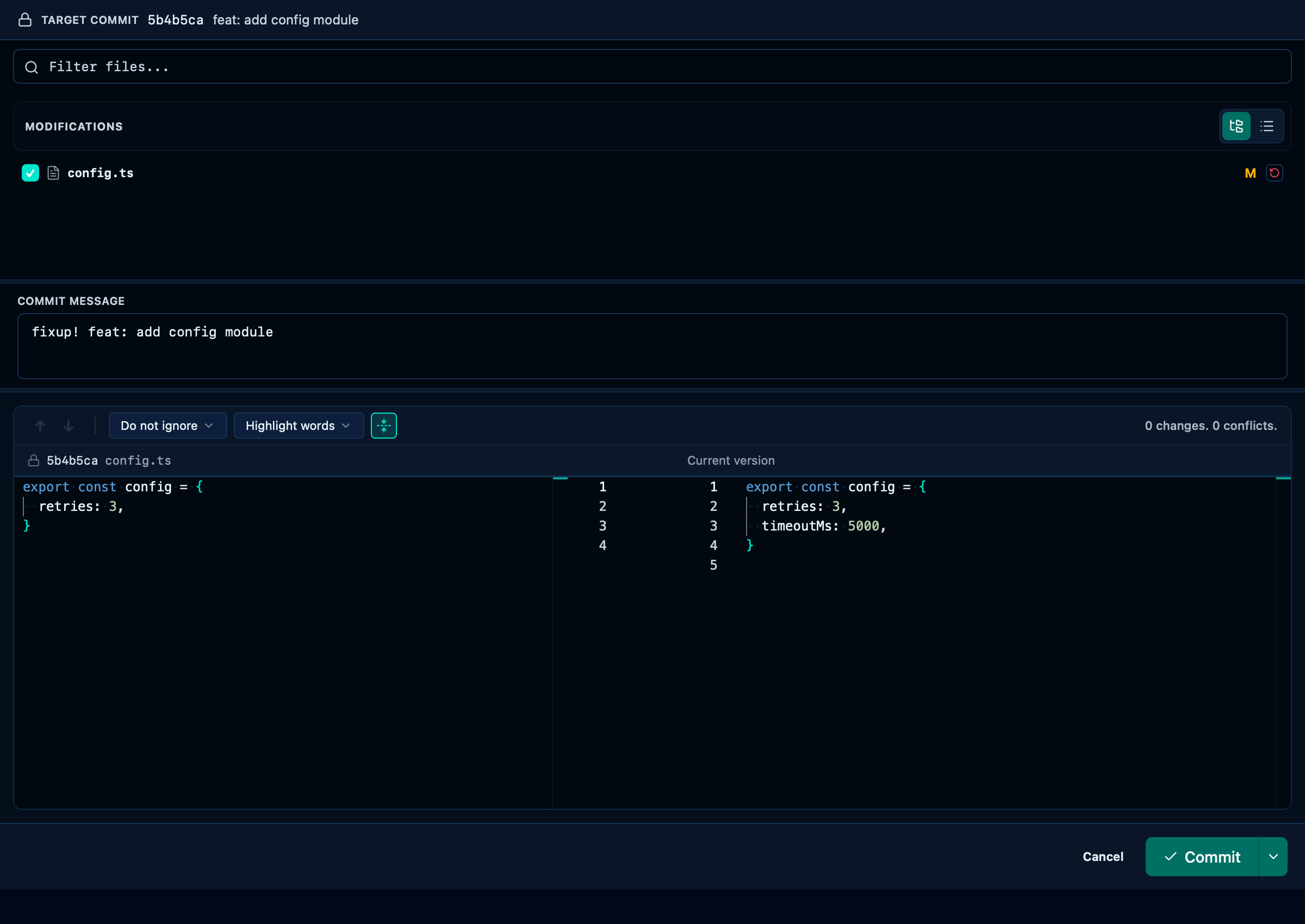
"Create fixup commit" turns a staged change into the other half of the pair the preview above groups: the message is prefilled with fixup! <target's own subject> so Git's own autosquash convention is followed without typing it out, and confirming commits it immediately — the actual squash happens later, from the pending-fixups banner.
Captured from the running app by this scenario.
Do this
- Open the command palette
- Run the command palette action
commit-fixup - Confirm the fixup commit
You should see
- The command palette shows commit actions for
HEAD - The fixup commit window is shown
- The fixup commit message is prefilled with
fixup! feat: add config module - The repository HEAD commit subject is
fixup! feat: add config module
This page is generated from apps/e2e/features/fixup-autosquash.feature, the end-to-end test that drives the feature it describes.