
The built-in terminal
The app covers the Git operations worth a button, not every flag Git has. For the rest there is a real terminal panel at the bottom of the window, started in the repository you have open — so a one-off command is a keystroke away rather than a trip to another application.
Running a command in the repository you have open
The Terminal button opens a shell panel already cd-ed into the current repository, so commands run where you expect without typing a path. It is a real terminal — anything your shell can do, including Git commands the interface doesn't cover — and it keeps running while you work in the app above it.
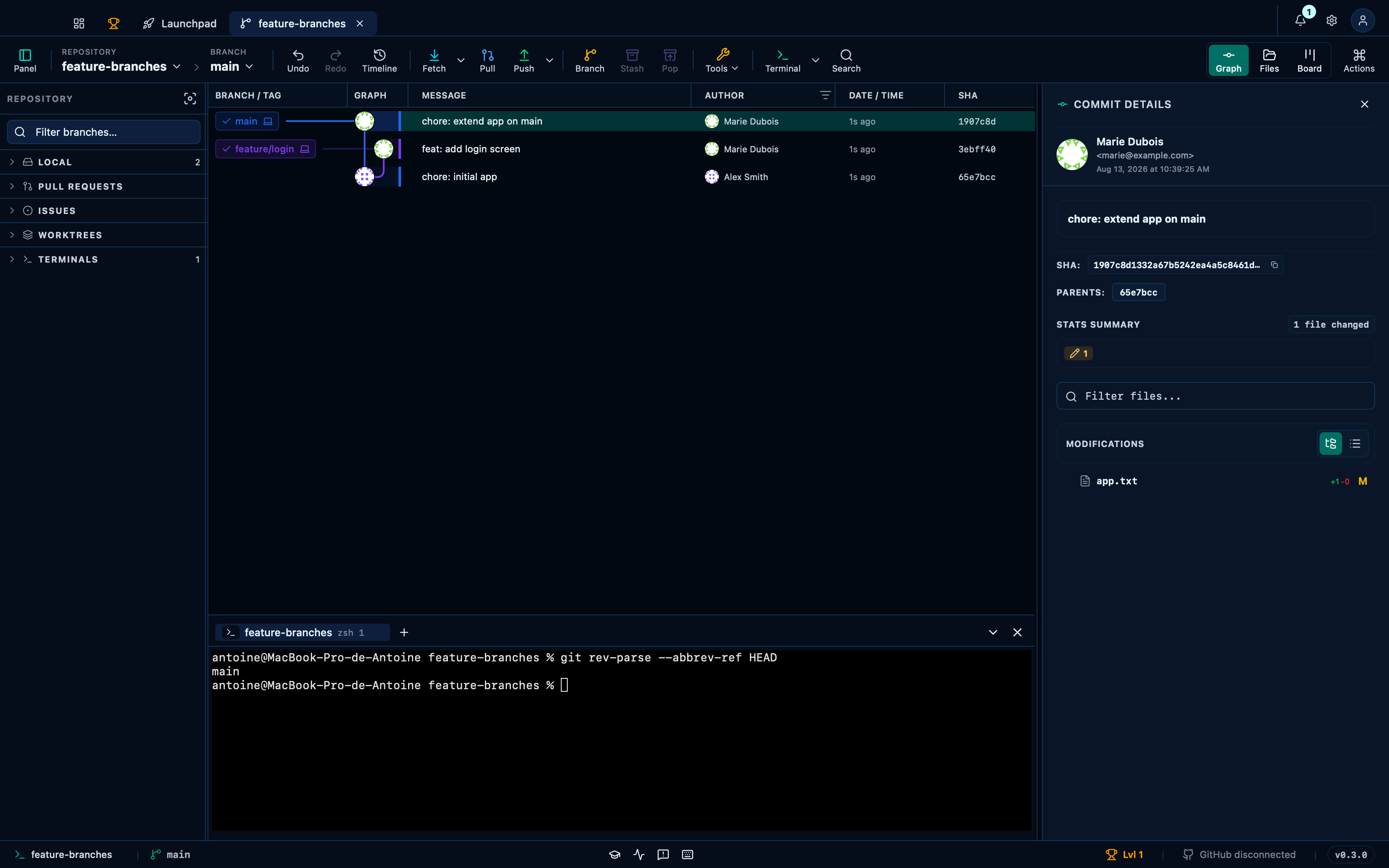
Captured from the running app by this scenario.
Do this
- Open the integrated terminal
- Run
git rev-parse --abbrev-ref HEADin the terminal
You should see
- The terminal panel is shown
- The terminal output contains
main
Working across several terminal tabs at once
The + button spawns another shell in the same repository, and every session keeps running in the background — switching tabs never restarts one. Each tab is named by where it lives rather than a generic number, which is what tells two shells apart once more than one is open.
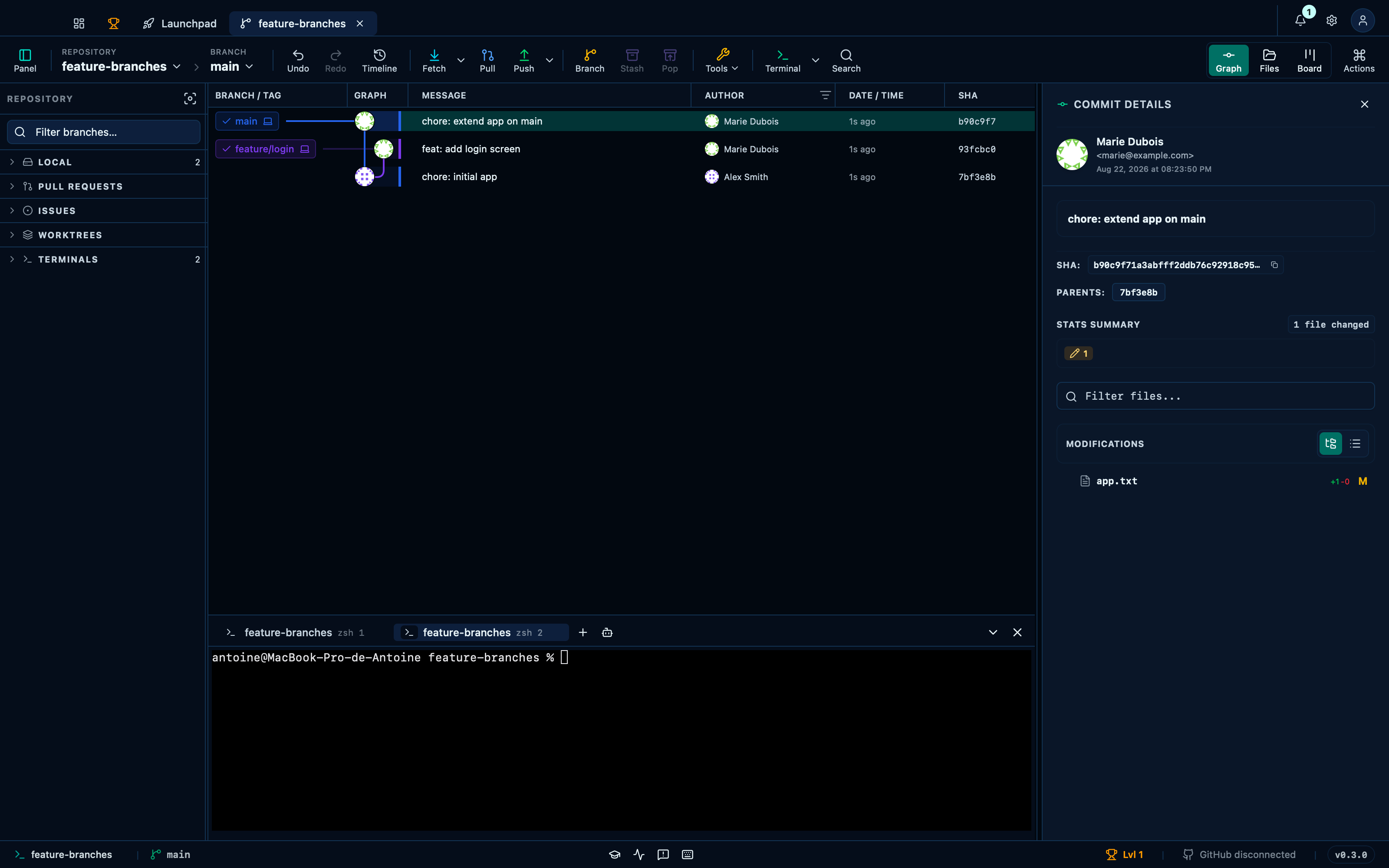
Captured from the running app by this scenario.
Do this
- Open the integrated terminal
- Open a new terminal tab
You should see
- The terminal panel has 2 tabs
Launching a configured AI agent, then reviewing what it changed
The robot icon sends a configured command straight to the active shell — the one-click equivalent of typing an agent's launch command by hand. A tab you're already looking at counts as seen the moment it finishes, so the sparkle "review" icon is for the ones you weren't: switch away while it runs, and it opens the very same AI review the graph's own working-tree row offers, aimed at whatever the session just left behind.
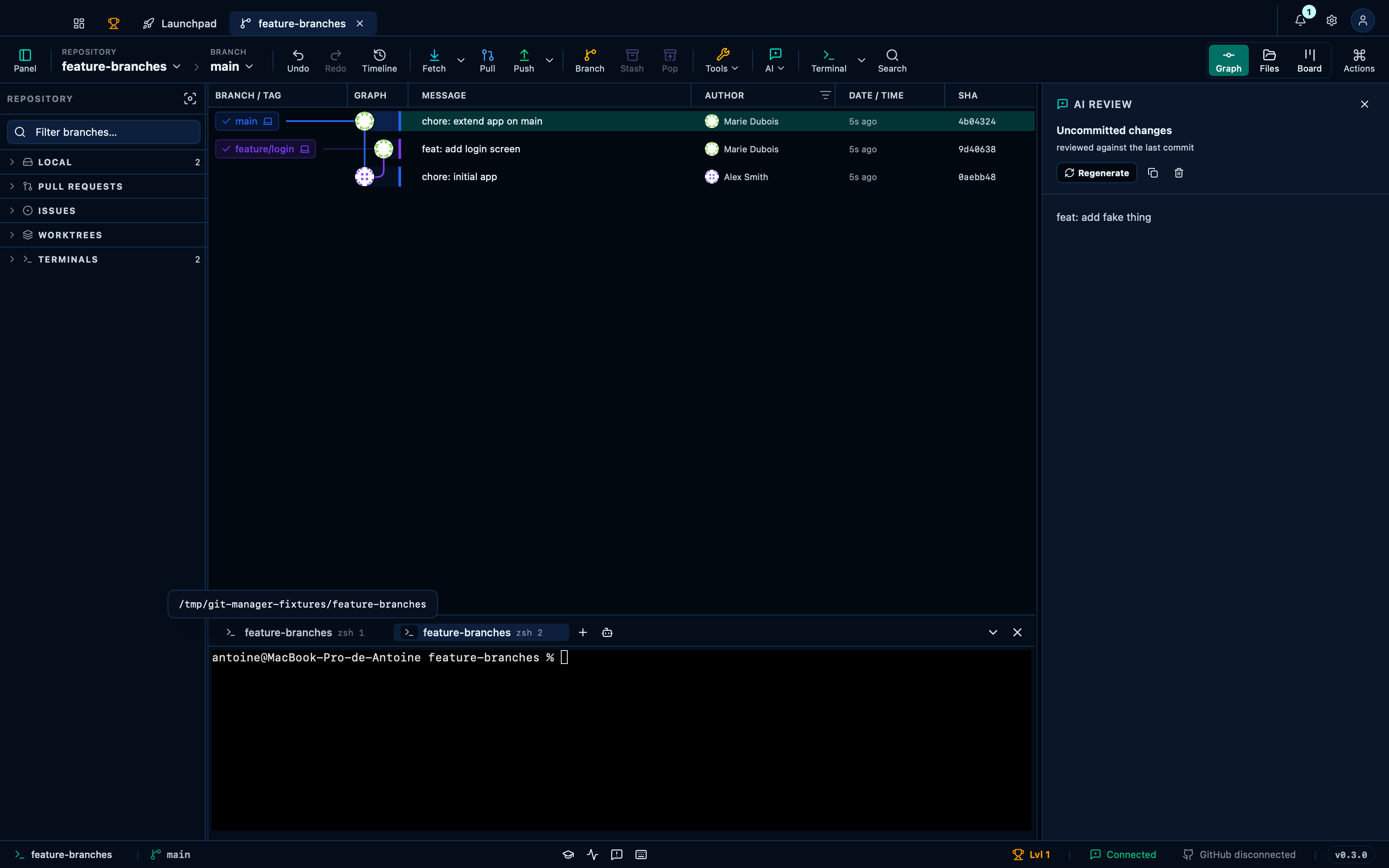
Captured from the running app by this scenario.
Do this
- Open the integrated terminal
- Click the launch-agent button
- Open a new terminal tab
- Review the finished terminal session's changes
You should see
- The explanation panel shows a finished explanation
This page is generated from apps/e2e/features/terminal.feature, the end-to-end test that drives the feature it describes.