
Opening a pull request's detail view
When the checked-out branch has an open pull request on GitHub, its status shows right in the toolbar — click it to open the same detail view GitHub itself shows: the conversation, the merge-readiness checks, and every changed file, without leaving the app or losing your place in the commit graph.
Selecting a linked pull request opens its detail panel
Clicking the pull-request tag opens the conversation on the left and the changed-files list on the right, with the merge box in between showing whether it's ready to go.
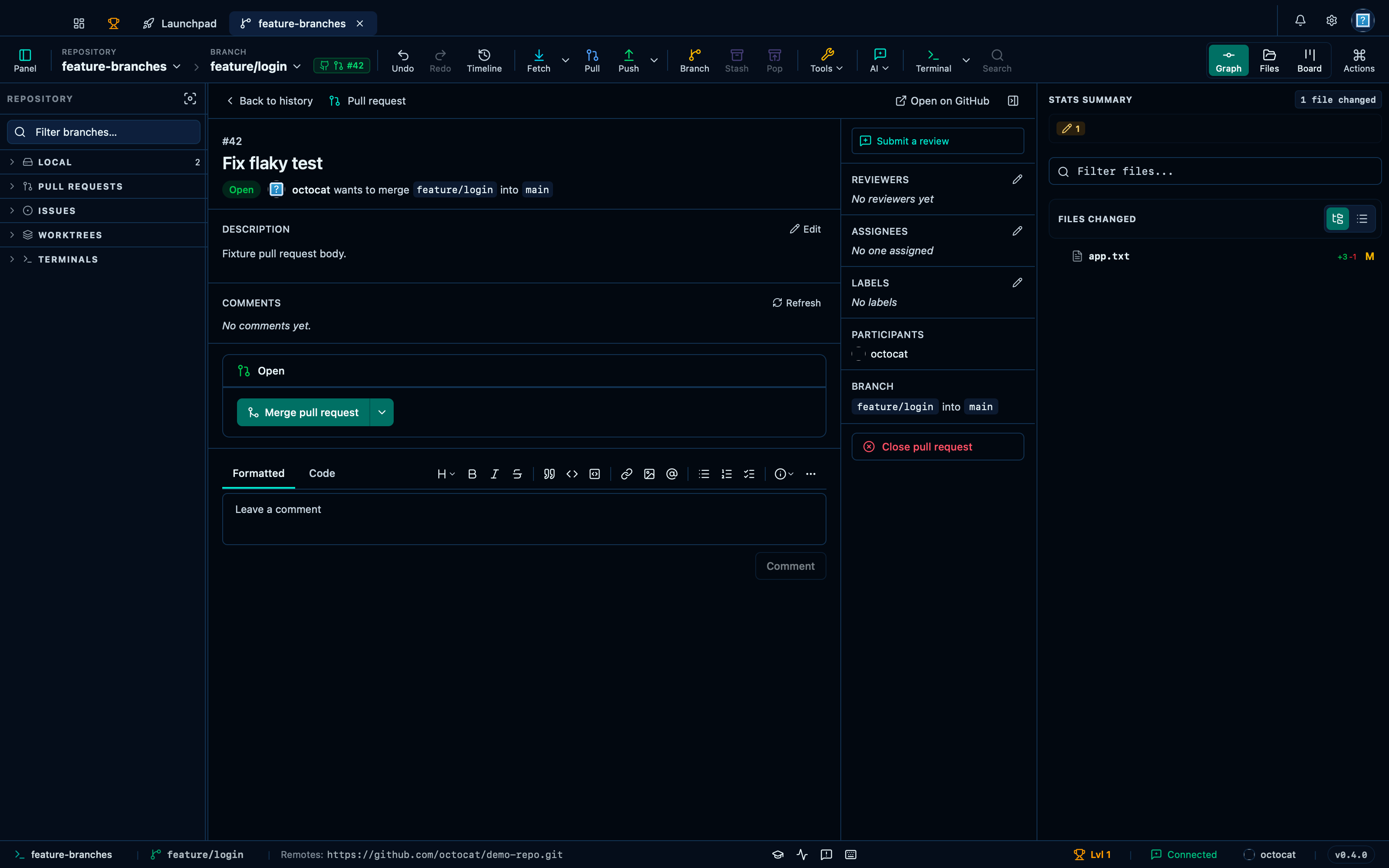
Captured from the running app by this scenario.
Do this
- Check out the
feature/loginbranch - Open the pull request from its status tag
42
You should see
- The pull request status tag
42is shown - The pull request detail panel shows the title
Fix flaky test - The pull request merge panel is shown
- The pull request files panel lists
app.txt - No error notification is displayed
This page is generated from apps/e2e/features/pr-detail-view.feature, the end-to-end test that drives the feature it describes.