
Summary search
The "Daily summaries" panel — opened from the AI toolbar menu, next to commit search — reads the whole archive for the current repository, not just the day on screen: narrowing to one day first would make a question answerable only about the day you already found. The answer names the specific archived days it rests on, each a real link back to that day's briefing.
Answering a question from archived daily briefings
Asking a question over the archive spends one model call across a shortlist of days a local, lexical pass narrows first — cheap, and good enough to hand the model days that are at least plausible. The answer is grounded in that shortlist alone: it names the day(s) it rests on rather than a vague "at some point", so each one opens straight to that day's own briefing.
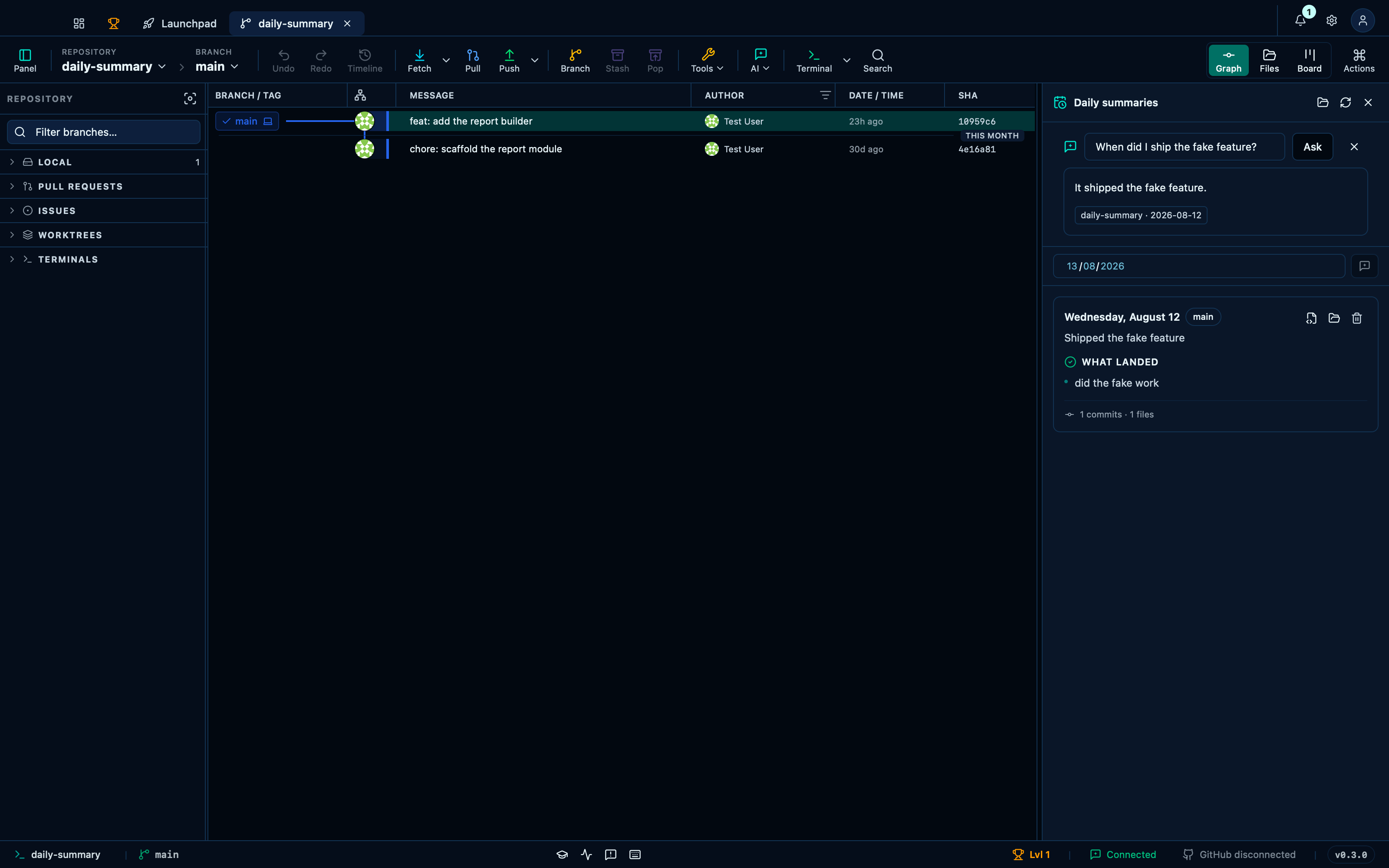
Captured from the running app by this scenario.
Do this
- Open the dashboard
- Open the project's daily briefing
- Open the
daily-summaryproject's tab - Open the summaries panel from the AI menu
- Ask the archive
When did I ship the fake feature?
You should see
- The daily briefing headline becomes
Shipped the fake feature - The summary search cites the
daily-summaryrepository
Generating and deleting a briefing straight from the panel
The panel does not need the dashboard's own briefing card: picking a day in its own field and pressing the little AI icon runs the exact same generation, so a project you have never opened from the dashboard still gets a briefing you can read right here — and one click removes it again once you no longer need it archived.
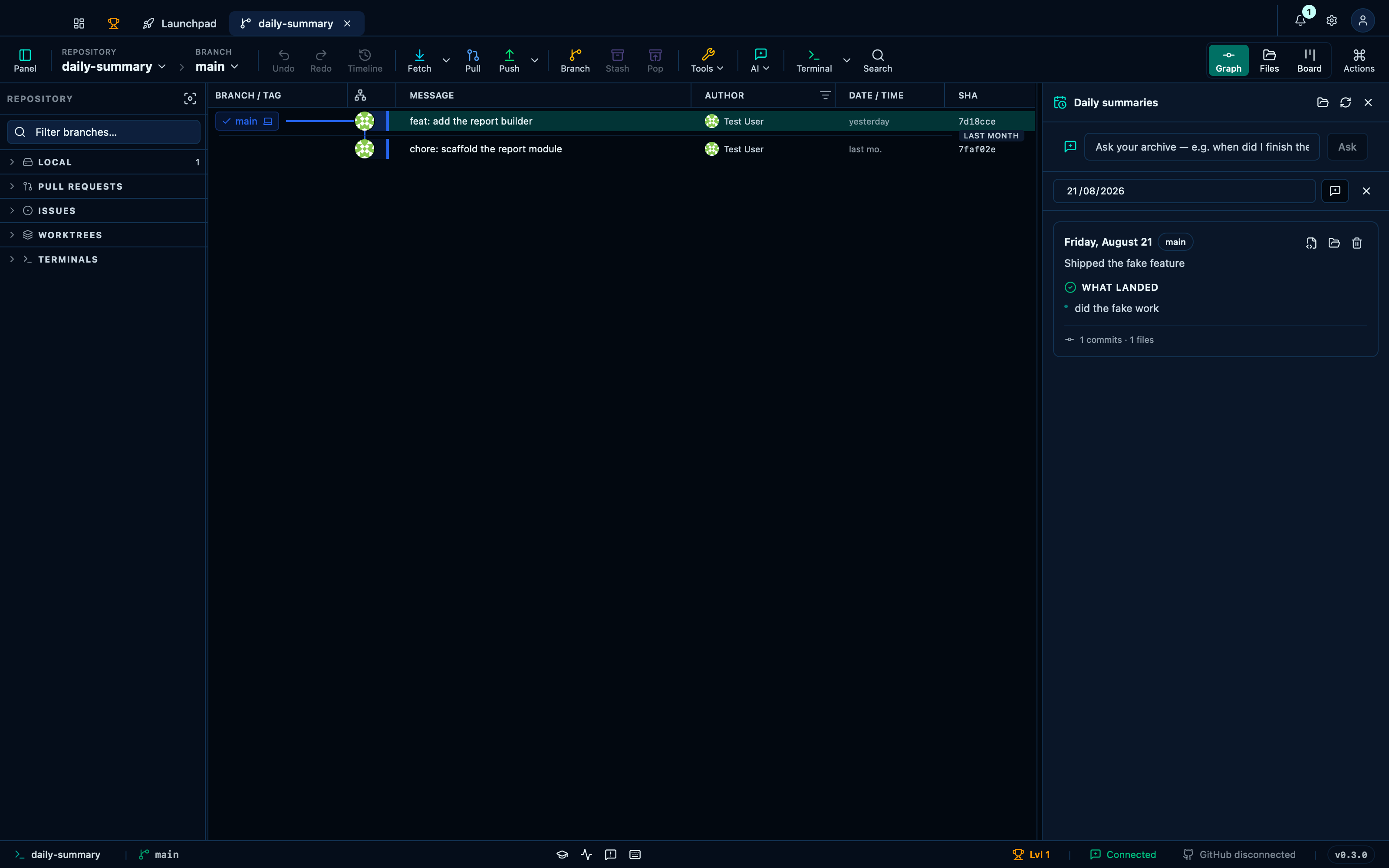
Captured from the running app by this scenario.
Do this
- Open the summaries panel from the AI menu
- Pick the previous working day in the summaries day picker
- Generate the briefing from the panel
- Delete that briefing
You should see
- The summaries panel shows a briefing for that day
- The summaries panel shows its empty state
This page is generated from apps/e2e/features/ai-summary-search.feature, the end-to-end test that drives the feature it describes.