
Semantic commit search
Opened from the AI menu's "Search history with a question" (or ⇧⌘F), this reads a window of history commit by commit against your question, then answers from what actually matched — never from commit messages alone. Each commit the answer cites is a real, opened diff, not a keyword match on its subject line: a commit named "fix stuff" that actually touched the thing you asked about is found, and a commit whose name merely sounds related but changed something else is not.
Answering a question from the commit history
Asking a question reads every commit in the window file by file — the default "deep" mode, which is what makes this different from a plain git log --grep. The answer cites the specific commits it rests on, each opening straight to its own diff.
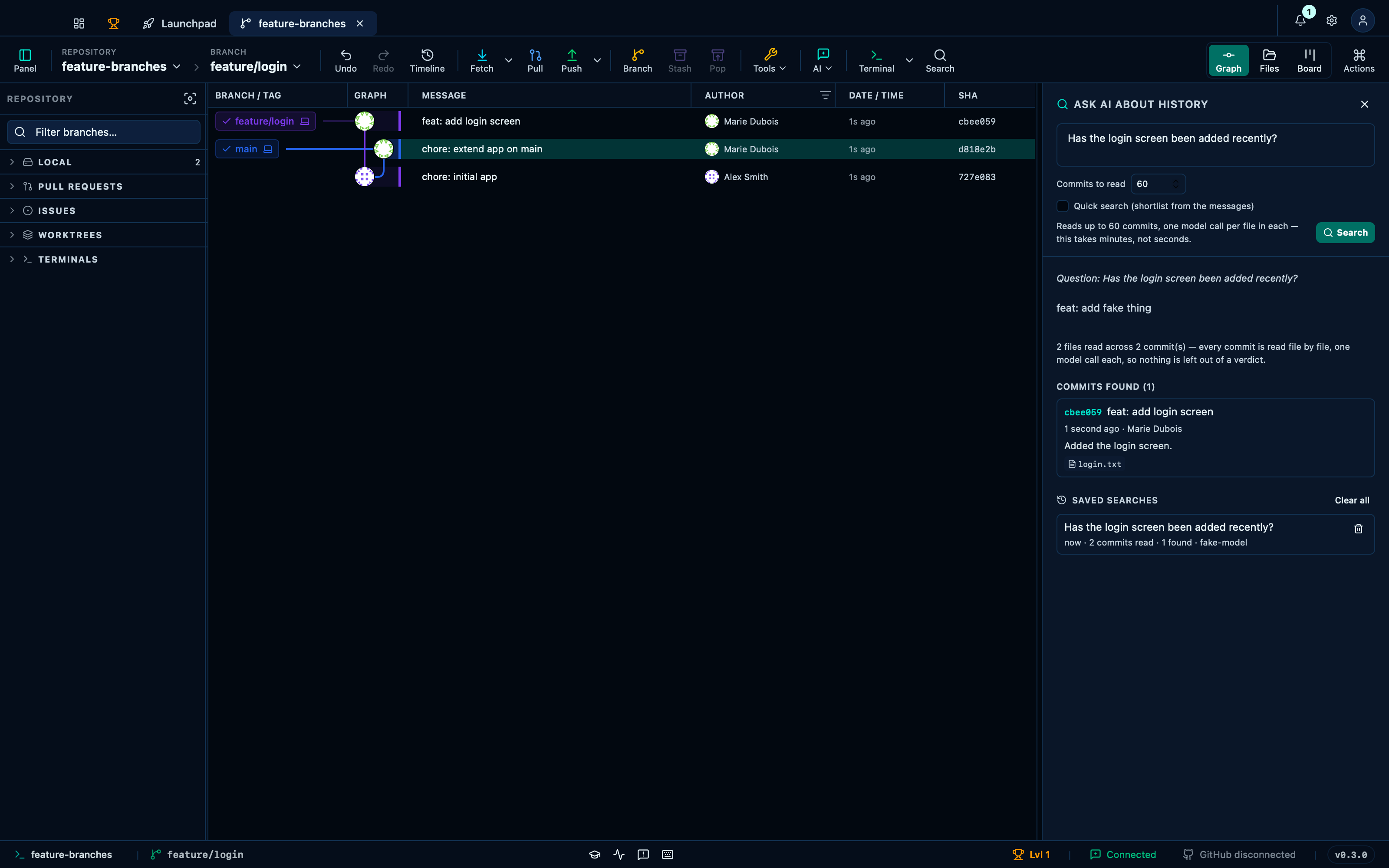
Captured from the running app by this scenario.
Do this
- Check out the
feature/loginbranch - Open the AI commit search panel
- Ask the commit search
Has the login screen been added recently?
You should see
- The commit search cites the commit
feat: add login screen
Quick mode shortlists by message before reading any code
Quick search narrows twice before opening a single diff: one call over every commit's message picks which commits are worth opening, then one call per shortlisted commit picks which of its files are, and only those are read in the code. Faster by an order of magnitude — the trade is that a commit or file the messages and paths never pointed at is never opened, which the badge on the answer says plainly.
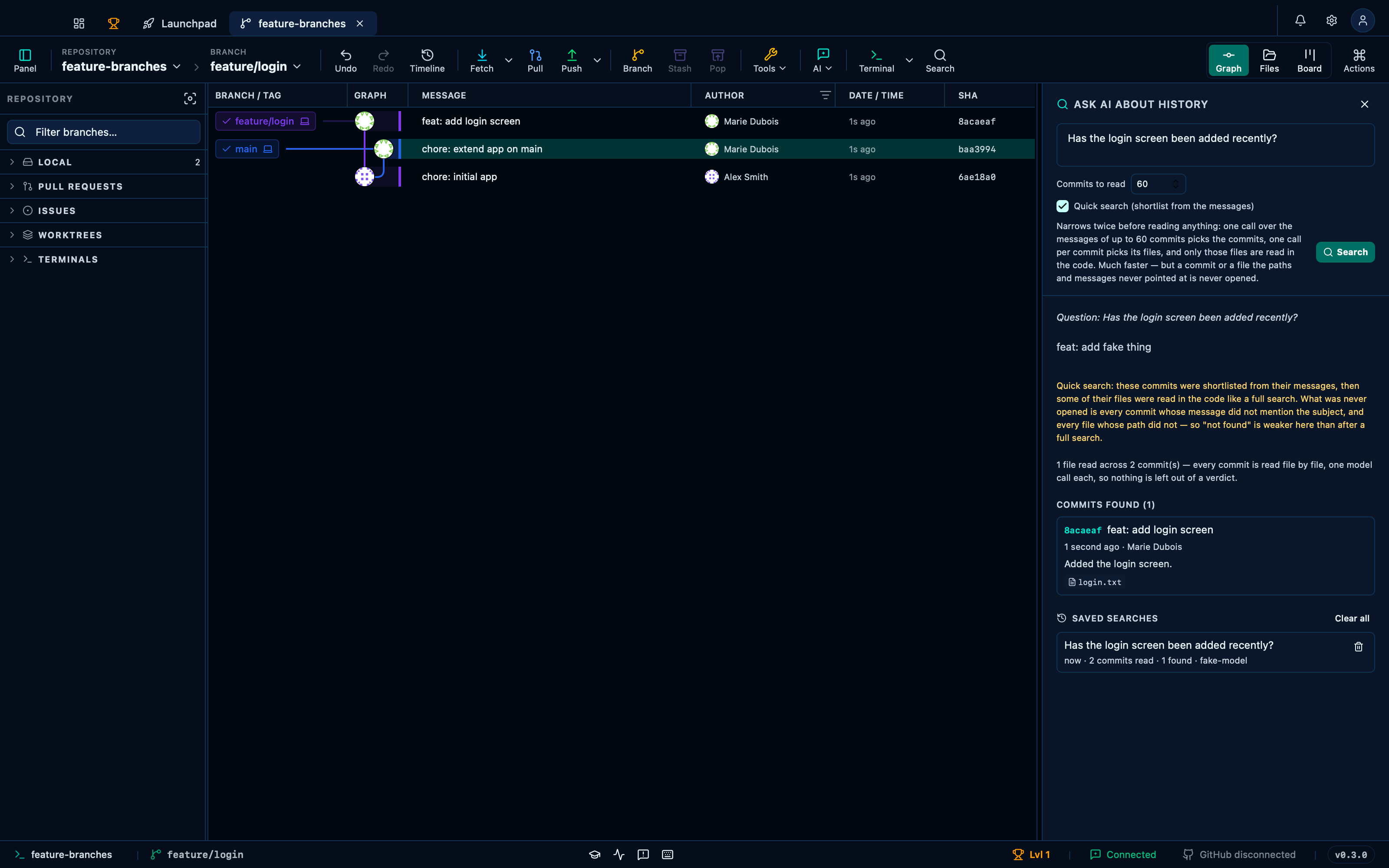
Captured from the running app by this scenario.
Do this
- Check out the
feature/loginbranch - Open the AI commit search panel
- Turn on quick commit search
- Ask the commit search
Has the login screen been added recently?
You should see
- The commit search cites the commit
feat: add login screen - The commit search shows the quick-mode badge
Reopening a past search restores its own question, without asking again
Every search this repository has been asked is kept below the results, newest first — a search is one model call per commit, so a question already answered shouldn't have to be paid for twice. Asking a new question always shows the new one; reopening an older entry swaps straight back to exactly what it found, with nothing spent to get there.
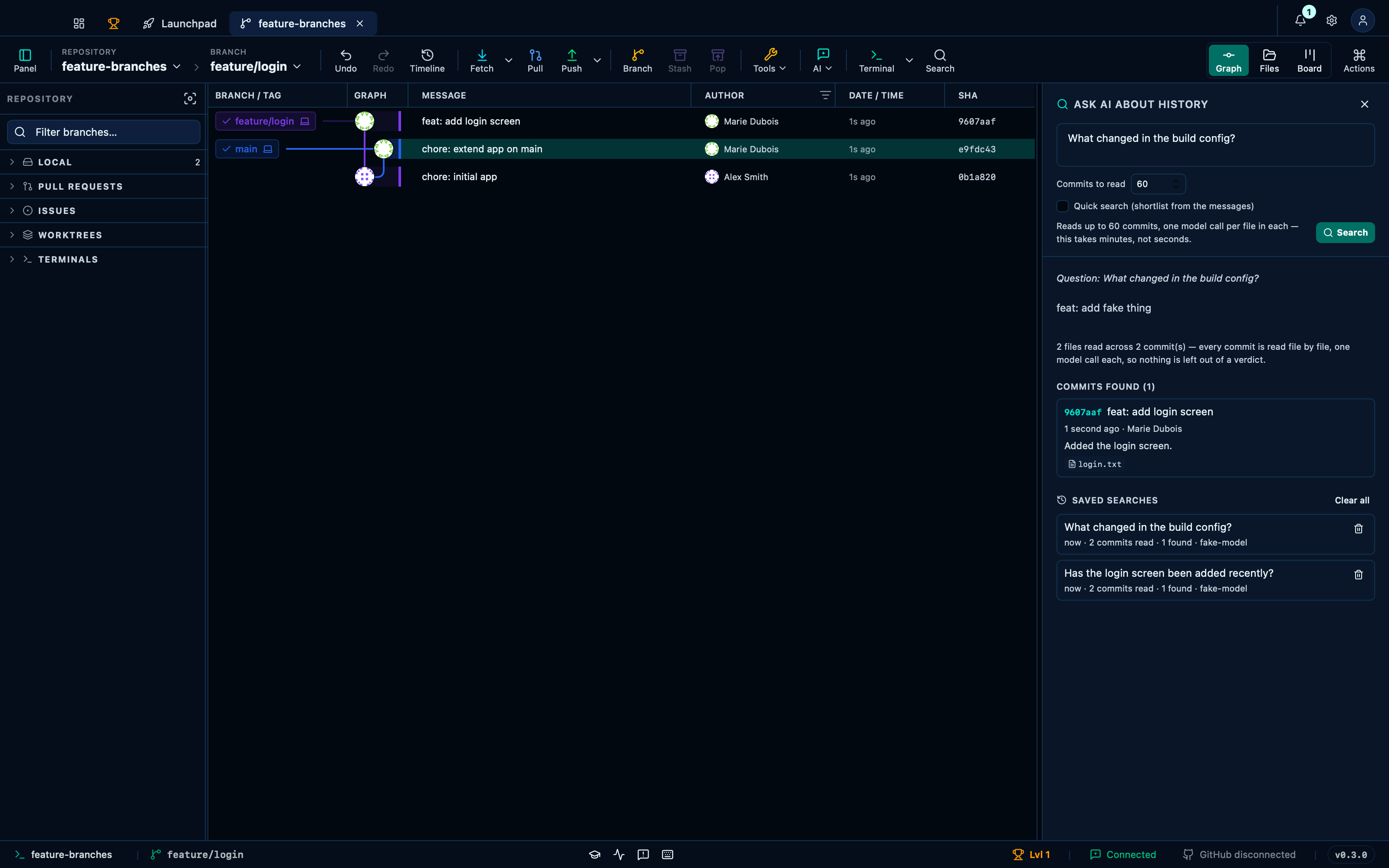
Captured from the running app by this scenario.
Do this
- Check out the
feature/loginbranch - Open the AI commit search panel
- Ask the commit search
Has the login screen been added recently? - Ask the commit search
What changed in the build config? - Reopen the commit search history entry
Has the login screen been added recently? - Remove the commit search history entry
What changed in the build config? - Clear the commit search history
You should see
- The commit search cites the commit
feat: add login screen - The commit search shows the asked question
What changed in the build config? - The commit search shows the asked question
Has the login screen been added recently? - The commit search history does not list
What changed in the build config? - The commit search history is empty
This page is generated from apps/e2e/features/ai-commit-search.feature, the end-to-end test that drives the feature it describes.