
The card record and the board's own shape
What board.feature deliberately leaves out: everything inside a card — its checklist, its discussion, the fields of its side panel, its relations to other cards — and everything that reshapes the board around it: its columns, its settings, deleting a card, moving one to another sprint. Most scenarios here are curated onto the board's documentation page alongside board.feature's own — the card's side-panel fields, its relations, its columns, its settings, deleting a card and moving one to another sprint — the rest exist purely to catch a regression and stay untagged, since a scenario written to pin a bug is not automatically a tour of the feature.
A card's description and its comments also take images, dropped or pasted straight in: each one is written into the repository's own .git-manager/attachments/ folder and referenced from the text, with no external image host involved (board-card-attachments.feature).
Every scenario starts from a repository with no board at all, and builds the one it needs through the UI — the only way a board comes into being. The assertions end on the repository's own git ref (refs/git-manager/board/<id>/state), because a render the backend never agreed to would satisfy a DOM assertion just as well.
Every field of the card's side panel saves on its own
The right-hand panel is the rest of what a card can carry: who has it, how urgent it is, when it is due, and the tags that group it with others like it. Every field commits the moment you leave it — there is no Save button anywhere on the panel — and each one lands in the repository as its own commit.
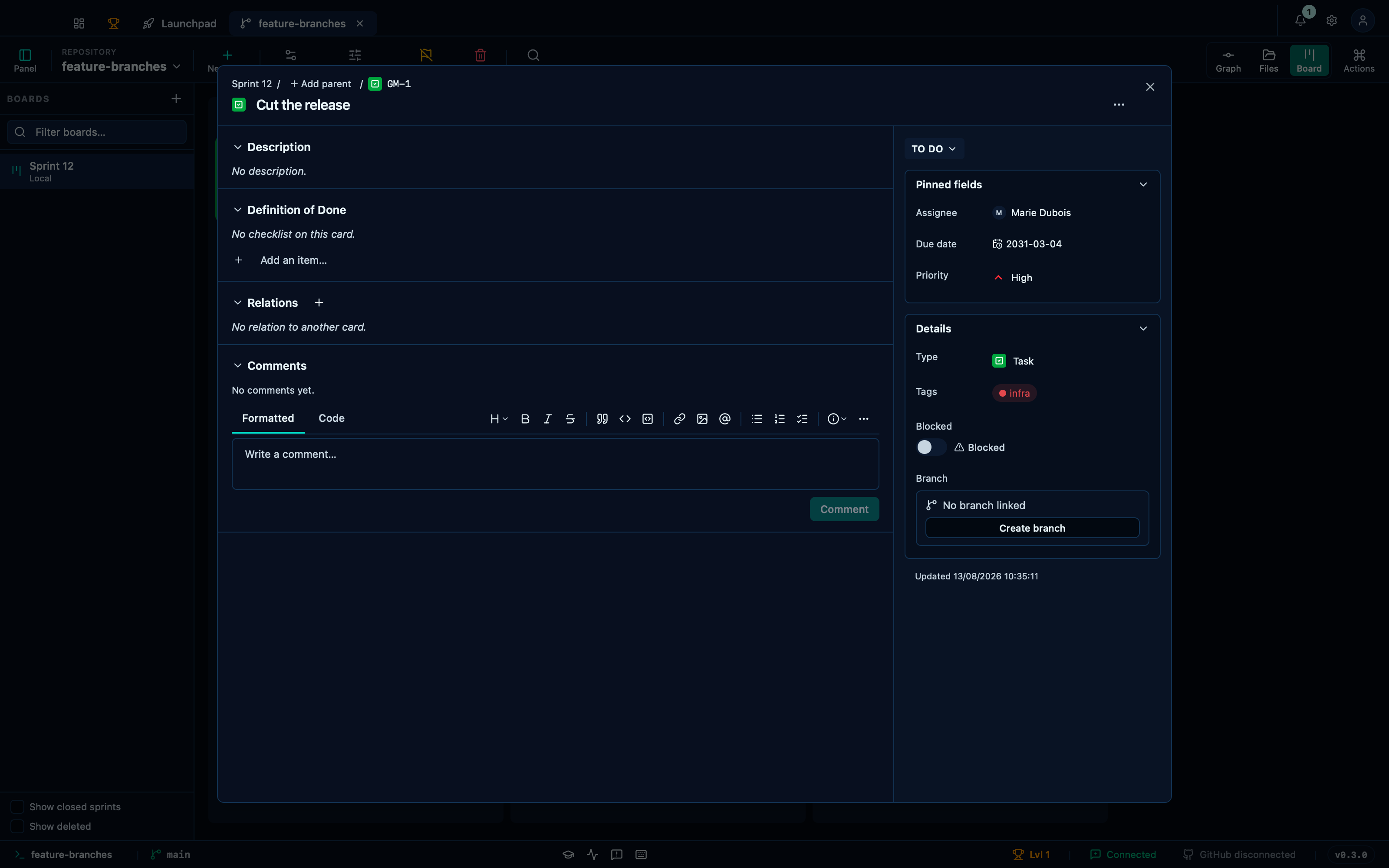
Captured from the running app by this scenario.
Do this
- Open the board
- Create a board named
Sprint 12with the card prefixGM - Add a card titled
Cut the releaseto theTo docolumn - Open the card
Cut the release - Assign the card to
Marie Dubois - Set the card priority to
High - Set the card due date to
2031-03-04 - Tag the card
infra
You should see
- The card
Cut the releaseis stored as assigned toMarie Dubois - The card
Cut the releaseis stored with the priorityhigh - The card
Cut the releaseis stored with the due date2031-03-04 - The card
Cut the releaseis stored with the taginfra - The board offers the tag
infra - No error notification is displayed
Linking a card to another states how they relate
Cards relate to each other by more than sitting on the same board: a card can block another, be blocked by it, contain it, be part of it, or simply relate to it. Adding one writes on both cards at once — the blocked card lists what blocks it, and the one doing the blocking lists what it blocks — so either card tells the whole story on its own, without opening the other.
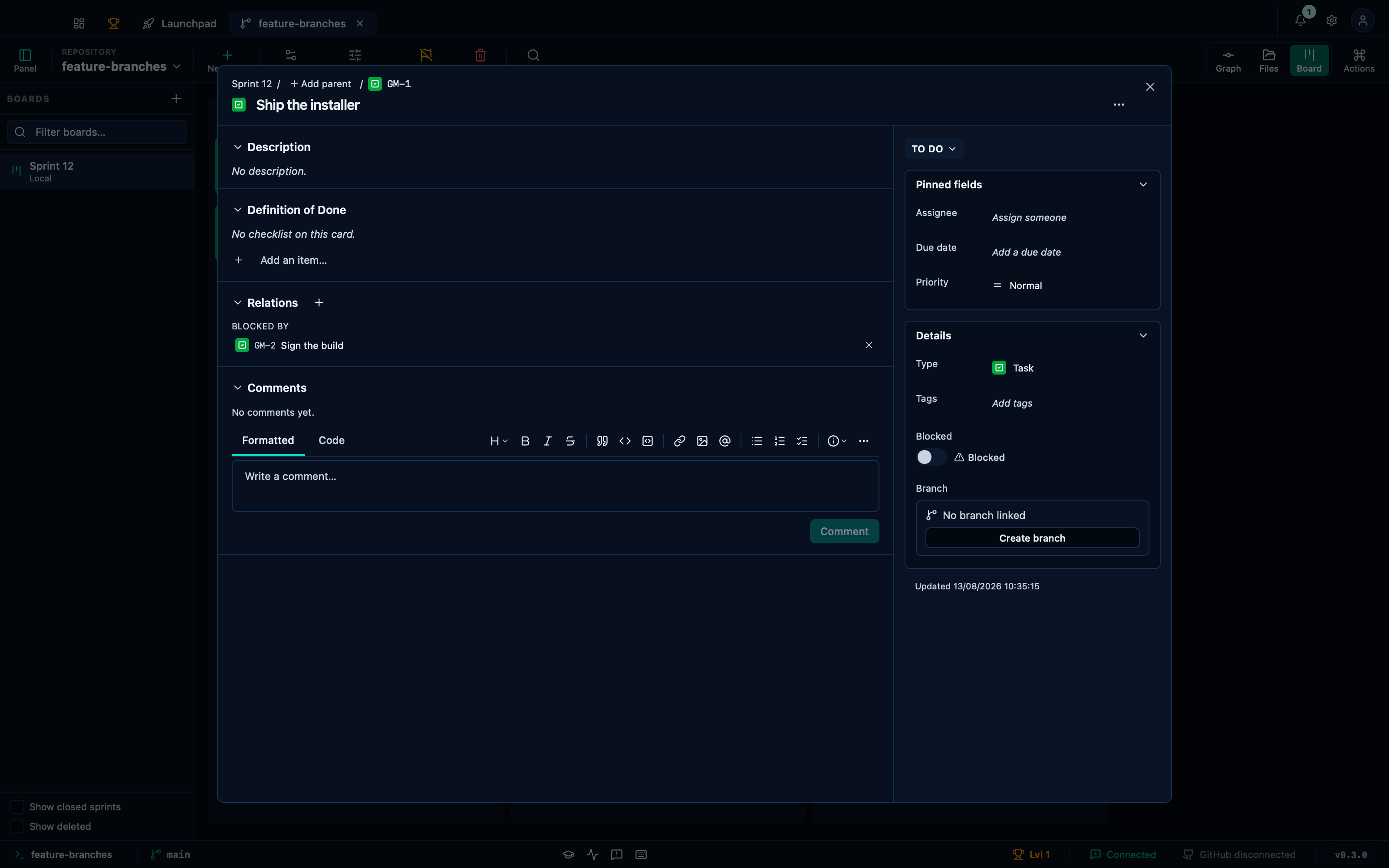
Captured from the running app by this scenario.
Do this
- Open the board
- Create a board named
Sprint 12with the card prefixGM - Add a card titled
Ship the installerto theTo docolumn - Add a card titled
Sign the buildto theTo docolumn - Open the card
Ship the installer - Link the card
Sign the buildasIs blocked by
You should see
- The card record lists
Sign the buildunderBlocked by - No error notification is displayed
A column added to the board takes cards like any other
The three starting columns are a default, not a fixed shape — the Columns button adds, removes and reorders them, and flags whichever one means "done" so the board's own definition of finished follows it. A new column takes cards exactly like To do or In progress always could.
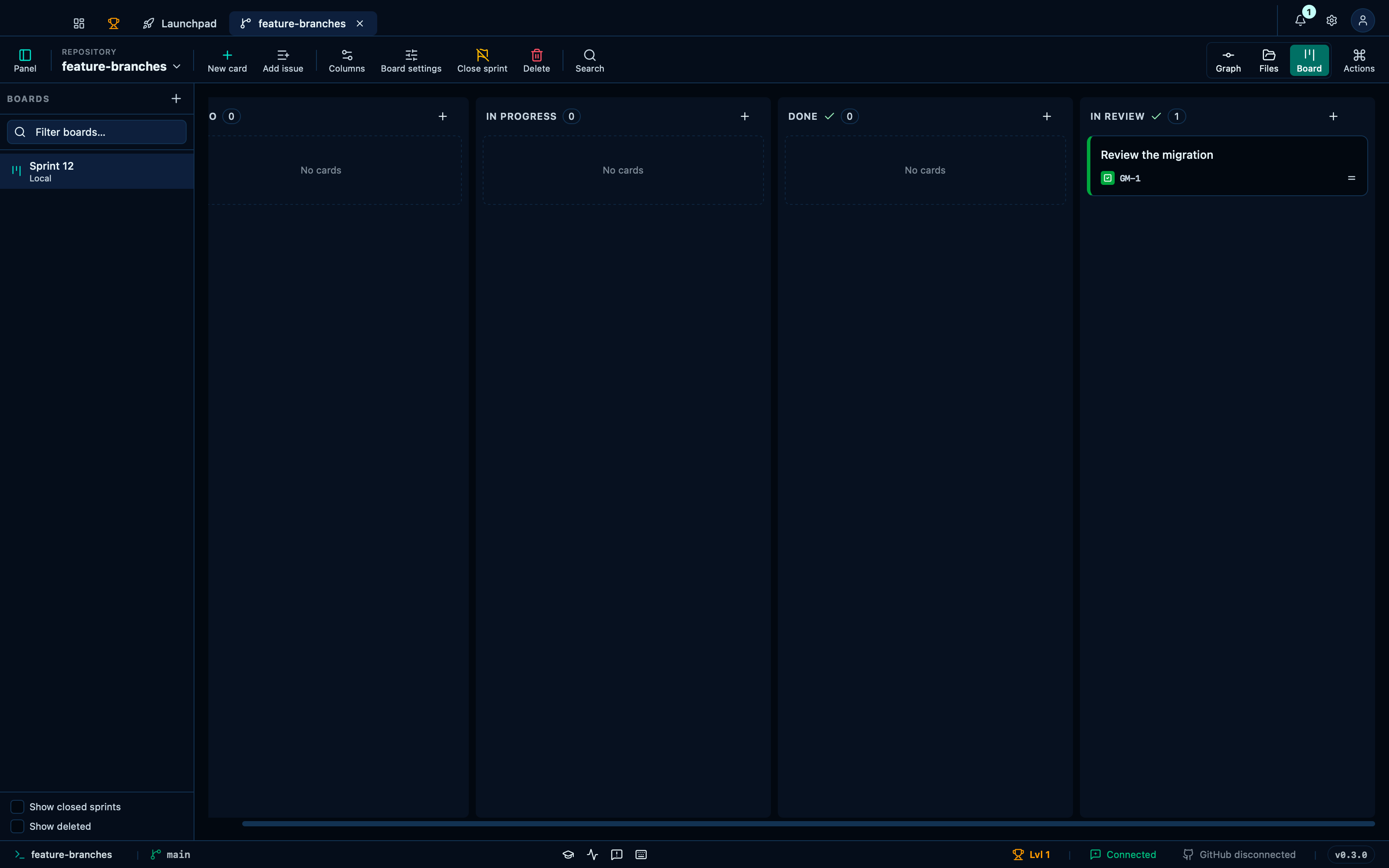
Captured from the running app by this scenario.
Do this
- Open the board
- Create a board named
Sprint 12with the card prefixGM - Open the column editor
- Add the column
In review - Flag the column
In reviewas counting for done - Save the columns
- Add a card titled
Review the migrationto theIn reviewcolumn
You should see
- The board shows the columns
To do, In progress, Done, In review - The board history records
git-manager: update board columns - The board stores the column
In reviewas counting for done - The
In reviewcolumn holds 1 card - The card
Review the migrationis stored in theIn reviewcolumn - No error notification is displayed
Removing a column does not swallow the cards that were in it
The board only renders a card into a column that exists, so a card left behind in a removed one would be invisible: not on the board, not in the archive, not reachable by searching. Removing a column re-homes its cards into the first remaining one instead, in the same commit.
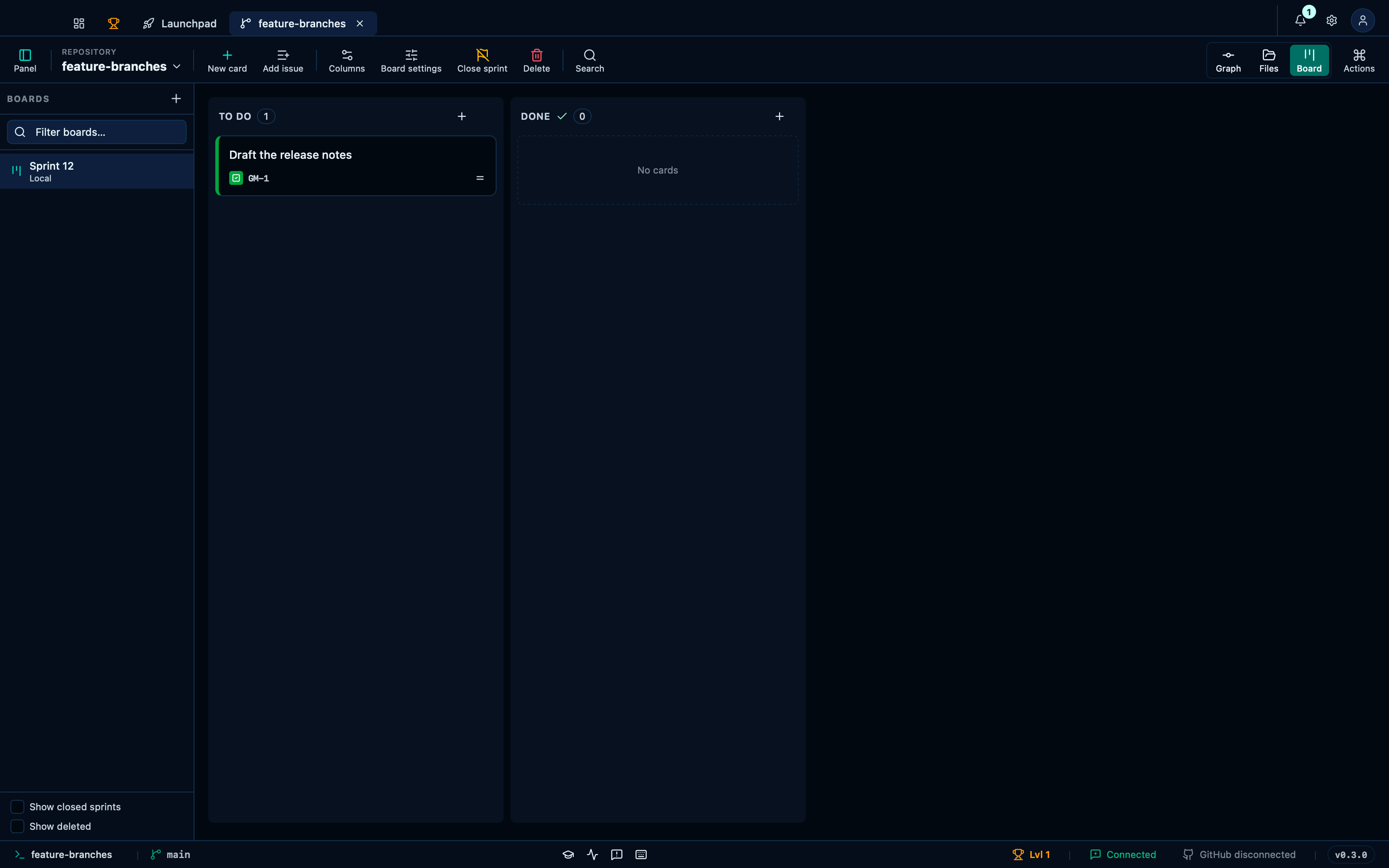
Captured from the running app by this scenario.
Do this
- Open the board
- Create a board named
Sprint 12with the card prefixGM - Add a card titled
Draft the release notesto theIn progresscolumn - Open the column editor
- Remove the column
In progress - Save the columns
You should see
- The board shows the columns
To do, Done - The card
Draft the release notesis shown on the board - The
To docolumn holds 1 card - The card
Draft the release notesis stored in theTo docolumn - No error notification is displayed
Renaming the board and its prefix leaves the existing cards' identifiers alone
A card carries its own prefix, which is what lets its identifier survive a move to another board — so editing the board's list of prefixes never touches a card. GM-1 stays GM-1 after the board stops offering GM at all, and the next card drawn from OPS starts fresh.
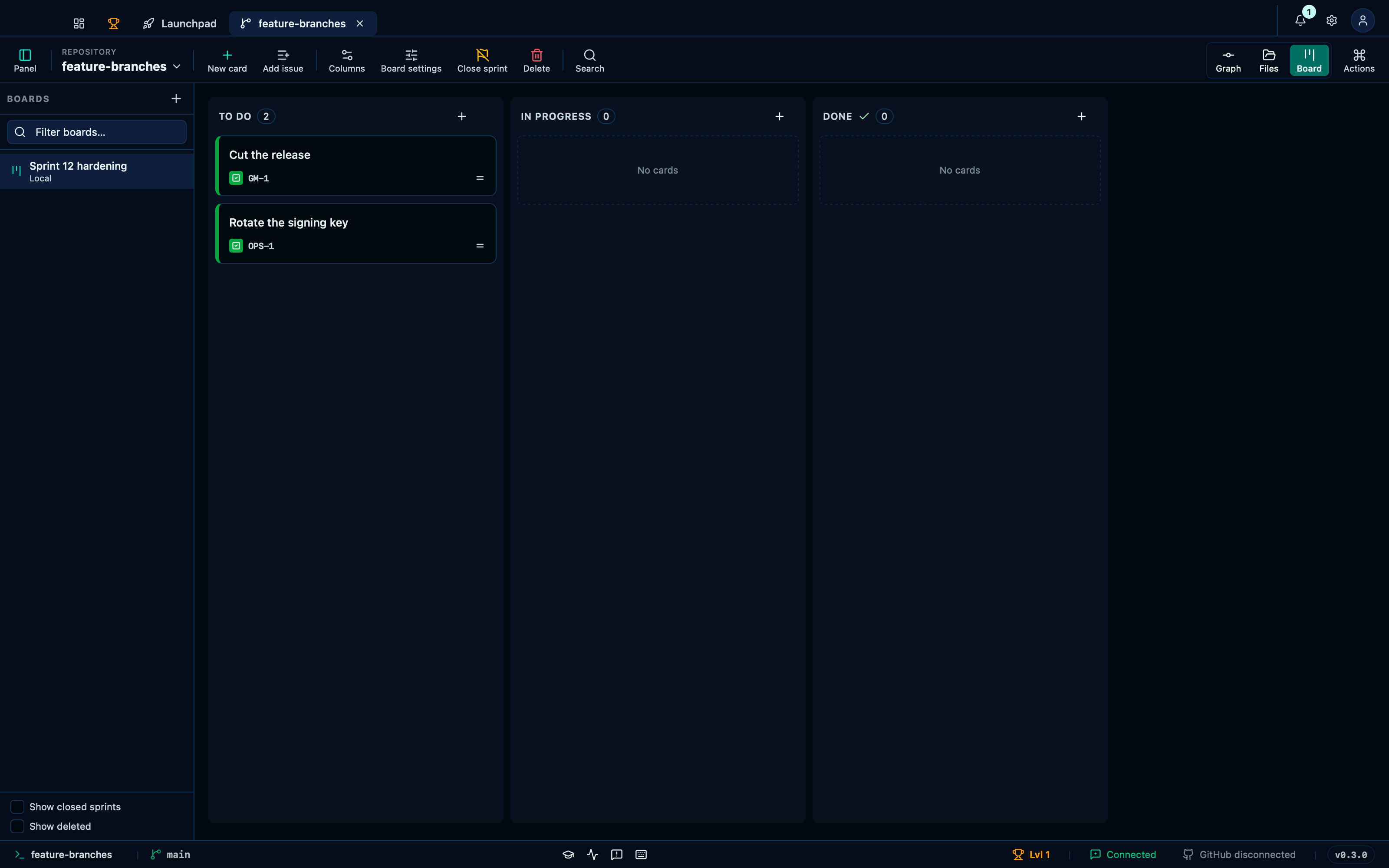
Captured from the running app by this scenario.
Do this
- Open the board
- Create a board named
Sprint 12with the card prefixGM - Add a card titled
Cut the releaseto theTo docolumn - Open the board settings
- Rename the board to
Sprint 12 hardening - Add the card prefix
OPS - Remove the card prefix
GM - Add the board tag
infra - Save the board settings
- Add a card titled
Rotate the signing keyto theTo docolumn
You should see
- The card
Cut the releaseis identified asGM-1 - The board
Sprint 12 hardeningis shown - The board history records
git-manager: update board settings - The board offers the card prefixes
OPS - The board offers the tag
infra - The card
Cut the releaseis identified asGM-1 - The card
Rotate the signing keyis identified asOPS-1 - No error notification is displayed
A board's Definition-of-Done template pre-fills every new card's checklist
Board settings hold a Definition-of-Done template alongside the name and the tag palette: items added there show up, empty and unchecked, on every card created from then on — a standing checklist for what "done" means on this board, instead of a blank one every time.
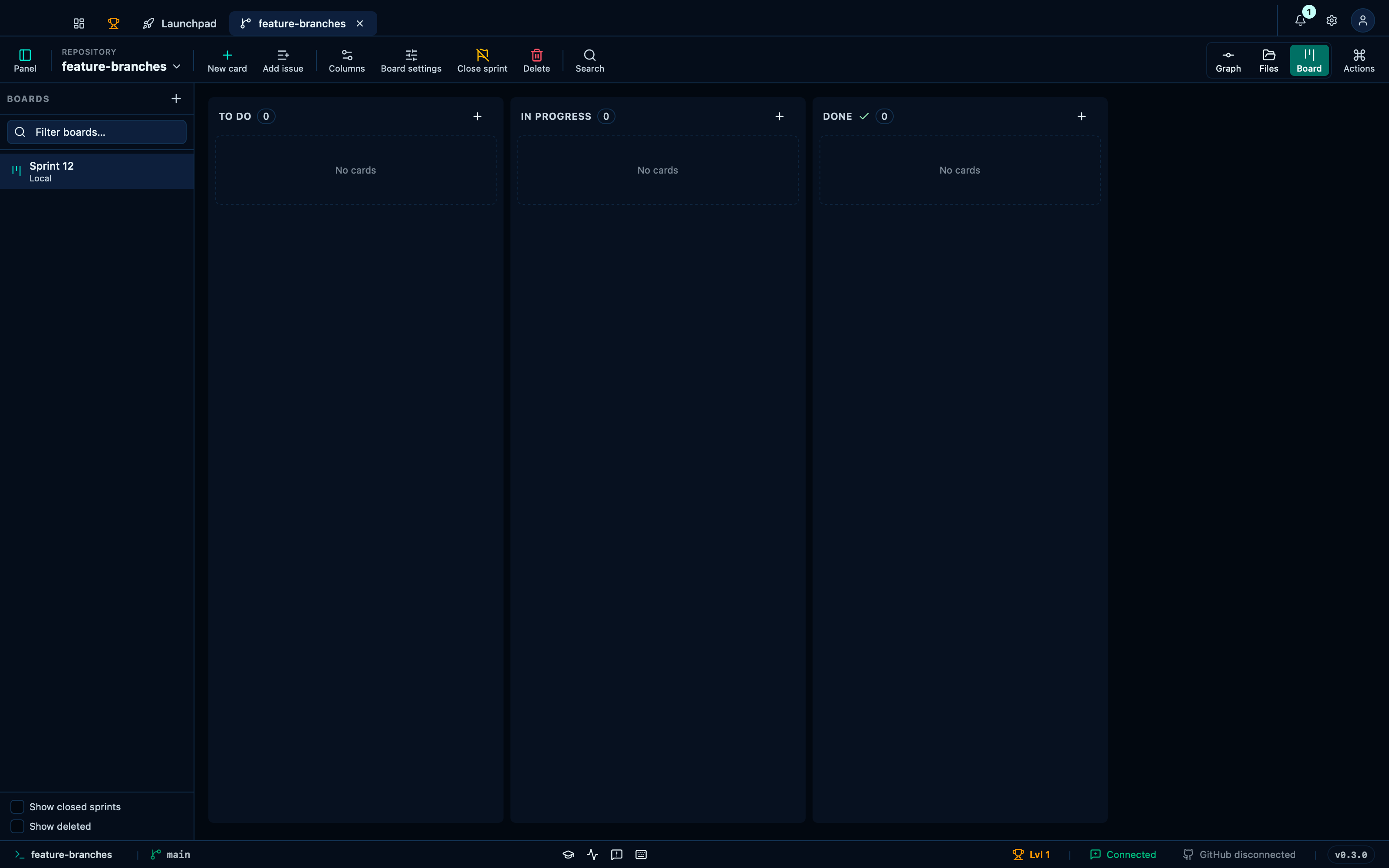
Captured from the running app by this scenario.
Do this
- Open the board
- Create a board named
Sprint 12with the card prefixGM - Open the board settings
- Add the DoD template item
Tests pass - Add the DoD template item
Docs updated - Save the board settings
- Add a card titled
Ship the releaseto theTo docolumn
You should see
- The card
Ship the releasestoresTests passas still to do - The card
Ship the releasestoresDocs updatedas still to do - No error notification is displayed
Duplicating a card copies everything it is, minus its discussion
Duplicate copies the description, checklist, assignee, priority, due date, tags and blocking onto a fresh ticket right after the original — everything the card is. Its comments do not travel: a discussion happened on one card, and reproducing it under a new one would attribute words to a conversation that never took place there.
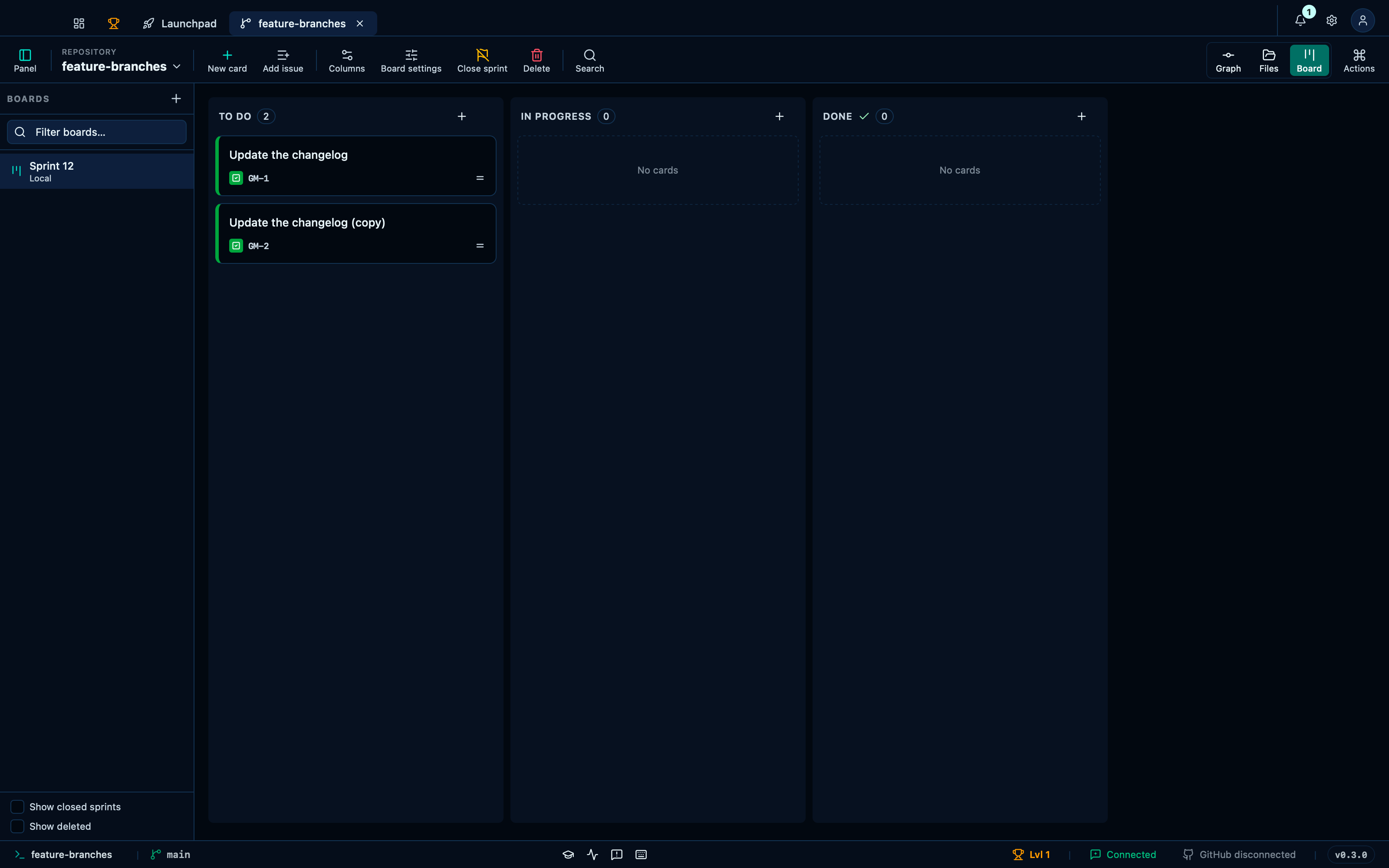
Captured from the running app by this scenario.
Do this
- Open the board
- Create a board named
Sprint 12with the card prefixGM - Add a card titled
Update the changelogto theTo docolumn - Duplicate the card
Update the changelog
You should see
- The card
Update the changelog (copy)is shown on the board - The
To docolumn holds 2 cards - No error notification is displayed
Archiving or moving a whole column's cards at once
A column's own "⋯" menu acts on every live card in it at once, for the two things worth doing to a stage of work rather than one ticket at a time: archiving it away, or moving it whole onto another board — "In progress" lands on "In progress" there too, matched by the column itself.
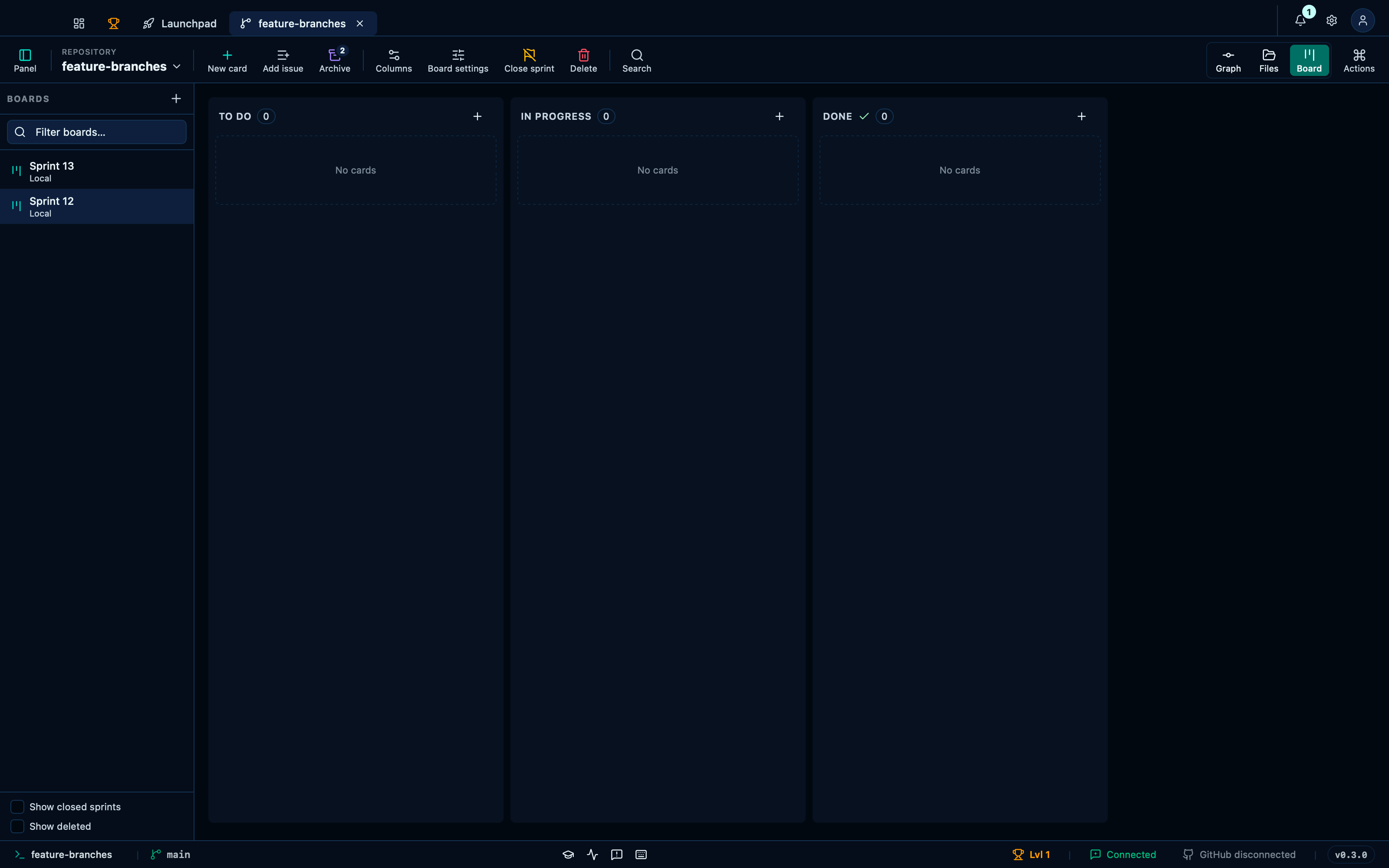
Captured from the running app by this scenario.
Do this
- Open the board
- Create a board named
Sprint 12with the card prefixGM - Add a card titled
Draft the release notesto theIn progresscolumn - Add a card titled
Update the changelogto theIn progresscolumn - Create a board named
Sprint 13with the card prefixGM - Select the
Sprint 12sprint - Move all cards in the
In progresscolumn to theSprint 13board - Select the
Sprint 13sprint - Select the
Sprint 12sprint - Add a card titled
Cut the releaseto theTo docolumn - Add a card titled
Sign the buildto theTo docolumn - Archive all cards in the
To docolumn
You should see
- The
In progresscolumn holds 0 cards - The
In progresscolumn holds 2 cards - The
To docolumn holds 0 cards - No error notification is displayed
Deleting a card offers archiving as the reversible way out
Deleting a card is the one action nothing undoes, so its confirmation offers the reversible neighbour first: archive it instead, and it comes back exactly as it was whenever it is needed again. Confirming the deletion itself, with archiving turned down, throws the card away for good — description, checklist and comment thread included.
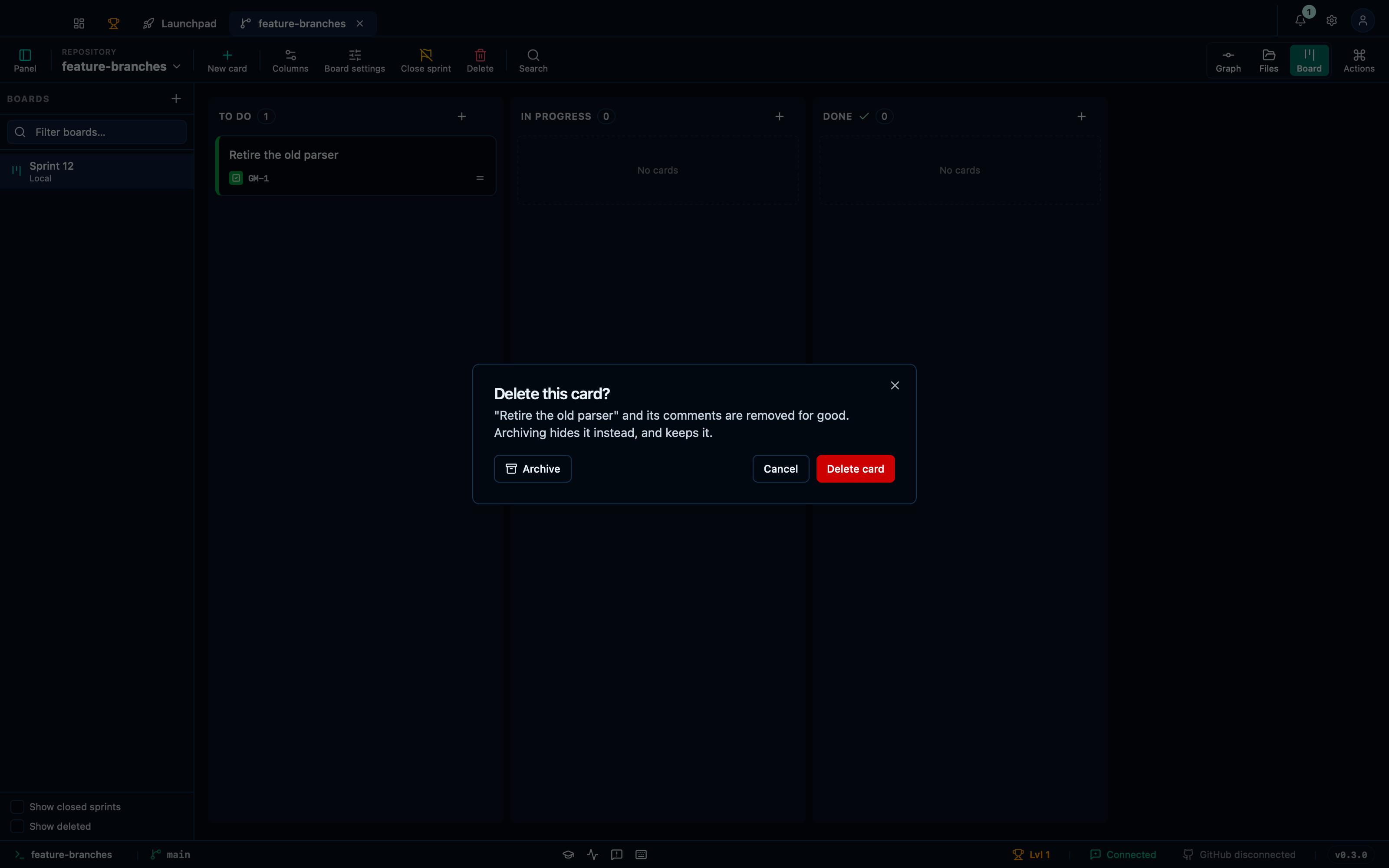
Captured from the running app by this scenario.
Do this
- Open the board
- Create a board named
Sprint 12with the card prefixGM - Add a card titled
Retire the old parserto theTo docolumn - Open the card
Retire the old parser - Ask to delete the card
- Confirm the deletion
You should see
- The delete confirmation is shown
- The
To docolumn holds 0 cards - No card titled
Retire the old parseris stored in the repository - No error notification is displayed
A card moved to another sprint keeps its identifier and its column
A card that outlives one sprint does not have to be recreated in the next: move it, and it keeps its own identifier and lands in the column of the same name — "In progress" on one sprint is "In progress" on the next, matched by the column itself rather than falling back to the first one. The sprint it left no longer lists it; the one it landed on now does.
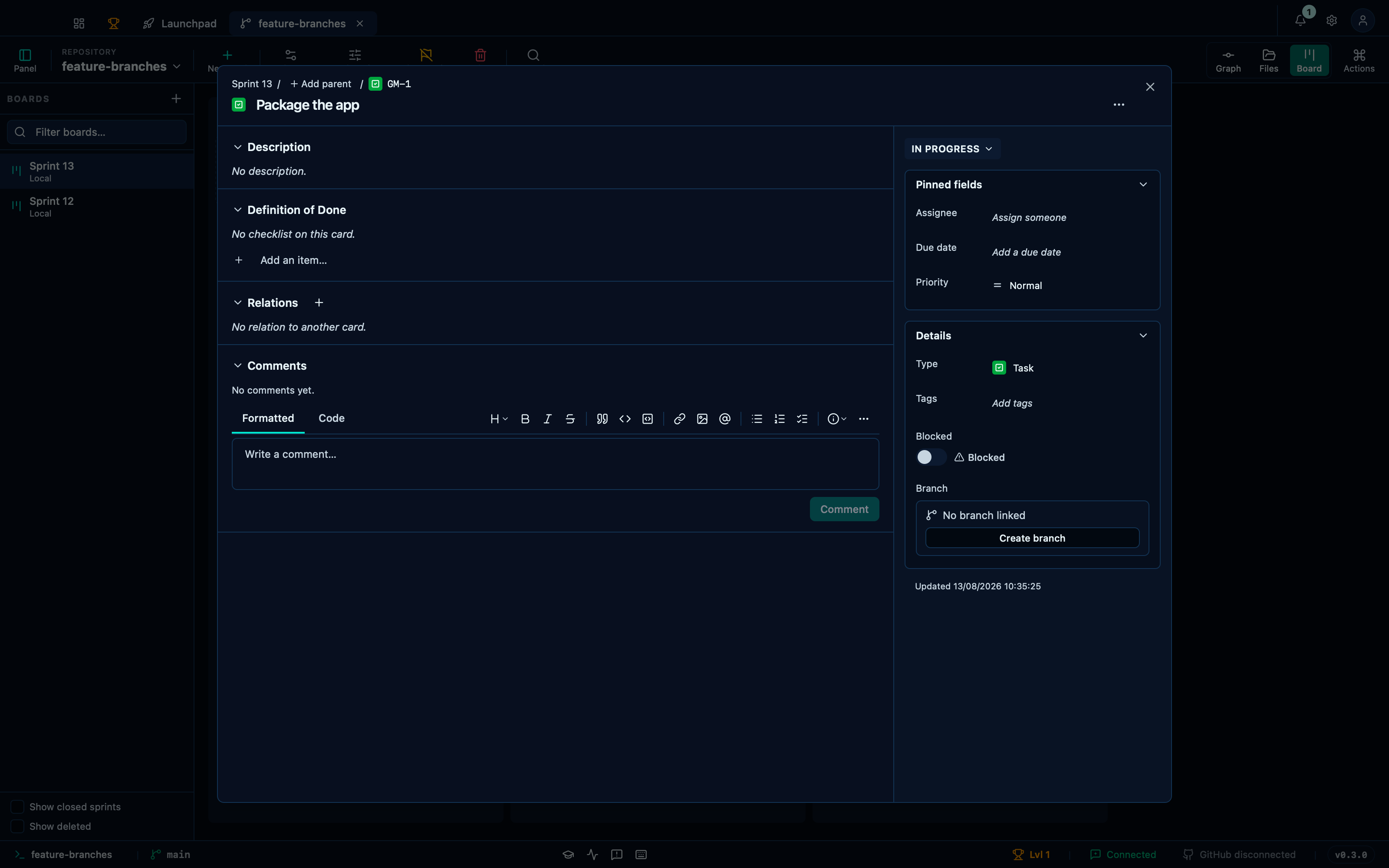
Captured from the running app by this scenario.
Do this
- Open the board
- Create a board named
Sprint 12with the card prefixGM - Add a card titled
Package the appto theIn progresscolumn - Create a board named
Sprint 13with the card prefixGM - Select the
Sprint 12sprint - Open the card
Package the app - Ask to move the card to another board
- Move the card to the
Sprint 13board - Select the
Sprint 13sprint
You should see
- The
In progresscolumn holds 0 cards - The card
Package the appis shown on the board - The card
Package the appis identified asGM-1 - The
Sprint 13board stores the cardPackage the appin theIn progresscolumn - The
Sprint 12board stores no card titledPackage the app - No error notification is displayed
This page is generated from apps/e2e/features/board-cards.feature, the end-to-end test that drives the feature it describes.