
From a card to a branch, and back when it merges
The one thing a board hosted anywhere else cannot do: start the work from the ticket. A card's record carries a branch section — create the branch this card is about, check it out, give it a worktree of its own — and the loop closes on its own at the other end, when that branch is merged and the card moves to its board's done column without anybody dragging it there.
Everything below is asserted against git rather than the render: the branch is read back with git branch --list, the checkout with rev-parse, the worktree with git worktree list, and the card's own half of the link out of the board's ref.
Creating the branch a card is about, from the card itself
A card's branch section starts as a single "Create branch" button; asking it to creates the branch, checks it out, and links it to the card. Unlinking only forgets the card's own memory of the branch — the branch itself, and everything committed on it, is untouched.
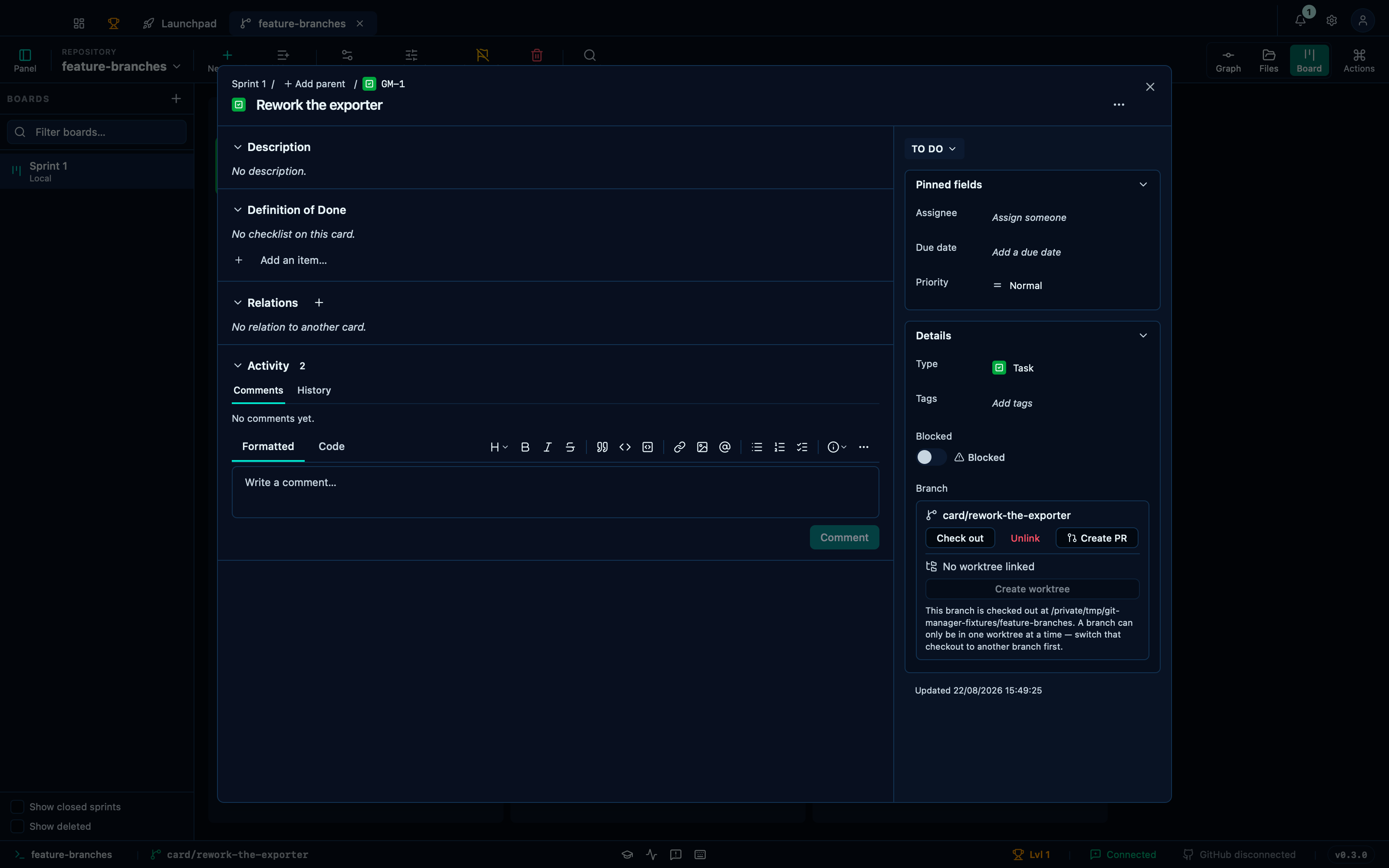
Captured from the running app by this scenario.
Do this
- Open the board
- Create a board named
Sprint 1with the card prefixGM - Add a card titled
Rework the exporterto theTo docolumn - Open the card
Rework the exporter - Create a branch for the card
- Unlink the branch from the card
You should see
- The card record shows the linked branch
card/rework-the-exporter - The branch
card/rework-the-exporterexists in the repository - The repository has
card/rework-the-exporterchecked out - The card
Rework the exporteris stored on the branchcard/rework-the-exporter - The card record offers to create a branch
- The card
Rework the exporteris stored with no branch - The branch
card/rework-the-exporterexists in the repository - No error notification is displayed
A card's branch can be given a worktree of its own
A worktree — an isolated checkout to hand to a coding agent — is only offered once a branch is linked, and only once that branch is free: git allows a branch checked out in one worktree at a time, and creating the card's branch just checked it out here. Checking out something else first is what a worktree needs, and the card explains exactly that rather than offering a button whose only outcome would be git's own refusal.
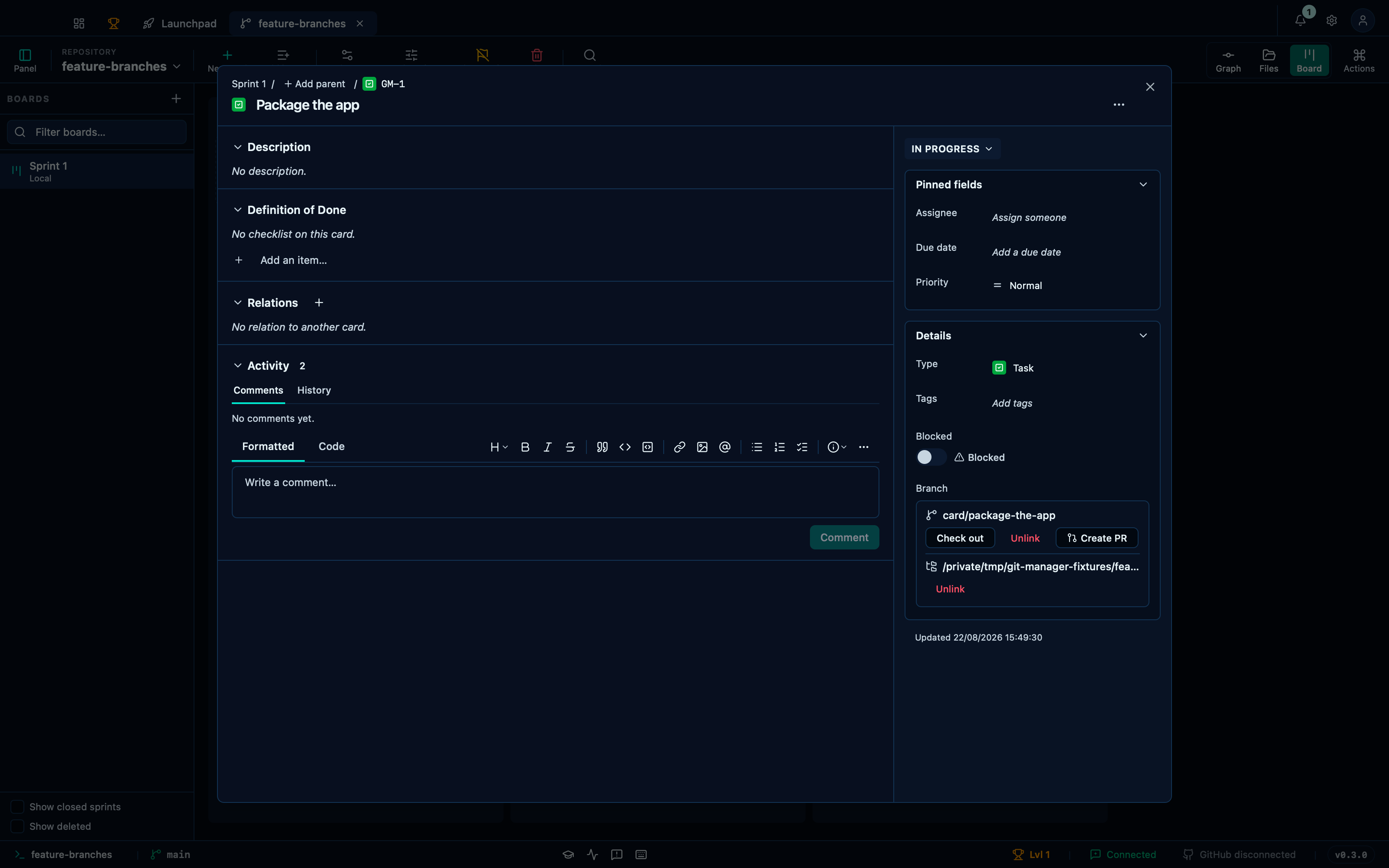
Captured from the running app by this scenario.
Do this
- Open the board
- Create a board named
Sprint 1with the card prefixGM - Add a card titled
Package the appto theIn progresscolumn - Open the card
Package the app - Create a branch for the card
- Close the card record
- Open the commit graph
- Check out the
mainbranch - Open the board
- Open the card
Package the app - Create a worktree for the card
You should see
- The card record refuses a worktree while the branch is checked out
- The branch indicator reads
card/package-the-app - The card record shows a linked worktree
- The repository has a worktree for the branch
card/package-the-app - The card
Package the appis stored with a worktree of its own - No error notification is displayed
Merging a card's branch moves the card to the board's done column
The other end of the loop, and the reason the link is stored at all: nothing on the board is touched here — the merge runs from the graph, through the command palette, same as any other branch merge — and the card has already moved by the time the board is looked at again.
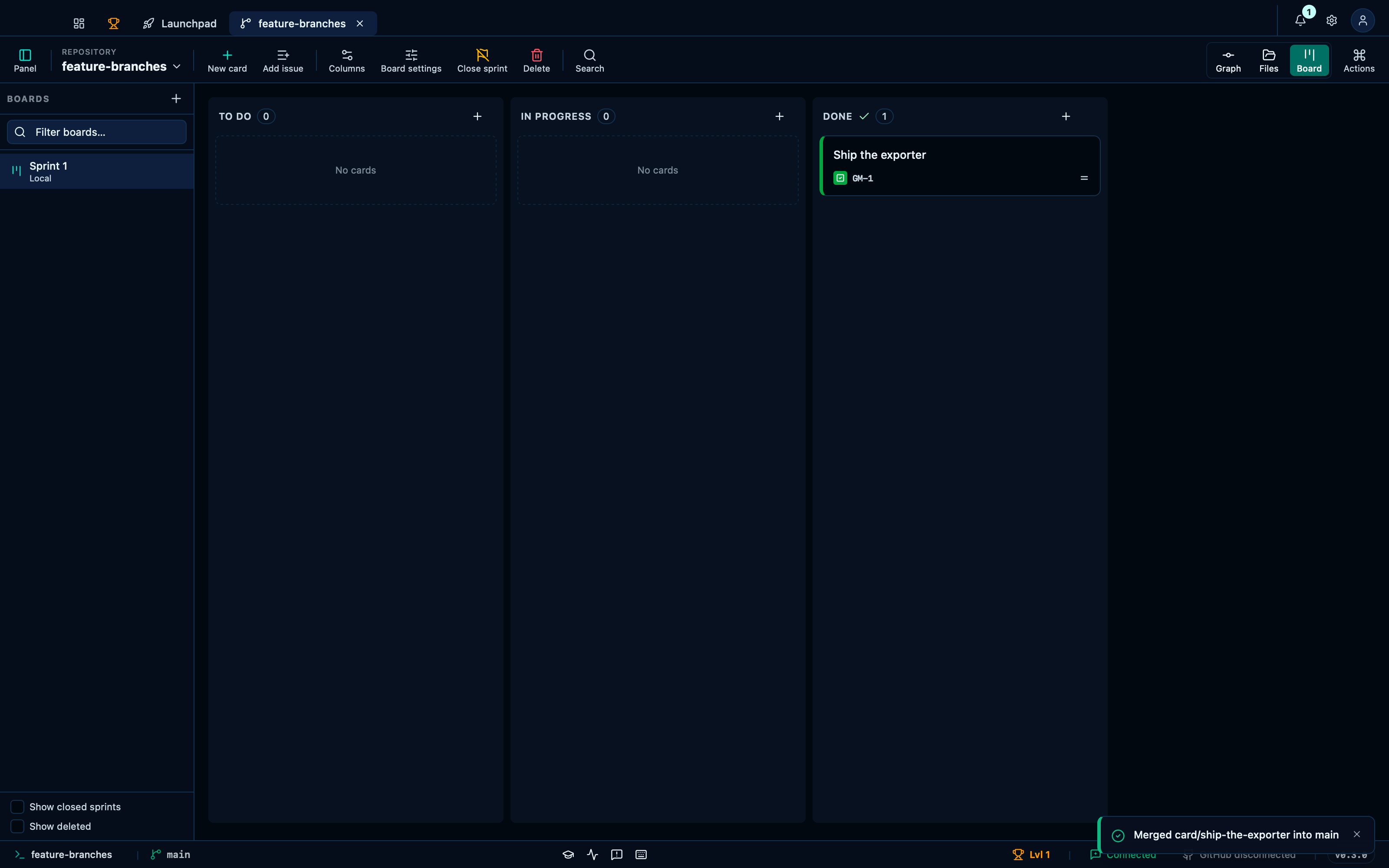
Captured from the running app by this scenario.
Do this
- Open the board
- Create a board named
Sprint 1with the card prefixGM - Add a card titled
Ship the exporterto theTo docolumn - Open the card
Ship the exporter - Create a branch for the card
- Close the card record
- Open the commit graph
- Check out the
mainbranch - Open the command palette
- Pick
Merge a branch into main…from the palette - Pick
card/ship-the-exporterfrom the palette - Open the board
You should see
- The branch indicator reads
card/ship-the-exporter - The branch
maincontains the commitfeat: export the report - The card
Ship the exporteris stored in theDonecolumn - The
Donecolumn holds 1 card - The
To docolumn holds 0 cards - No error notification is displayed
This page is generated from apps/e2e/features/board-card-branch.feature, the end-to-end test that drives the feature it describes.