
Explaining what changed
"Explain (LLM)" shows up in four places — a commit, a branch, your uncommitted work, and one file's pending diff — and they all answer the same question at a different scope: not what the message says, but what the change actually does. The three panel-based ones (commit, branch, working tree) share one instruction and one right-hand panel; the file one is scoped tighter, and reads against the file's own content, not just the patch.
Explaining a single commit
Choosing "Explain this commit (LLM)" opens the commit summary in the right panel and starts generating immediately — no second click needed, since picking the menu item already is the request. The explanation is remembered per commit afterwards: reopening the panel for the same commit shows it again straight away instead of regenerating.
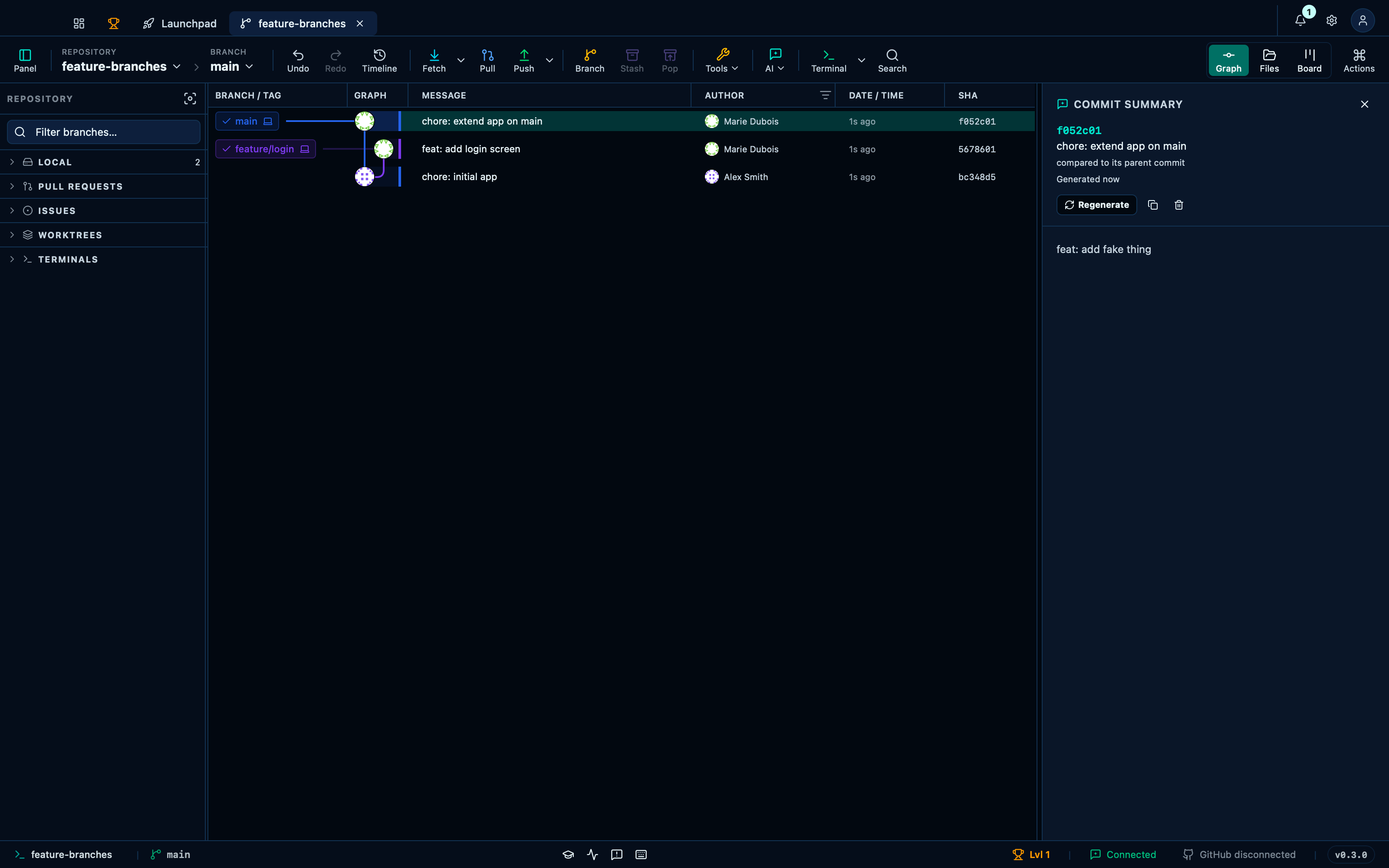
Captured from the running app by this scenario.
Do this
- Select the
HEADcommit in the graph - Choose
Explain this commit (LLM)from the commit's row menu
You should see
- The explanation panel shows a finished explanation
Explaining a branch's changes
Choosing "Explain branch changes (LLM)" summarizes everything the branch adds compared to its base — resolved from local refs alone, so it works with no remote and no GitHub token. Like the commit summary, it is remembered per branch and shown again on reopening rather than regenerated.
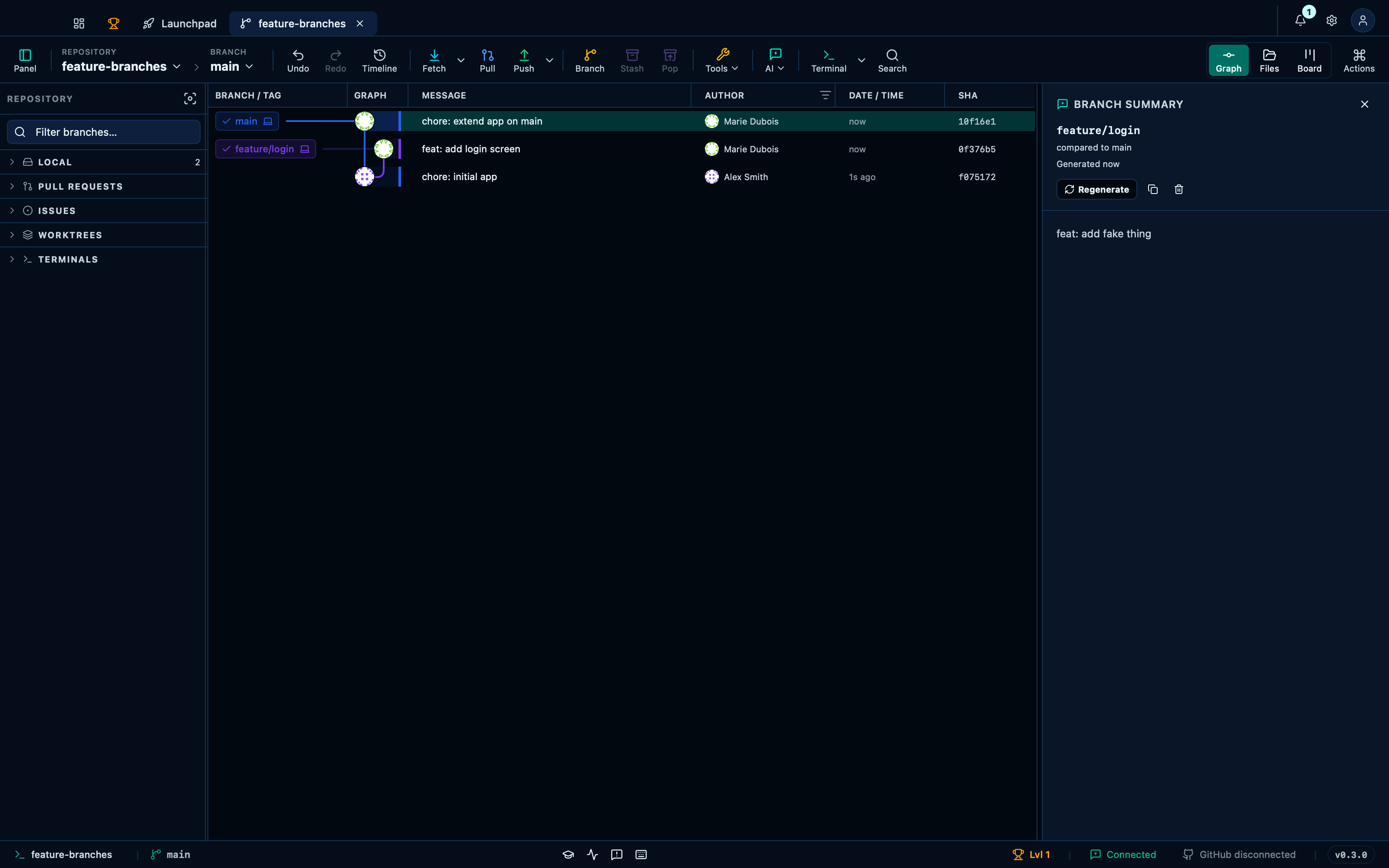
Captured from the running app by this scenario.
Do this
- Choose
Explain branch changes (LLM)for thefeature/loginbranch (basemain)
You should see
- The explanation panel shows a finished explanation
Explaining all uncommitted changes
Choosing "Explain working changes (LLM)" on the working-tree row summarizes everything you haven't committed yet — every changed file, not just whichever one happens to be open. Unlike the commit and branch summaries it keeps no memory: the working tree moves constantly, so every open generates fresh.
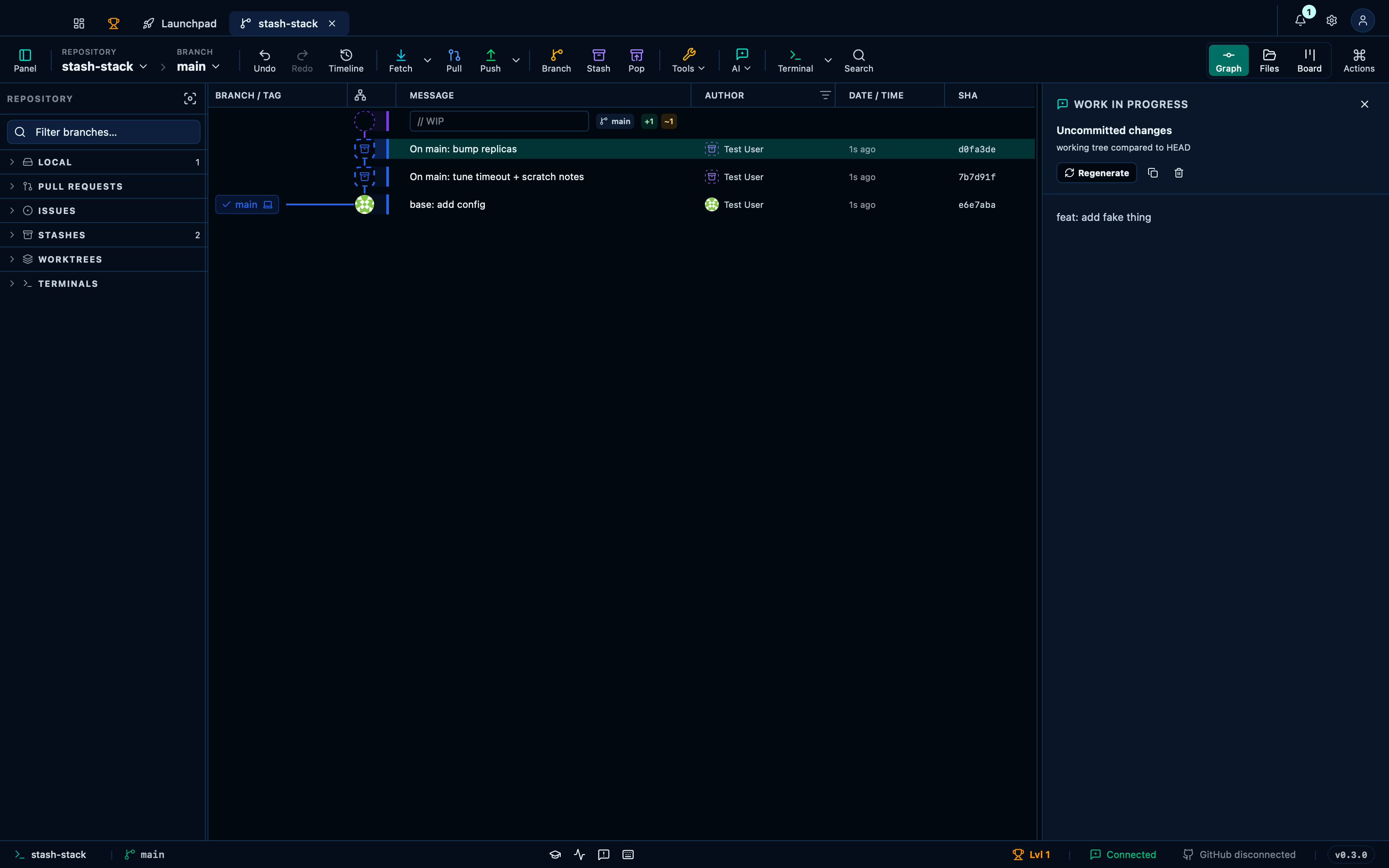
Captured from the running app by this scenario.
Do this
- Choose
Explain working changes (LLM)from the working-tree row menu
You should see
- The explanation panel shows a finished explanation
Explaining one file's pending diff
The Explain button above the diff editor answers a narrower question than the panels above: what does this one pending change do to this file, read against the file's own current content, not just the +/- lines of the patch. Nothing runs until you ask for it.
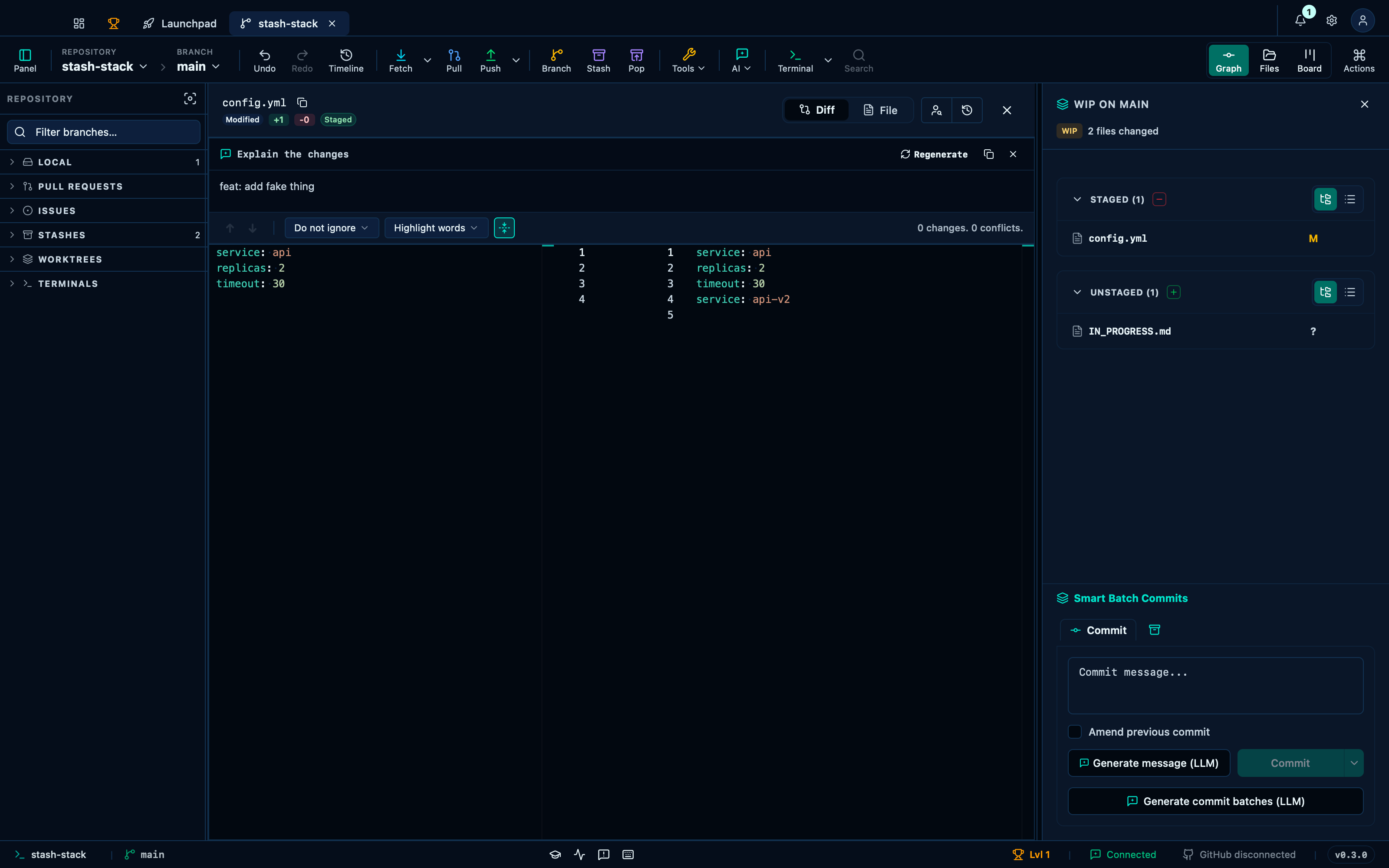
Captured from the running app by this scenario.
Do this
- Select the working-tree changes in the graph
- Open the diff for
config.yml - Click the explain-changes button
You should see
- The change explanation shows a finished explanation
This page is generated from apps/e2e/features/ai-explanation.feature, the end-to-end test that drives the feature it describes.