
Merging branches
Bringing another branch's work into yours is a palette action, not a buried menu: open the palette (⌘K) and every local branch offers Merge and, when your branch is simply behind, Fast-forward. A merge that brings in diverged history records a merge commit; if the two branches touched the same lines, the merge pauses and the three-way merge editor takes over.
Merging a branch from the palette
From the branch you're on, open the palette and pick the other branch's Merge entry — here, merging feature/login into main. Git Manager runs the same merge git would: commits already contained in your branch are skipped, new ones come in, and a diverged history gets a merge commit. If the branches conflict, the merge pauses and the merge editor opens on the conflicted files.
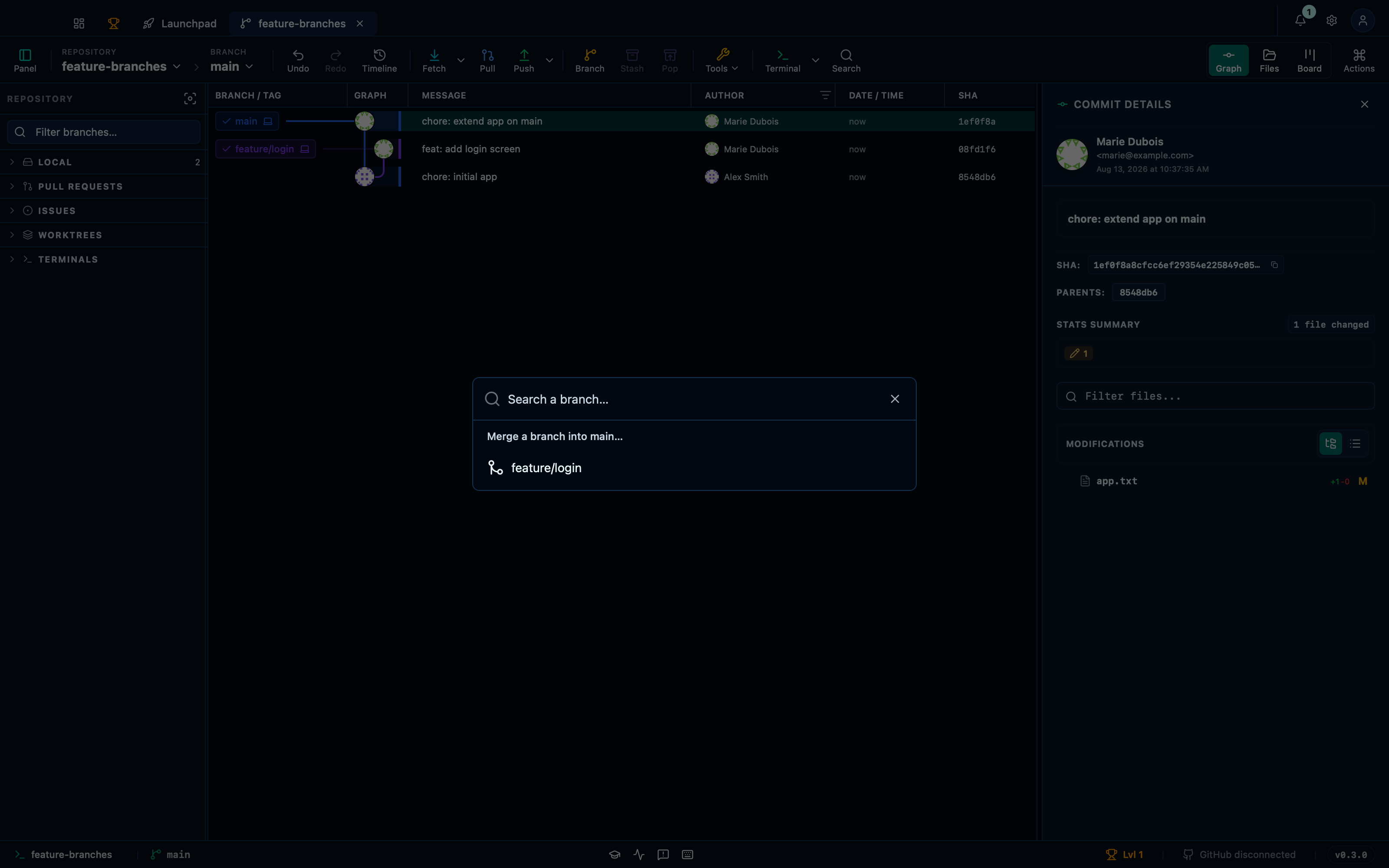
Captured from the running app by this scenario.
Do this
- Open the command palette
- Pick
Merge a branch into main…from the palette - Pick
feature/loginfrom the palette
You should see
- The branch indicator reads
main - The command palette is shown
- The branch
maincontains the commitfeat: add login screen - No error notification is displayed
Fast-forwarding the current branch onto another
If your branch is strictly behind another — every commit of yours is already part of its history — there is nothing to merge: fast-forward just moves your branch pointer up to match, with no merge commit. The palette offers it per branch, so catching a release branch up to main is one keystroke away.
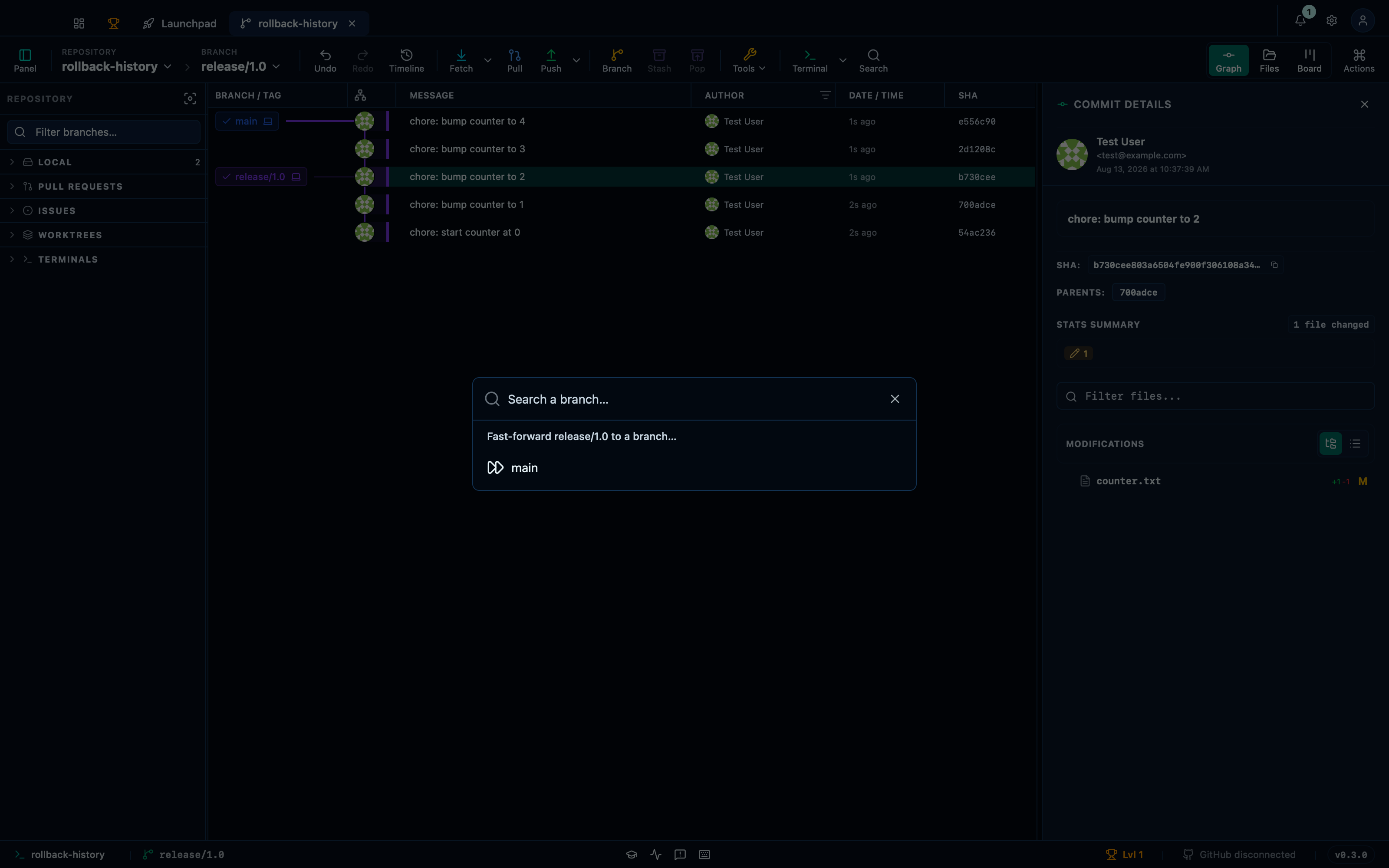
Captured from the running app by this scenario.
Do this
- Open the command palette
- Pick
Fast-forward release/1.0 to a branch…from the palette - Pick
mainfrom the palette
You should see
- The branches
release/1.0andmainpoint at the same commit - No error notification is displayed
This page is generated from apps/e2e/features/merge-branches.feature, the end-to-end test that drives the feature it describes.