
AI commit-message generation
Every AI feature runs against the provider you've configured in Settings — a local Ollama by default. Generating commit batches asks for a whole reviewable plan, splitting your working tree into several commits at once, each with its own editable message and file list.
Generating a commit message summarizes every staged file, then drafts one from all of them
Every staged file is summarized first, one call each, before a single composing call writes the message — so a change spanning several files gets a subject describing the whole thing rather than whichever file happened to be read first. The same button doubles as Stop while a generation is running, so a generation that seems stuck can be cancelled without waiting it out.
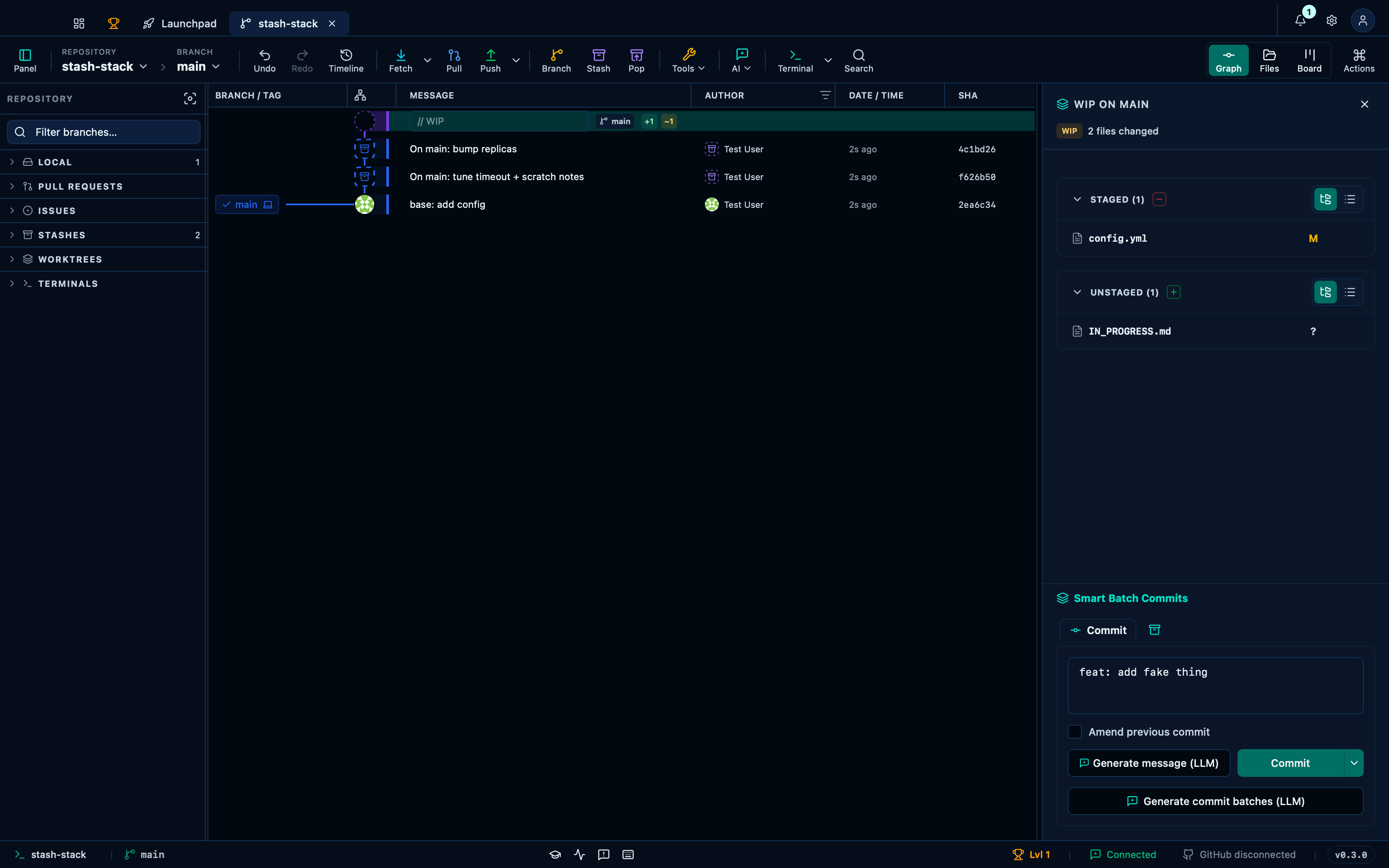
Captured from the running app by this scenario.
Do this
- Select the working-tree changes in the graph
- Click the commit-generate button
You should see
- The commit message becomes
feat: add fake thing
Generating commit batches proposes a reviewable plan and applies the accepted commits
A working tree that mixes more than one logical change together doesn't have to become one lumped commit: generating commit batches asks the AI to split it into a reviewable plan instead of a single message, with each proposed commit getting its own editable message and file list so you can adjust anything before committing. Accepting the plan applies every proposed commit in order, exactly as shown.
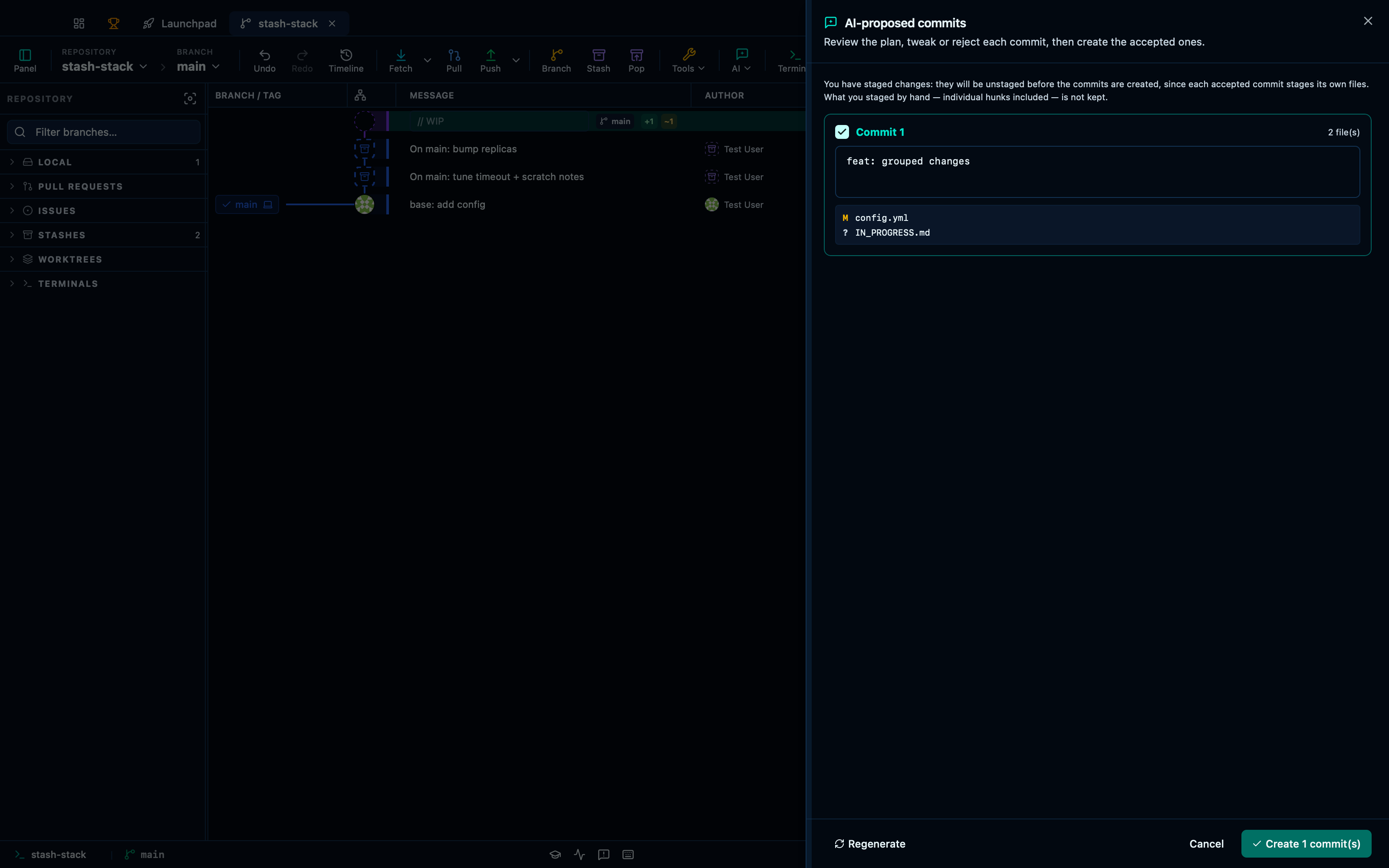
Captured from the running app by this scenario.
Do this
- Select the working-tree changes in the graph
- Click the generate-commit-batches button
- Apply the AI commit batch
You should see
- The AI batch dialog proposes a first commit
feat: grouped changes - The repository HEAD commit subject is
feat: grouped changes
This page is generated from apps/e2e/features/ai-generation.feature, the end-to-end test that drives the feature it describes.