
Acting on the commit graph's ref-to-ref drop menu
Dragging a branch or tag badge onto another in the commit graph pops a menu — fast-forward, merge, rebase, interactive rebase, push, reset, or start a pull request — each wired to a real git operation (useRefDrop.ts). The menu itself is a real native macOS menu, not a DOM element, so — same as every other native-menu-only flow in this suite (see branch-rename.steps.ts) — these scenarios call the exact action a real click would through the e2e-only bridge RefDropContext.tsx exposes for this reason (window.__e2eRefDropActions), then assert the real git/UI effect the click would have produced.
Fast-forwarding a target branch up to a descendant source
Dropping a source that directly descends from the target puts fast-forward on the menu: no merge commit, the target branch simply moves its pointer up to match — the same fast-forward git merge --ff-only would do, wired to a drag instead of a command.
Do this
- Run the ref-drop action
fast-forwarddroppingff-sourceontomain
You should see
- The branch
mainpoints at the same commit asff-source
Merging a source branch into a target branch
Two branches that have diverged get a real merge instead: the target gains a new commit with both tips as parents, exactly as running git merge from the target branch would — without leaving the graph to open a terminal.
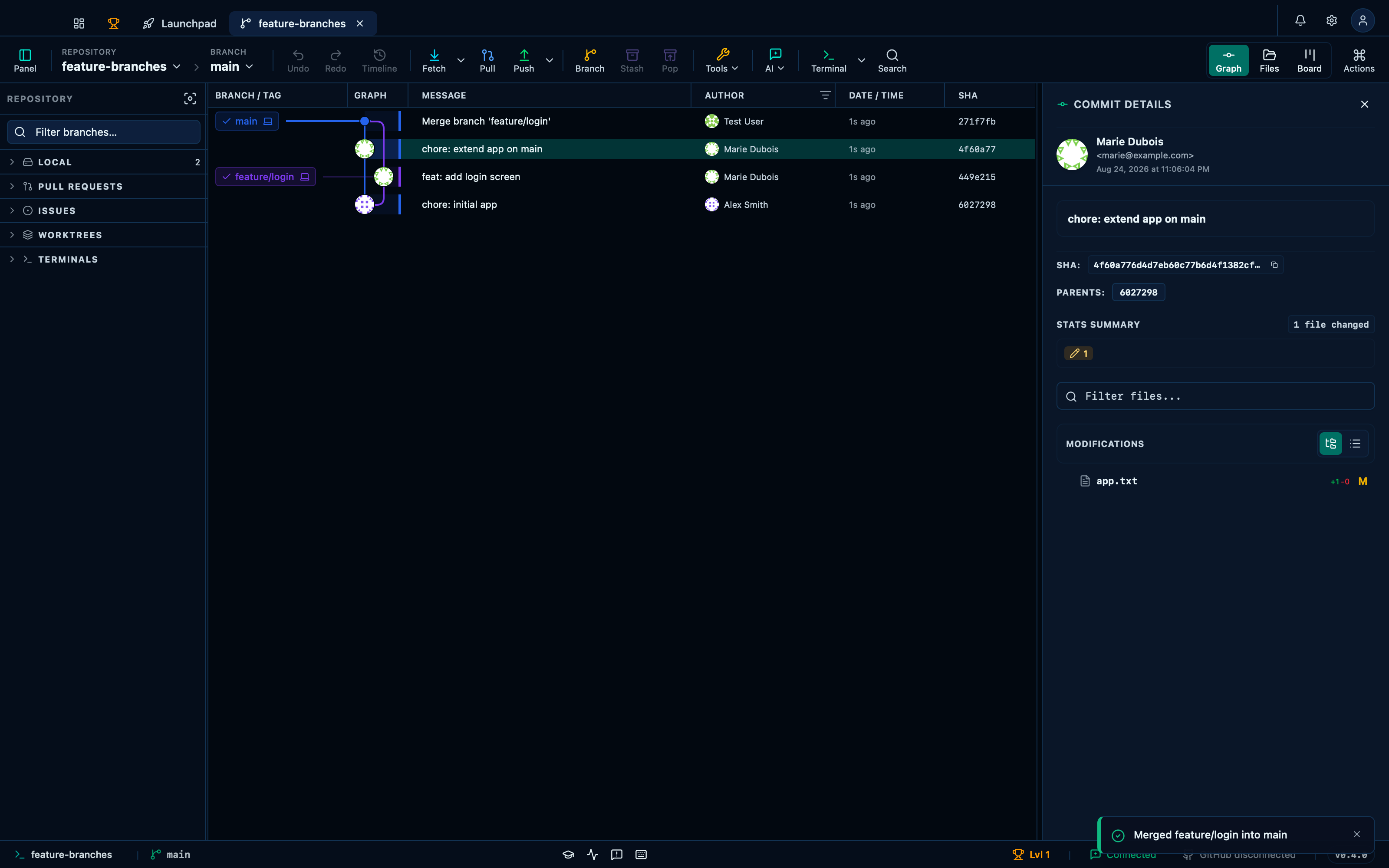
Captured from the running app by this scenario.
Do this
- Run the ref-drop action
mergedroppingfeature/loginontomain
You should see
- The branch
mainis a merge commit withfeature/loginas a parent - No error notification is displayed
Starting a pull request pre-fills the head and base from the drop
The same drop also offers to start a pull request between the two branches. Pick it, and the create-PR form opens with the source and target already filled in as head and base, so relating two branches in the graph carries straight into the form instead of being retyped there.
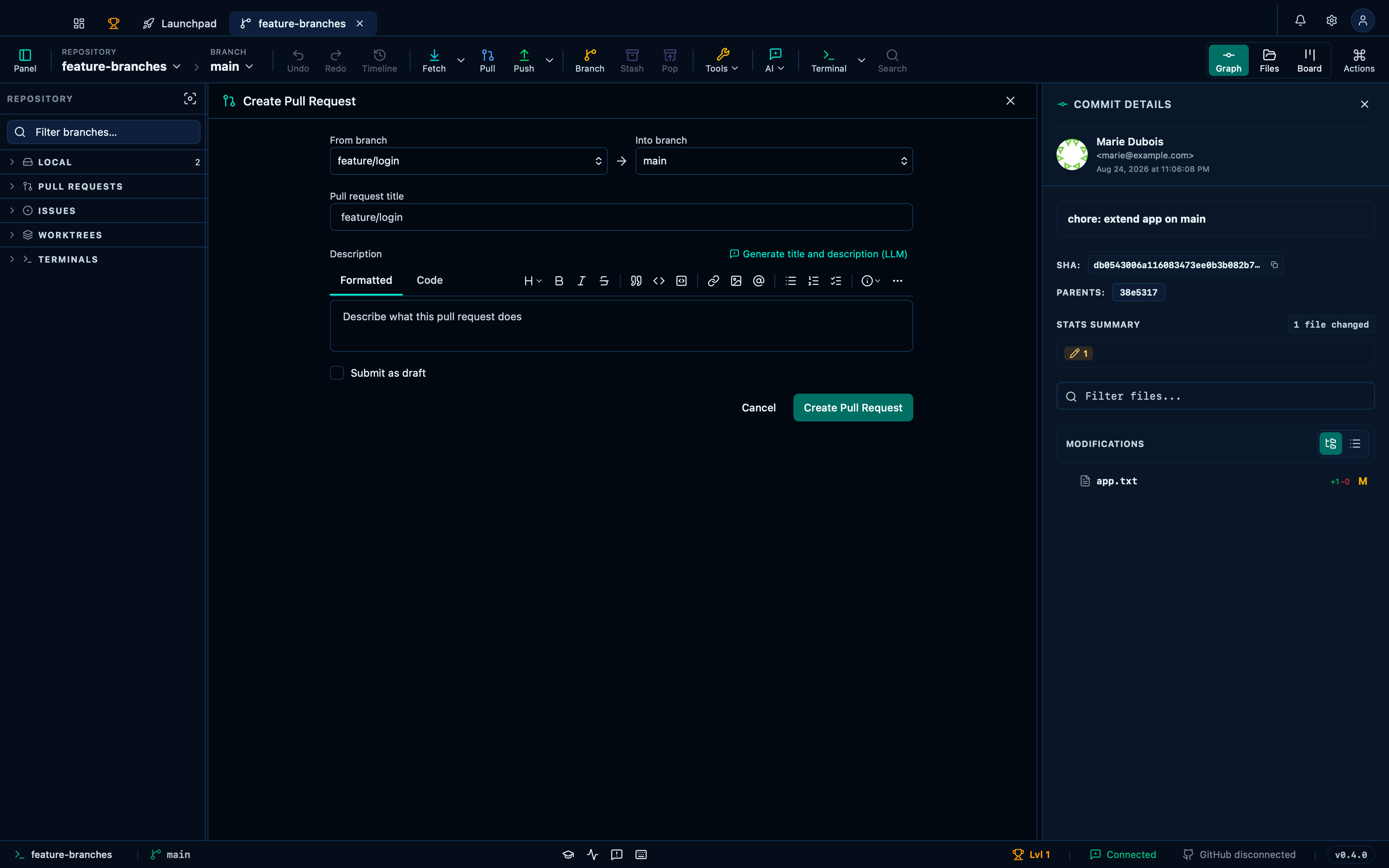
Captured from the running app by this scenario.
Do this
- Run the ref-drop action
start-prdroppingfeature/loginontomain
You should see
- The create-pr form is open with head
feature/loginand basemain
This page is generated from apps/e2e/features/ref-drop.feature, the end-to-end test that drives the feature it describes.