
Behind the scenes — the Action Journal
Opened from the footer's graduation-cap button (or the command palette), the journal is the app's own behaviour as the subject — not the repository's contents, so it needs no git data of its own: every command was already recorded as it ran, and this reads that log back. Every row shows the real command line with no model configured at all; asking "Explain" is what turns it into a lesson, and the copy icon beside it takes the raw commands as-is, for pasting into a terminal or a bug report.
Explaining the commands behind a recent action
Every action you perform — a commit, a checkout, a rebase step — is recorded as the git command(s) it actually ran, newest first. Picking one and asking to explain it reads those commands back as a short lesson in plain language, remembered afterwards so reopening the same action doesn't regenerate it.
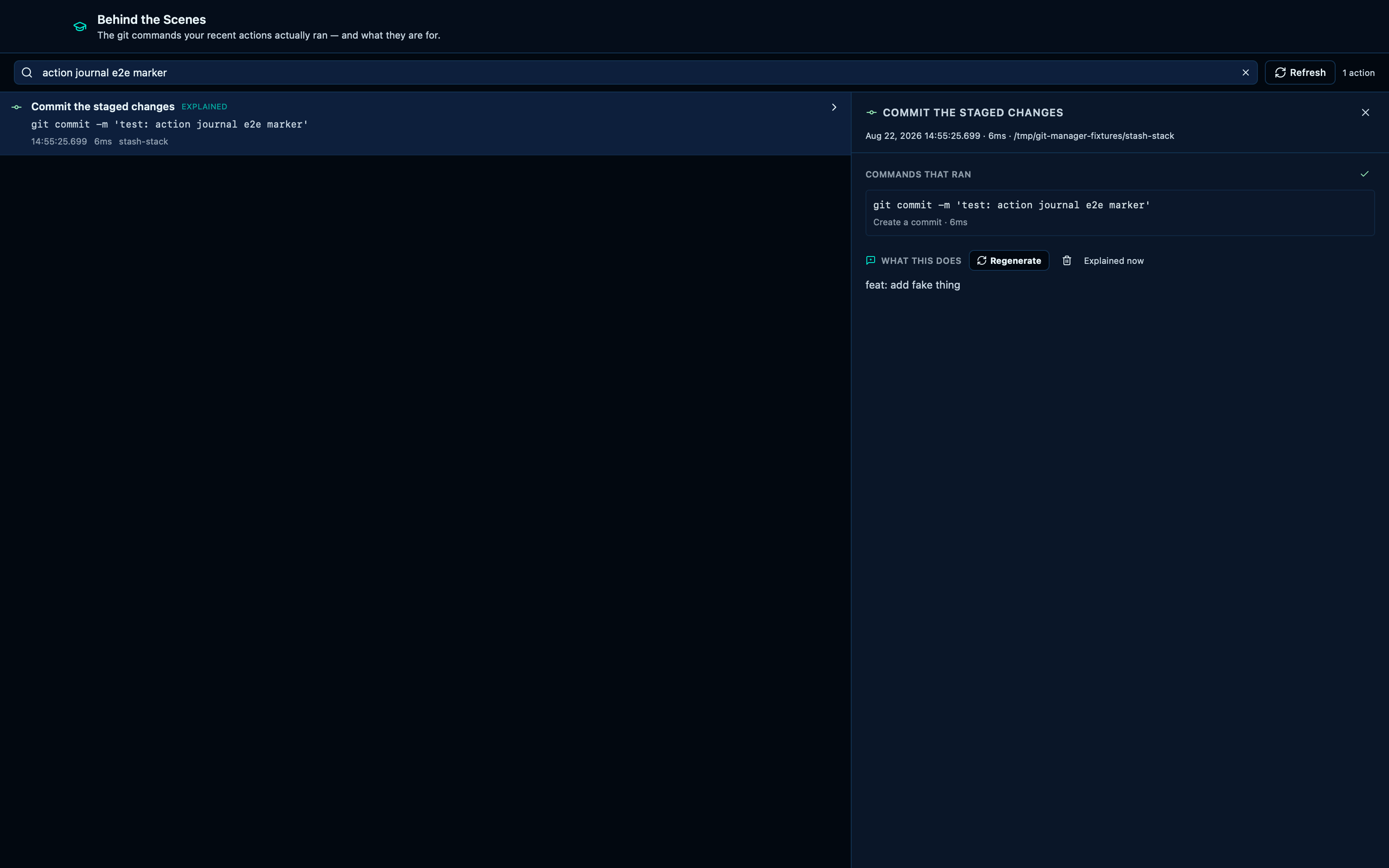
Captured from the running app by this scenario.
Do this
- Select the working-tree changes in the graph
- Enter the commit message
test: action journal e2e marker - Commit the staged changes
- Open the action journal
- Filter the action journal for
action journal e2e marker - Open the filtered action
- Click the copy-commands button
- Click the explain-action button
You should see
- The repository HEAD commit subject is
test: action journal e2e marker - The copy-commands button confirms the copy
- The action explanation shows a finished explanation
This page is generated from apps/e2e/features/action-journal.feature, the end-to-end test that drives the feature it describes.