
Rebase progress view
A rebase that replays several commits doesn't just show you the one that stopped it: the whole plan takes over the content view as a step rail, so you can see what's already landed, what's still ahead, and exactly where you are between the two.
A paused rebase takes over the content view with its step rail
A multi-step rebase that pauses doesn't just show the one commit that stopped it — the content view swaps to a step rail listing the whole plan: which commits have already been replayed, which one stopped it, and which are still ahead. Hiding the rail to look at something else doesn't lose your place, either: the graph banners the paused rebase, and clicking that banner brings the rail straight back. Continuing from here advances to the next step, which may pause again further down the plan or finish the rebase outright.
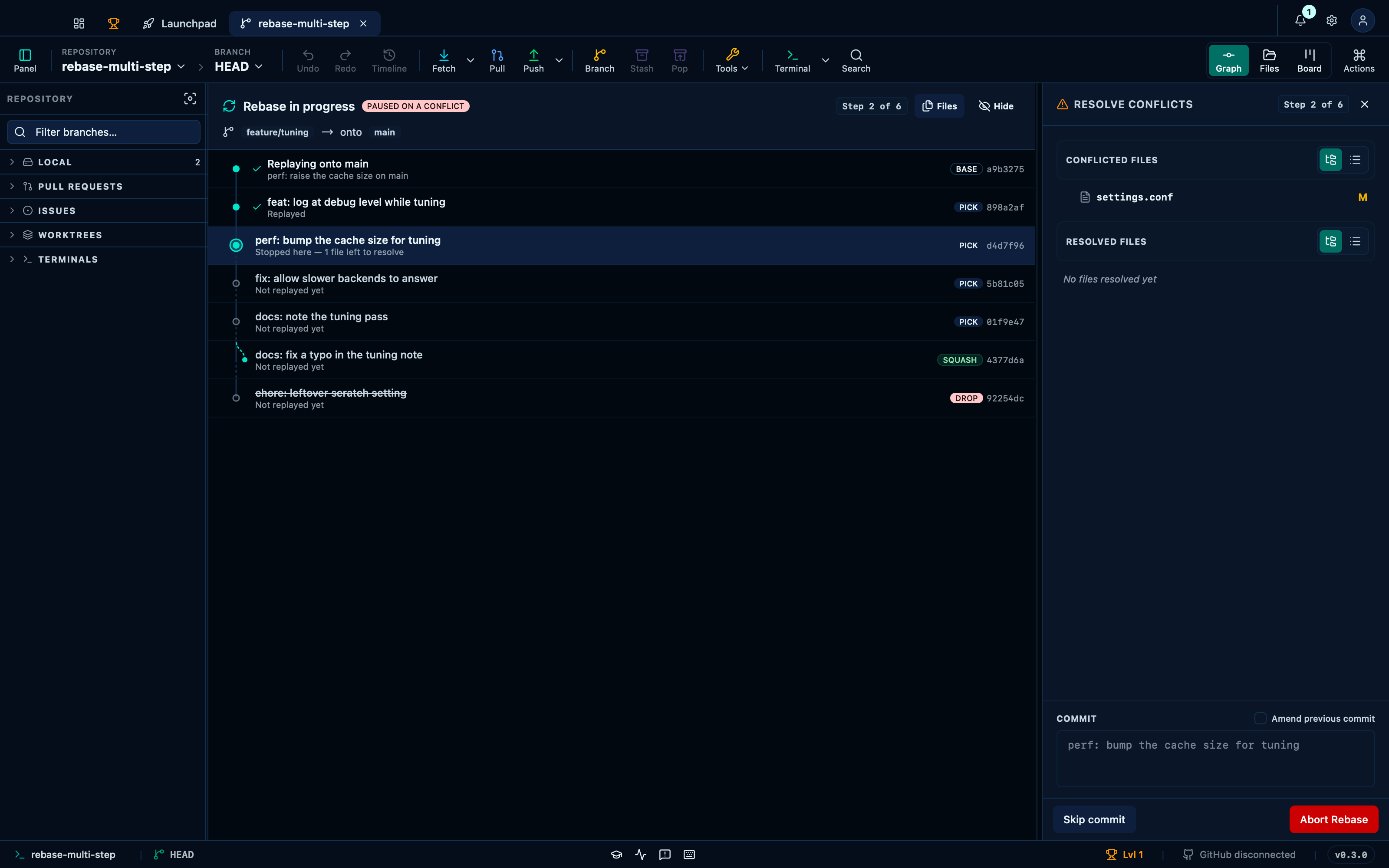
Captured from the running app by this scenario.
You should see
- The rebase progress view is shown
- The rebase progress view reports
Step 2 of 6 - The rebase progress view is rebasing
feature/tuningontomain - The commit graph is not shown
Continuing from the progress view advances the rebase to the next step
Once the conflicted file is actually resolved on disk, Continue moves the rebase to its next step — replaying whichever commit comes after the one that just stopped it. That may finish the plan outright, or, as here, stop again further down where a different commit collides with something else: the rail is what makes a rebase that pauses more than once still readable, since each pause shows exactly which step it's on and which have already landed.
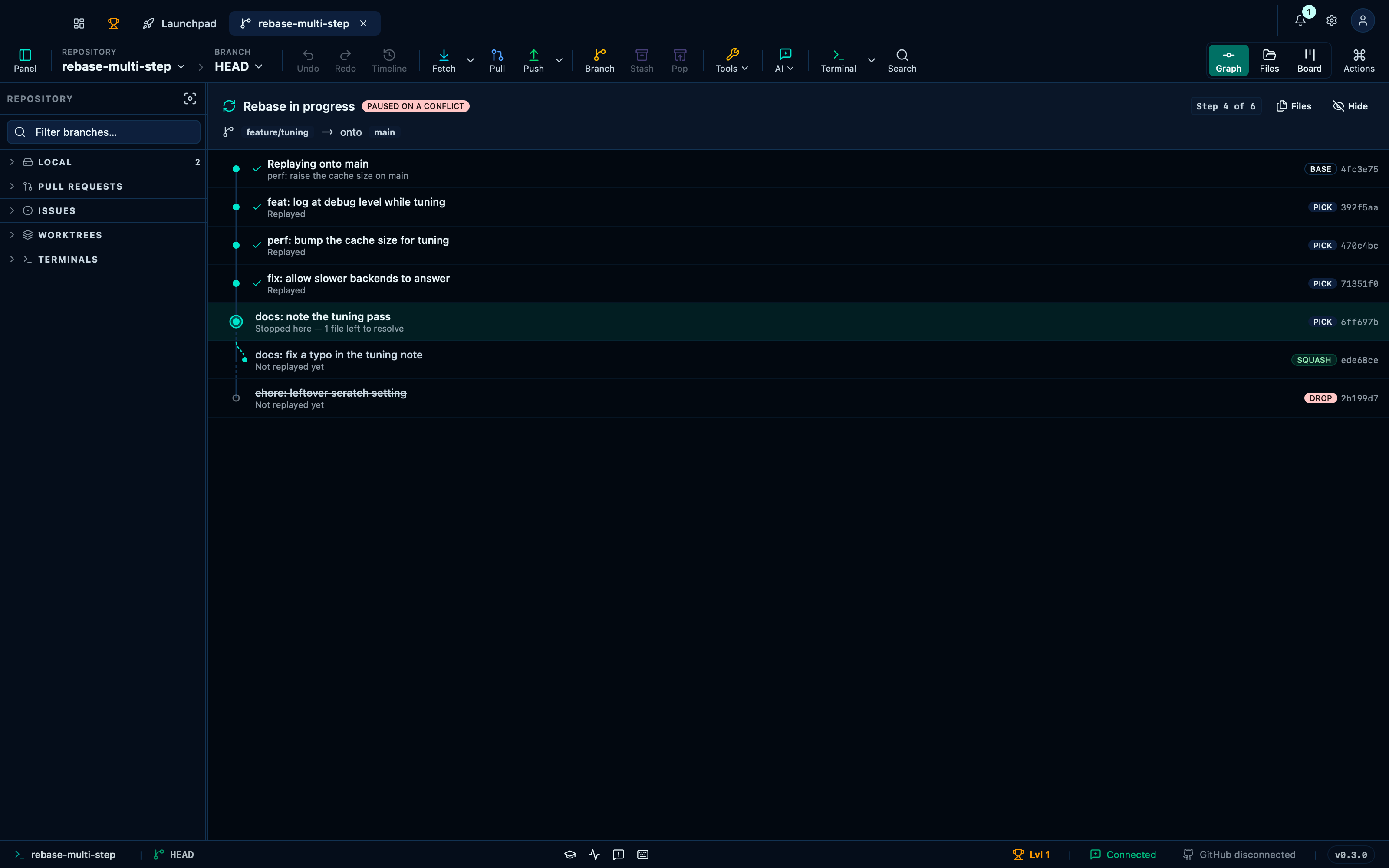
Captured from the running app by this scenario.
Do this
- Reload the application
- Continue the rebase from the progress view
You should see
- The rebase progress view is shown
- The rebase progress view reports
Step 4 of 6 - Rebase step 2 is marked
done
Aborting from the progress view ends the rebase and restores the graph
Abort gives up on the plan entirely and puts the branch back exactly where it started — the replayed commits and the one that stopped it are all undone, and the content view returns to the ordinary graph as if the rebase had never been asked for.
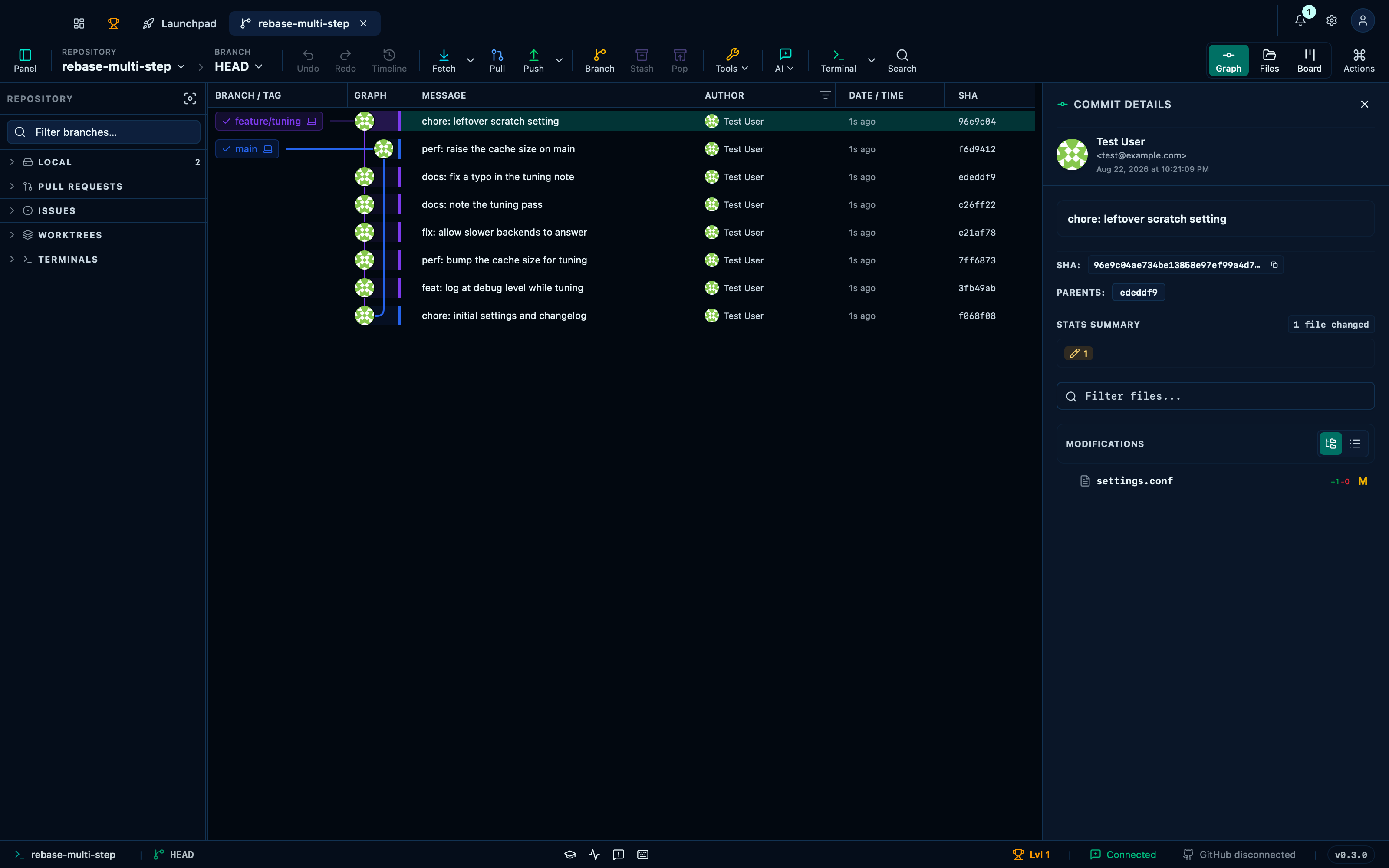
Captured from the running app by this scenario.
Do this
- Abort the rebase from the progress view
You should see
- The rebase progress view is not shown
- The commit graph is shown
- The repository HEAD commit subject contains
chore: leftover scratch setting
This page is generated from apps/e2e/features/rebase-progress.feature, the end-to-end test that drives the feature it describes.