
A card's activity feed
The third thing a card record holds, after its fields and its checklist: the Activity panel, tabbed into "Comments" — the discussion on its own, threaded, a reply nested under what it answers — and "History", what the board's ref says changed, field by field, read straight back out of the commits the other scenarios only ever assert the subject of.
Both halves are local-board only, and for the same reason: a card tracking a GitHub issue has no ref of its own to walk and no reply concept to render. Every scenario here therefore builds a local board through the UI, the way board.feature and board-cards.feature do, and ends on the repository's own storage rather than on the render.
The card's history says what changed, field by field
Every field change lands in the History tab as its own entry — who changed what, and from which value to which — read straight out of the board's own commits rather than kept in a separate log. It starts from the card's own creation, and switching to Comments hides these rows entirely: a comment is not a change, and History is the one tab that says so.
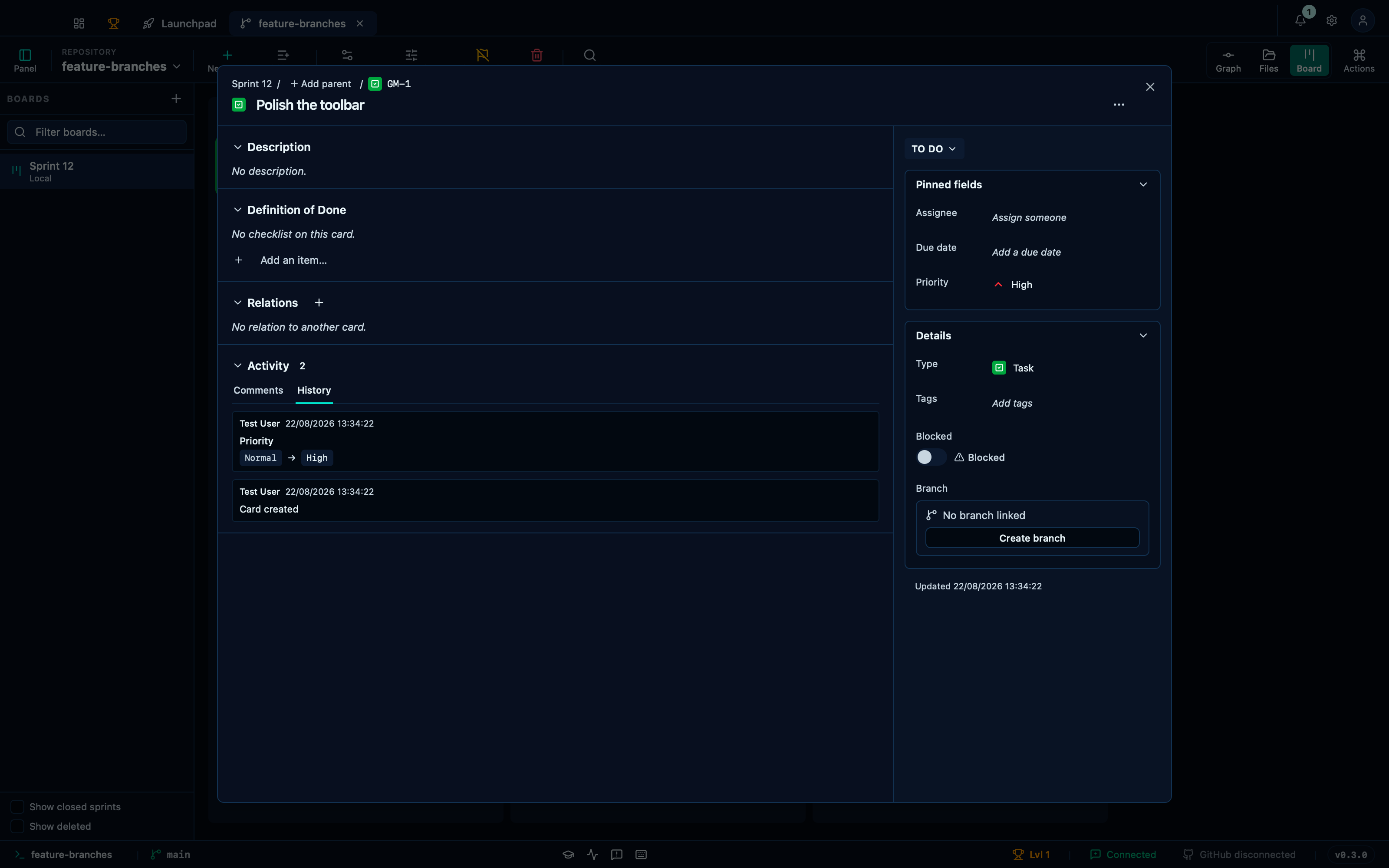
Captured from the running app by this scenario.
Do this
- Open the board
- Create a board named
Sprint 12with the card prefixGM - Add a card titled
Polish the toolbarto theTo docolumn - Open the card
Polish the toolbar - Set the card priority to
High - Open the
Historyactivity tab - Open the
Commentsactivity tab
You should see
- The card history records
Prioritychanging fromNormaltoHigh - The card history records the card being created
- The card history is not listed
- No error notification is displayed
A reply is threaded under the comment it answers
Replying to a comment keeps a discussion in one place instead of scattering follow-ups as new top-level notes: the reply nests directly under the comment it answers, and stays nested after the card record is closed and reopened — the thread is rebuilt from what's stored, not held only in the dialog's own state.
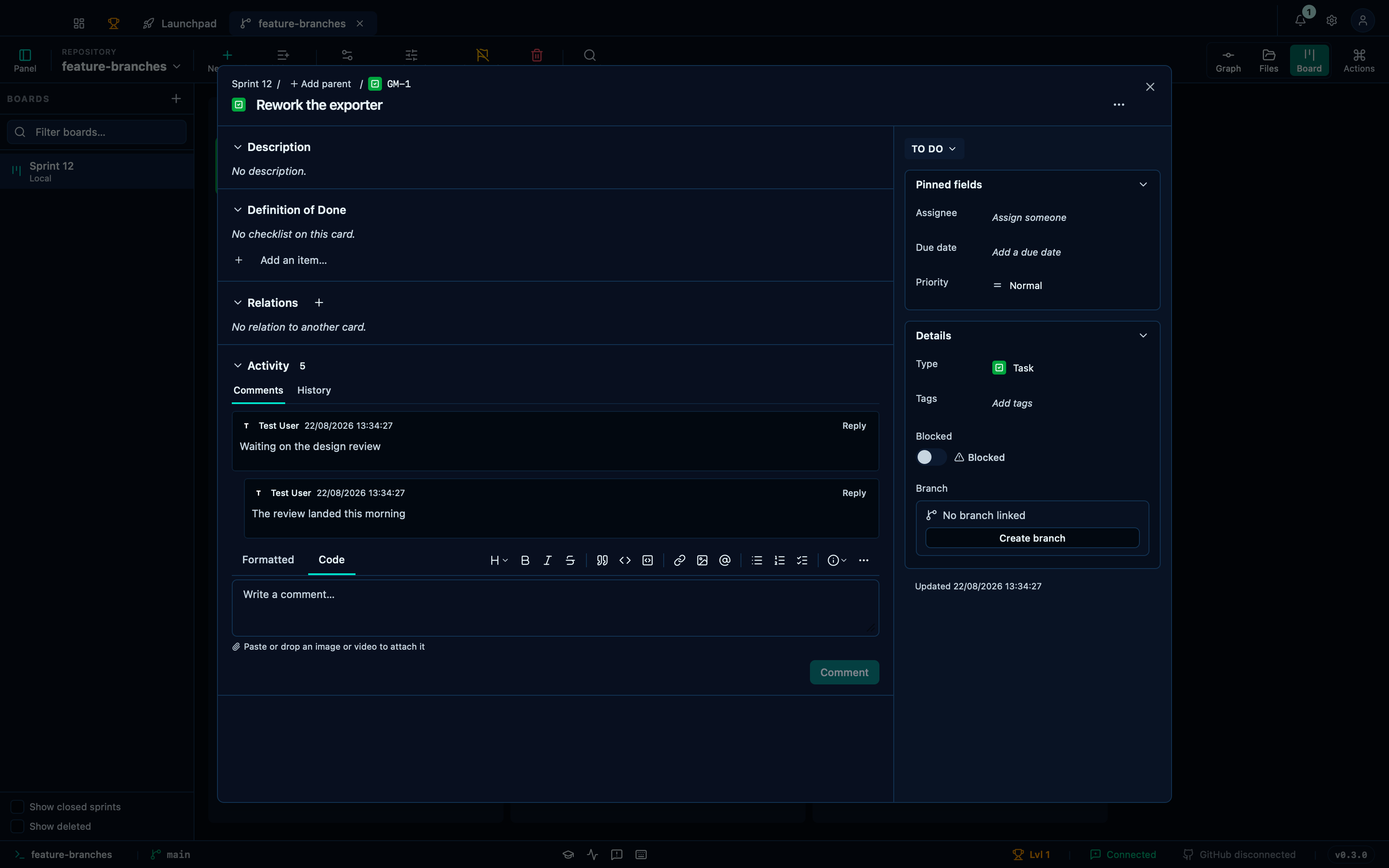
Captured from the running app by this scenario.
Do this
- Open the board
- Create a board named
Sprint 12with the card prefixGM - Add a card titled
Rework the exporterto theTo docolumn - Open the card
Rework the exporter - Write the comment
Waiting on the design review - Open the
Commentsactivity tab - Reply
The review landed this morningto the commentWaiting on the design review - Close the card record
- Open the card
Rework the exporter - Open the
Commentsactivity tab
You should see
- The card record threads
The review landed this morningunderWaiting on the design review - The card
Rework the exporterstoresThe review landed this morningas a reply toWaiting on the design review - The card record threads
The review landed this morningunderWaiting on the design review - The board history records
git-manager: comment on board card - No error notification is displayed
This page is generated from apps/e2e/features/board-card-activity.feature, the end-to-end test that drives the feature it describes.