
Merge commit actions (revert with mainline, compare against parent)
A merge commit is the one commit with two "before" states, and that changes both of the things you would normally do with a commit. Undoing it is ambiguous — Git will not invert a merge until you say which of its parents you consider the mainline — and reading it is lopsided, because a merge's diff is always shown against its first parent and nothing else.
So a merge commit gets two entries of its own on its right-click menu. Revert merge opens the ordinary revert dialog, which grows a mainline picker as soon as it sees more than one parent (it is also in the ⌘K palette, and opens the same dialog). Compare against parent 1 / 2 reads the merge against whichever side you name, so you can see what the merged-in branch contributed and, separately, what the mainline had been doing in the meantime.
Reverting a merge commit with mainline 1 undoes the merged-in branch
Reverting a merge is the one revert Git refuses to guess at: a merge has two "before" states, so the dialog asks which parent is your mainline. Pick parent 1 to undo everything the merged-in branch brought, as one new commit — the usual way to back out a bad merge without rewriting history.
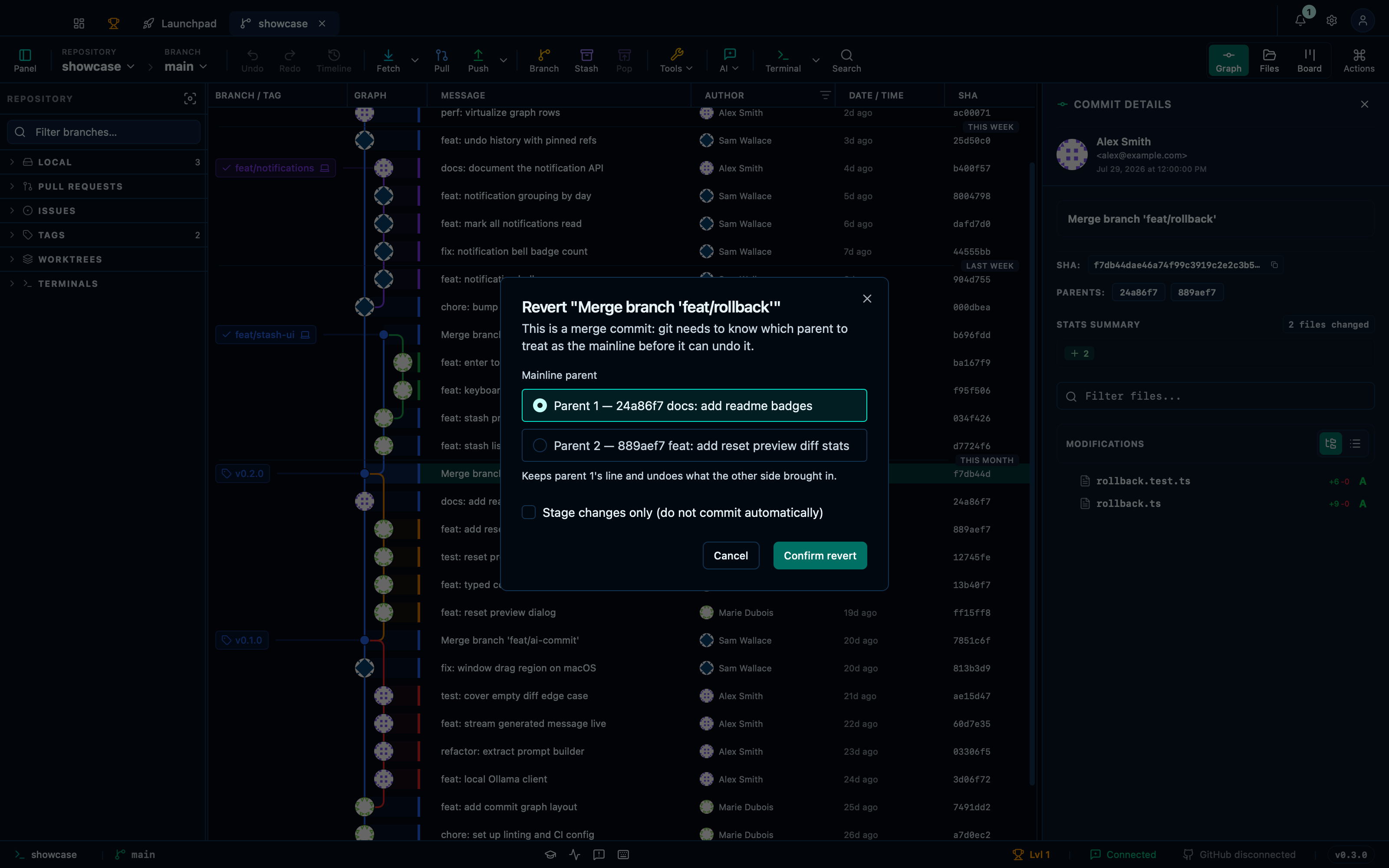
Captured from the running app by this scenario.
Do this
- Select the
v0.2.0commit in the graph - Open the command palette
- Pick
Revert this commitfrom the palette - Choose mainline parent
1for the revert - Confirm the revert
You should see
- The revert dialog is shown
- The revert mainline picker is shown
- The repository HEAD commit subject contains
Revert - The file
rollback.tsdoes not exist in the working tree - The file
rollback.test.tsdoes not exist in the working tree - The file
README.mdin the working tree containsBadges!
Comparing a merge commit against parent 1 shows the merged-in branch's files
A merge commit's regular diff panel always reads it against the mainline. To see the other side — or to make the first-parent reading explicit — compare the merge against either parent: against parent 1 you get exactly what the merged-in branch contributed, against parent 2 what the mainline had done in the meantime.
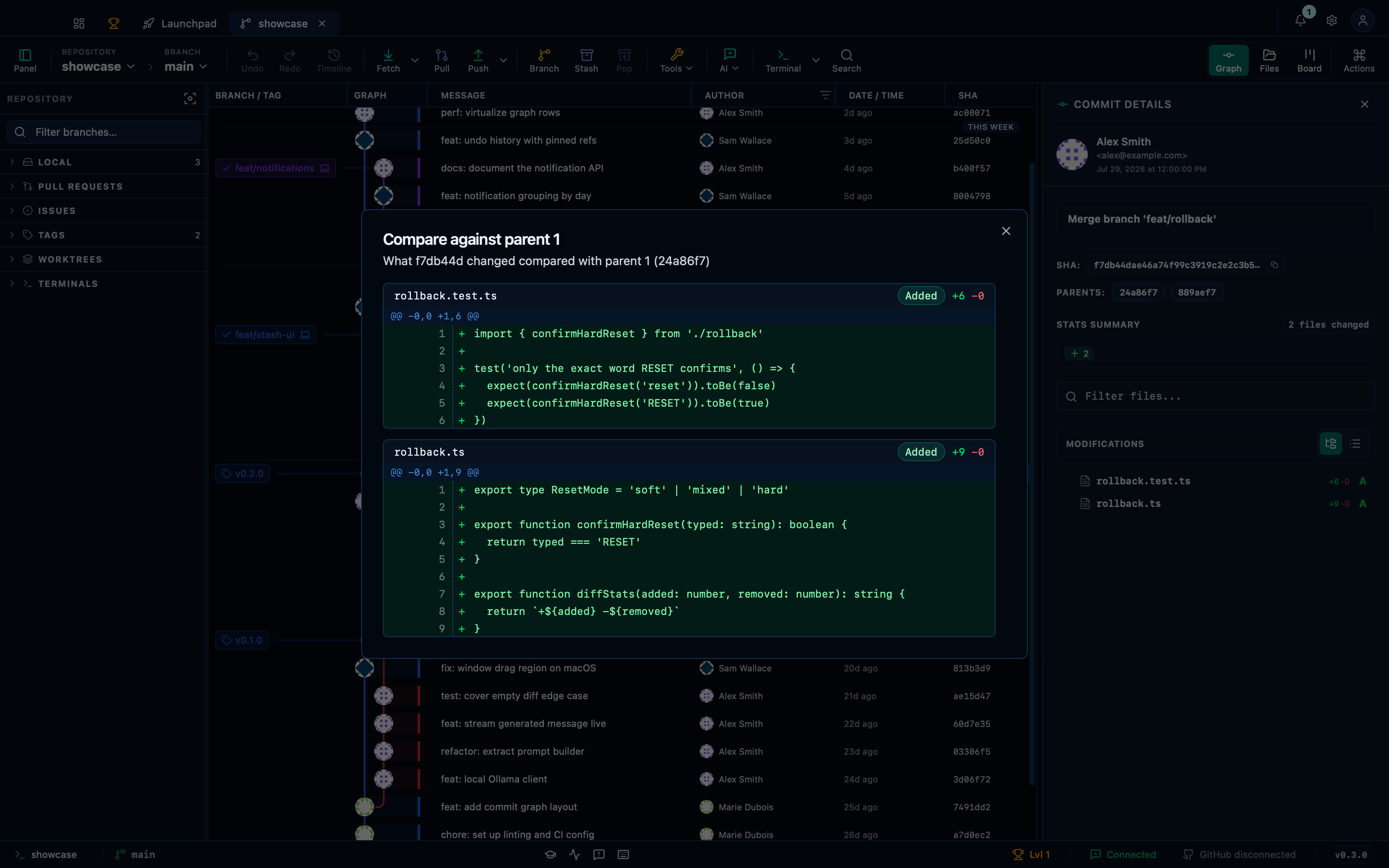
Captured from the running app by this scenario.
Do this
- Select the
v0.2.0commit in the graph - Compare the selected commit against parent
1
You should see
- The compare-parent dialog is shown
- The compare-parent diff lists the file
rollback.ts - The compare-parent diff lists the file
rollback.test.ts
This page is generated from apps/e2e/features/merge-commit-actions.feature, the end-to-end test that drives the feature it describes.