
Issue triage
The Issues tab lists open issues from every repo you're tracking
Every issue filed on a repo you've added shows up here — not just the ones assigned to you — so triage doesn't depend on guessing who's watching what. It defaults to open issues; closed ones stay a filter away rather than living in a separate tab.
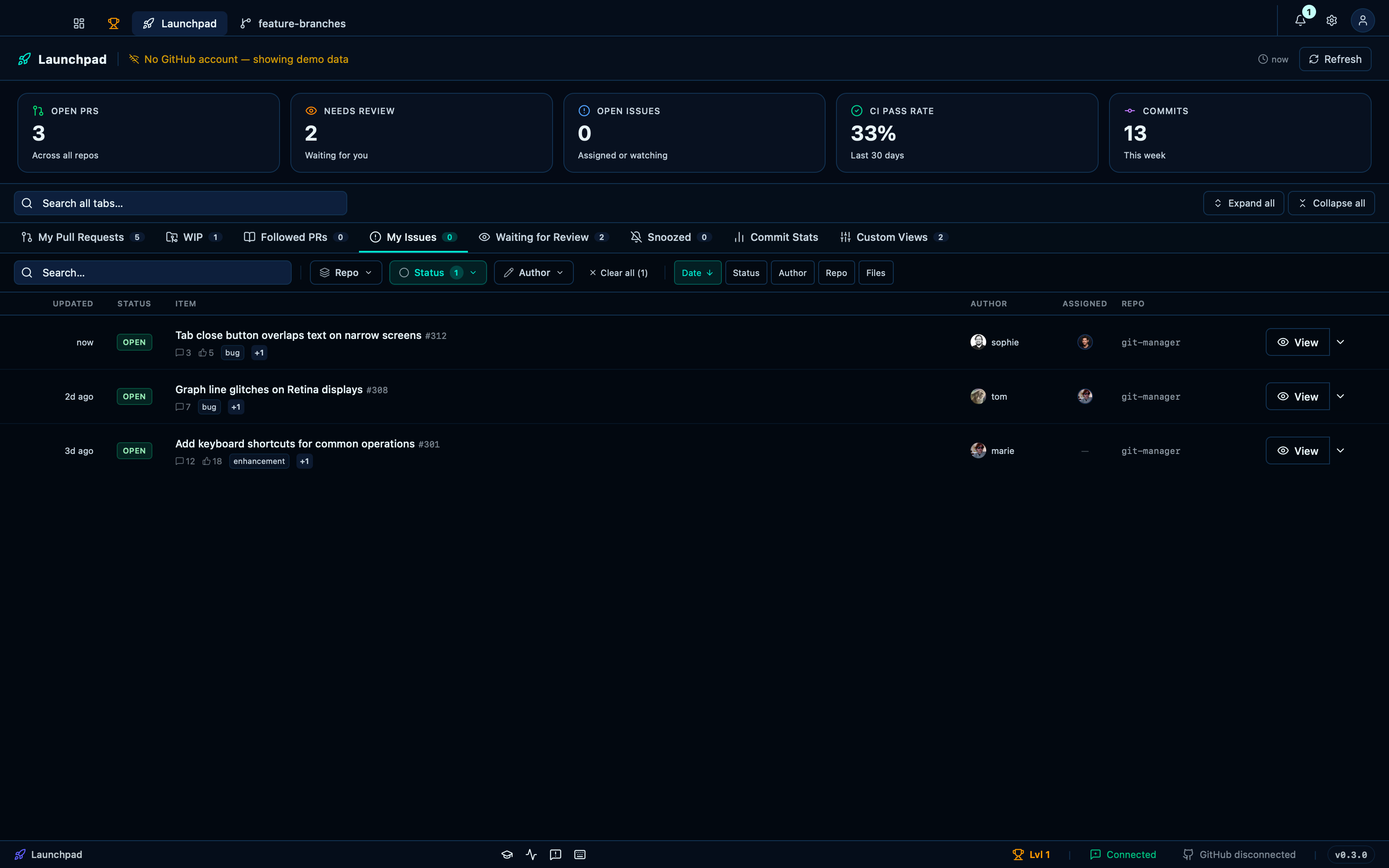
Captured from the running app by this scenario.
Do this
- Open the launchpad
- Select the
issueslaunchpad tab
You should see
- The
issueslaunchpad tab shows the issueissue-1 - The
issueslaunchpad tab does not show the issueissue-4
Opening an issue's detail panel
Selecting an issue opens the same conversation view a pull request does: the description, comments, and a sidebar for status, assignees, labels and a linked local branch.
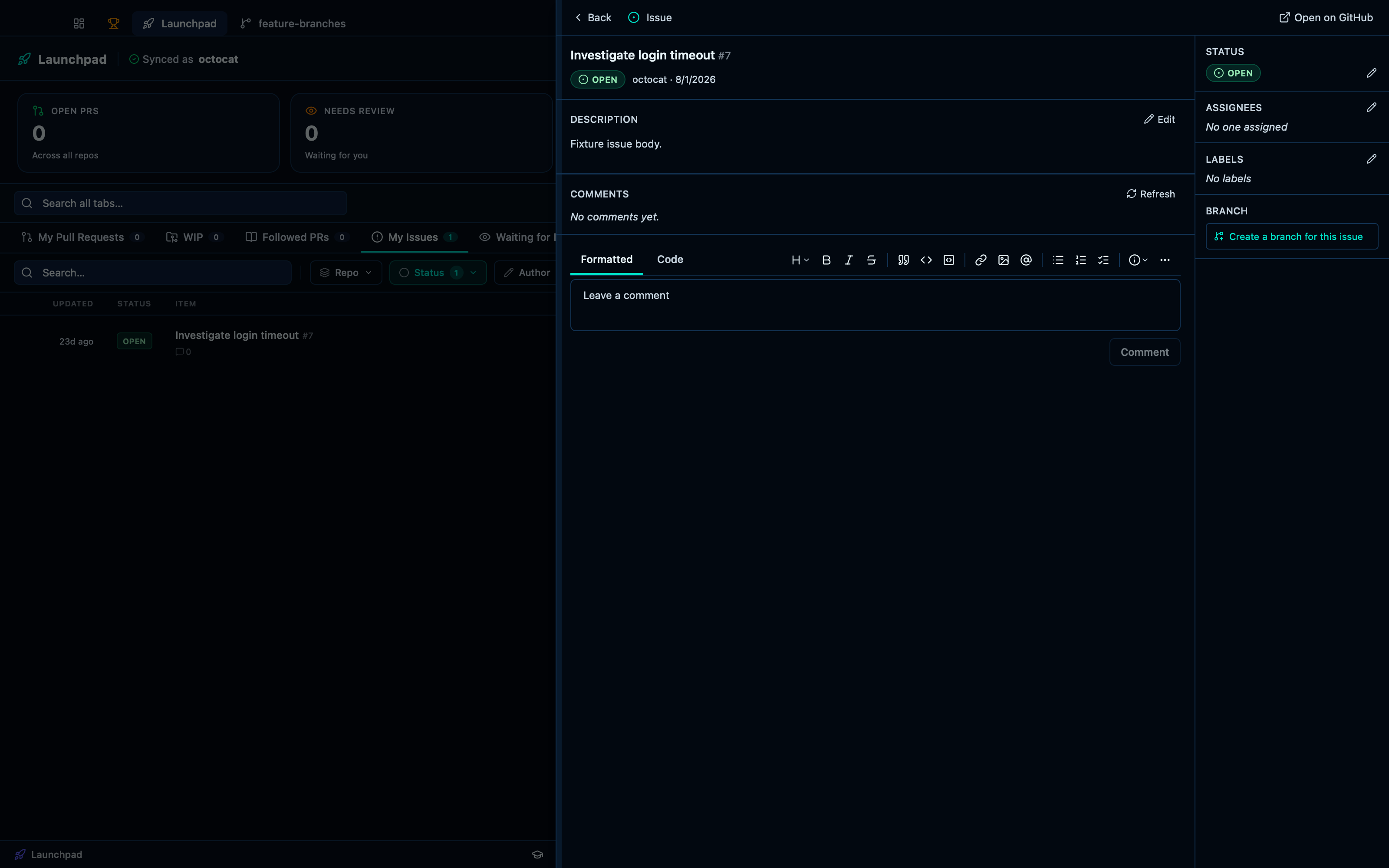
Captured from the running app by this scenario.
Do this
- Open the launchpad
- Select the
issueslaunchpad tab - Open the issue
7inoctocat/demo-repo
You should see
- The issue detail panel shows the title
Investigate login timeout - The issue meta sidebar is shown
- No error notification is displayed
This page is generated from apps/e2e/features/launchpad-issues.feature, the end-to-end test that drives the feature it describes.