
Creating a pull request from the sidebar
The "+" next to the sidebar's Pull Requests section opens a standalone create-PR form — pick a head and base branch, write a title, then submit. The branch is pushed and the PR filed against a real GitHub round trip in one step.
Creating a pull request from an already-committed branch
The head branch is pushed first, then the pull request is filed — opening straight into its detail view once GitHub has it.
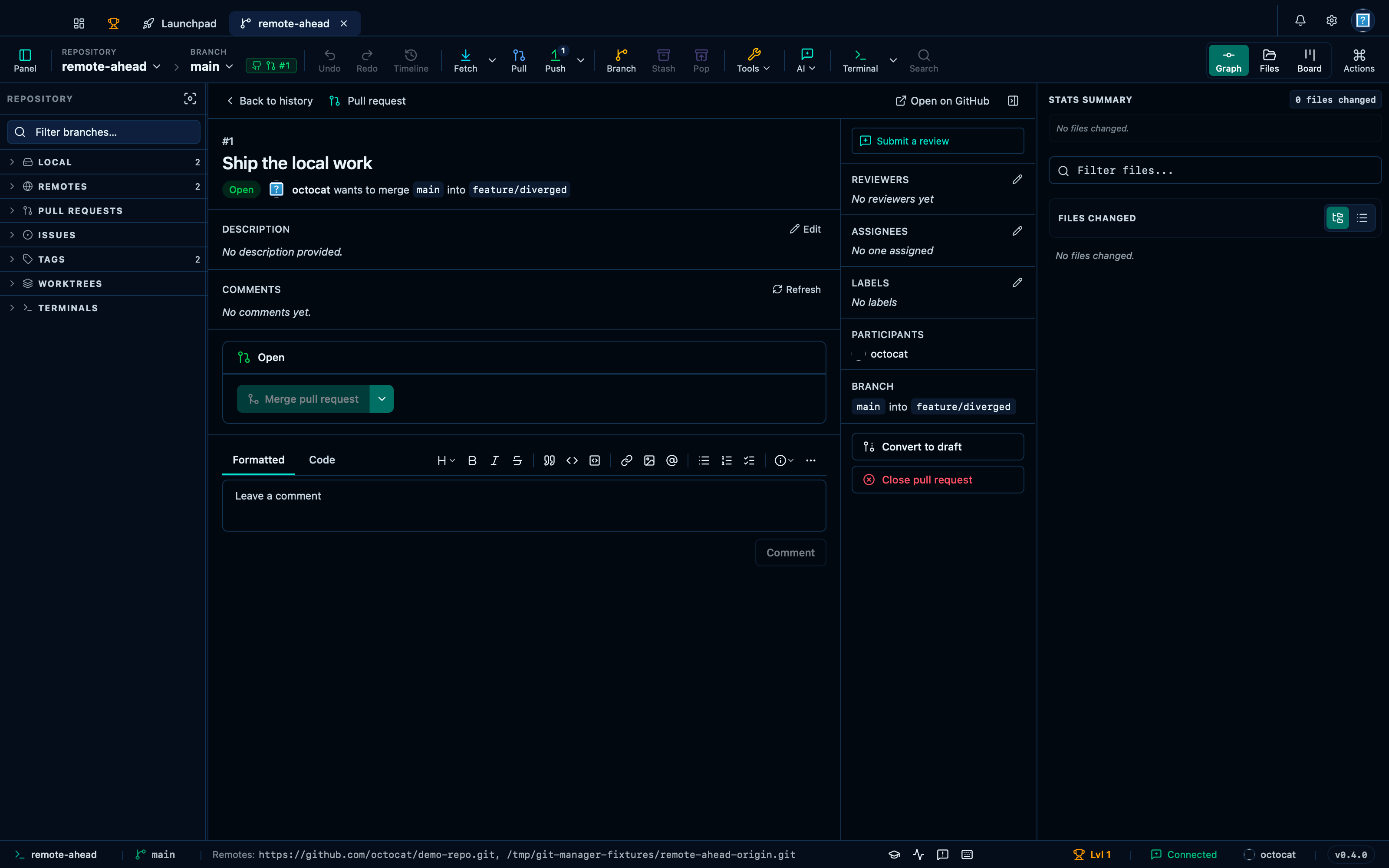
Captured from the running app by this scenario.
Do this
- Open the create-pr form
- Set the pull request base branch to
feature/diverged - Fill in the pull request title
Ship the local work - Create the pull request
You should see
- The pull request detail panel shows the title
Ship the local work - No error notification is displayed
This page is generated from apps/e2e/features/pr-creation.feature, the end-to-end test that drives the feature it describes.