
Setting a local branch's upstream
"Set upstream" is a branch context-menu entry (both the graph's and the sidebar's) — a real native macOS menu WebDriver cannot open or click into (see tag-menu.steps.ts's own note on the same limitation). When exactly one remote-tracking branch shares the local branch's name, the action applies it immediately with no dialog (resolveDefaultUpstream, lib/branchUpstream.ts); otherwise it opens a picker dialog. Either way the real handler ends up calling setPendingGraphAction({ kind: 'setUpstream', branch }) on the repoUI store, which GitGraph.tsx forwards into its own real SetUpstreamDialog regardless of who set it (see the store's own doc comment on pendingGraphAction). This scenario dispatches through that same real bridge instead of a menu click — same as the AI recompose feature already does for its own native-menu-only entry (ai-commit-recompose.steps.ts) — so everything from the dialog onward (the real set_branch_upstream IPC call, the git config it writes) is exactly what a real click would have produced.
Setting a branch's upstream configures tracking on disk
A local branch that tracks nothing has no ahead/behind counts and nothing to pull into. "Set upstream" fixes that in one dialog: it proposes the remote branch matching your branch's name when there is exactly one, and from the moment you confirm, push and pull know where to go and the toolbar badges start counting.
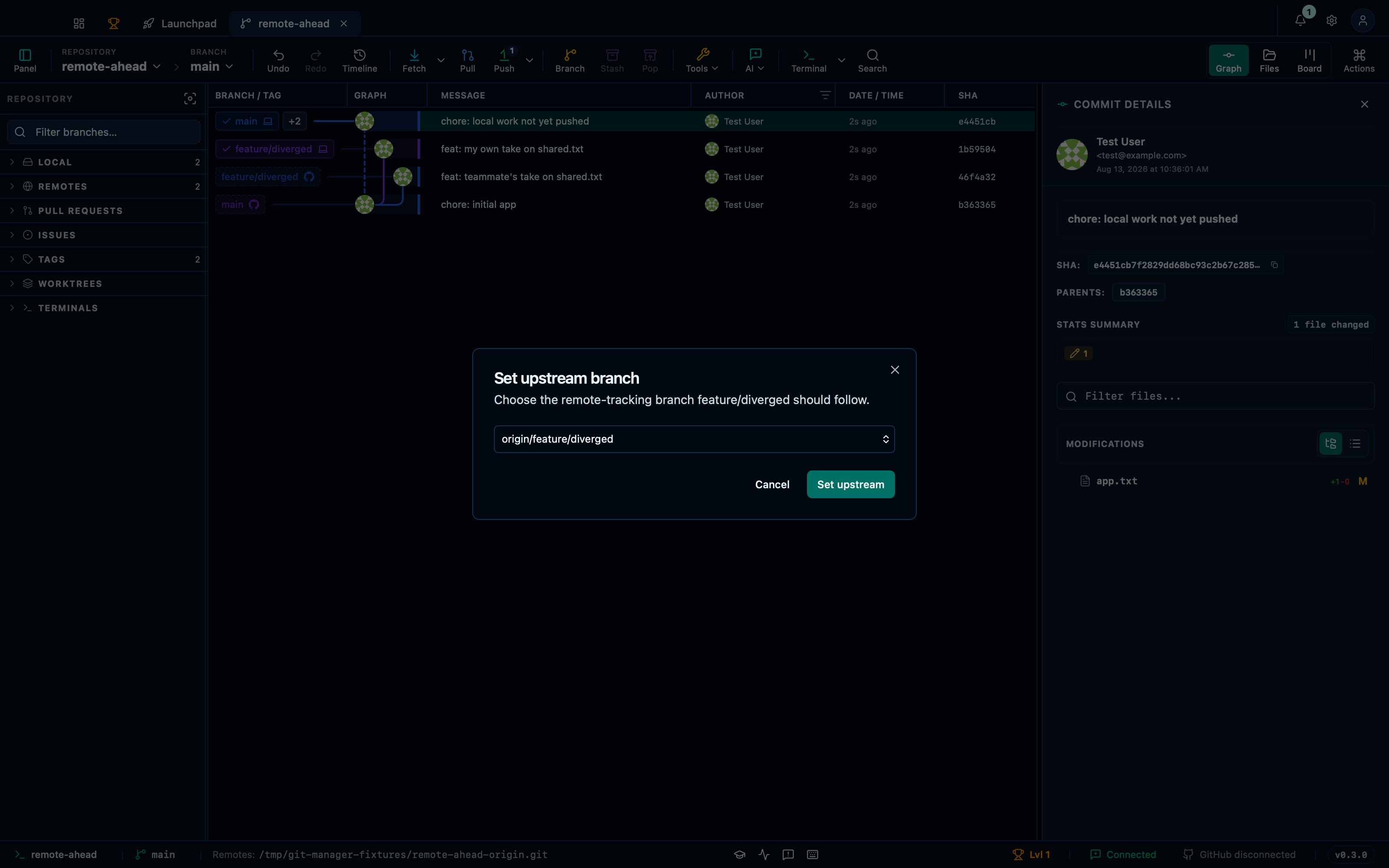
Captured from the running app by this scenario.
Do this
- Select the
HEADcommit in the graph - Open the set-upstream dialog for branch
feature/diverged - Confirm the set-upstream dialog
You should see
- The set-upstream dialog preselects
origin/feature/diverged - The branch
feature/divergedhas upstream tracking configured fororigin - No error notification is displayed
This page is generated from apps/e2e/features/branch-upstream.feature, the end-to-end test that drives the feature it describes.