
Rebase conflict resolution
When a rebase stops because two commits touch the same lines, Git Manager doesn't leave you to notice the paused state on your own: opening (or returning to) a repository with a paused rebase surfaces the conflict resolution panel immediately, listing the files that still need attention and a clear way out — skip the commit, abort the rebase, or continue once everything is resolved.
A paused rebase auto-opens the conflict resolution panel
A rebase that stops on a conflict isn't a silent failure state you have to go looking for: the conflict resolution panel is already open when you get here, with the conflicting files listed and nowhere else to check first. From it you can skip the conflicting commit, abort back to where you started, or continue once every file is resolved.
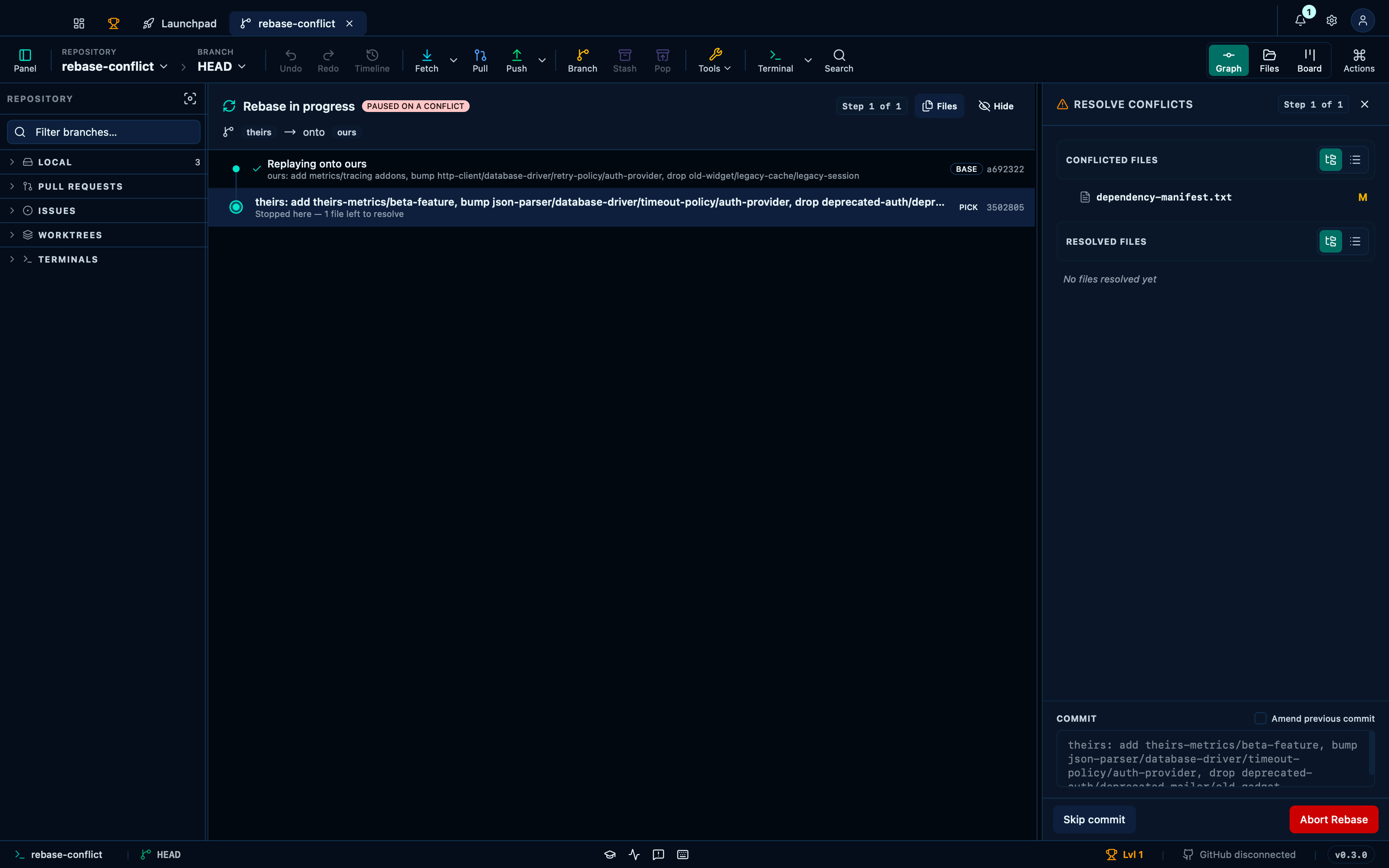
Captured from the running app by this scenario.
You should see
- The conflict resolution panel is shown
- The conflict panel offers to skip or abort the rebase
Skipping the conflicting commit completes the rebase without it
Skip is for when the commit that stopped the rebase isn't worth resolving at all — it drops that one commit from the plan entirely and moves straight on to whatever comes after it, rather than making you fix a conflict just to throw the result away.
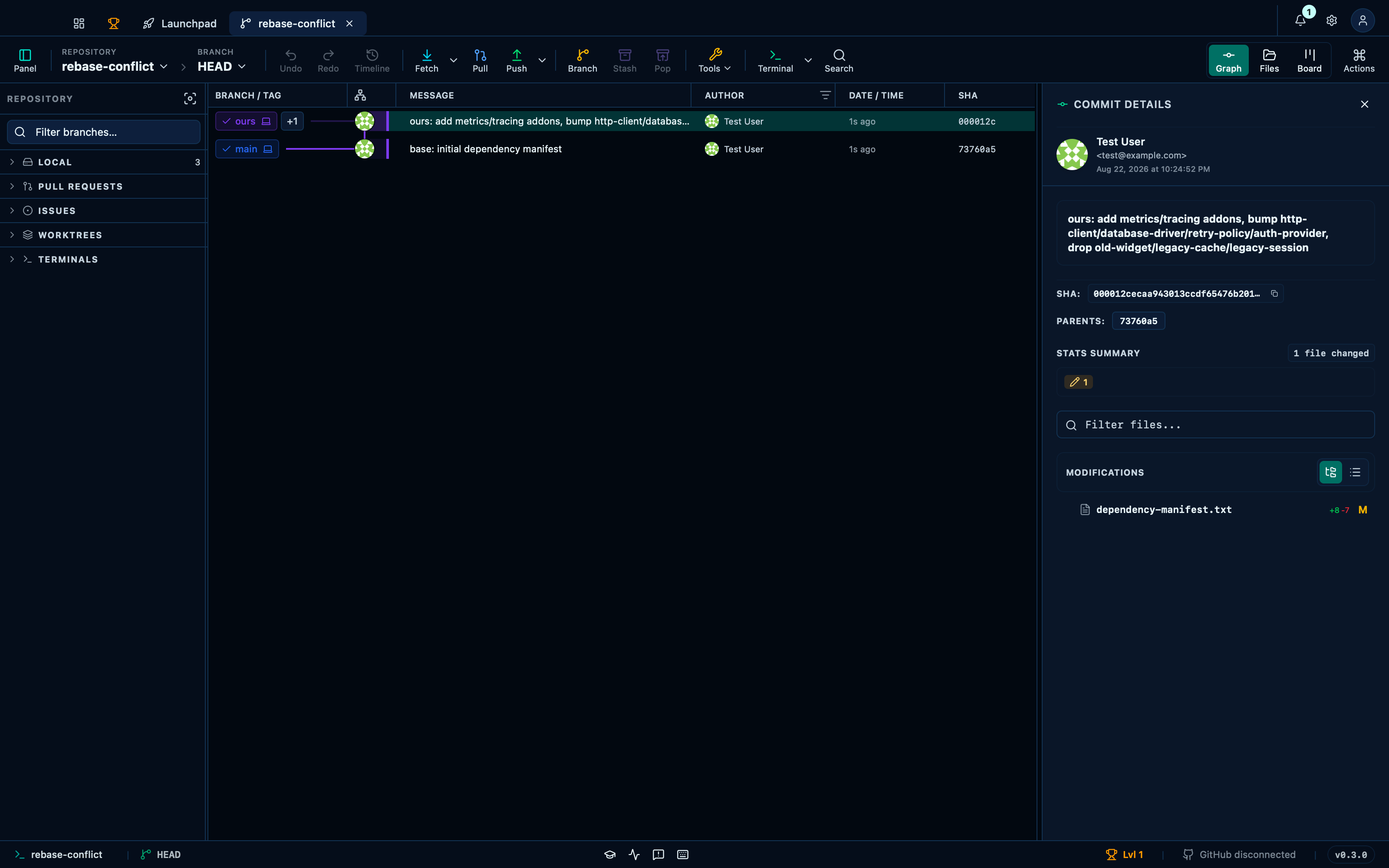
Captured from the running app by this scenario.
Do this
- Skip the rebase step
You should see
- The conflict resolution panel is not shown
- The repository HEAD commit subject contains
ours: add metrics/tracing addons
Resolving a binary conflict by keeping one side
A binary file can't be merged line by line, so its conflict editor skips the block-by-block resolver entirely and offers just two buttons — keep ours, keep theirs — writing the chosen side's raw bytes to disk and staging them.
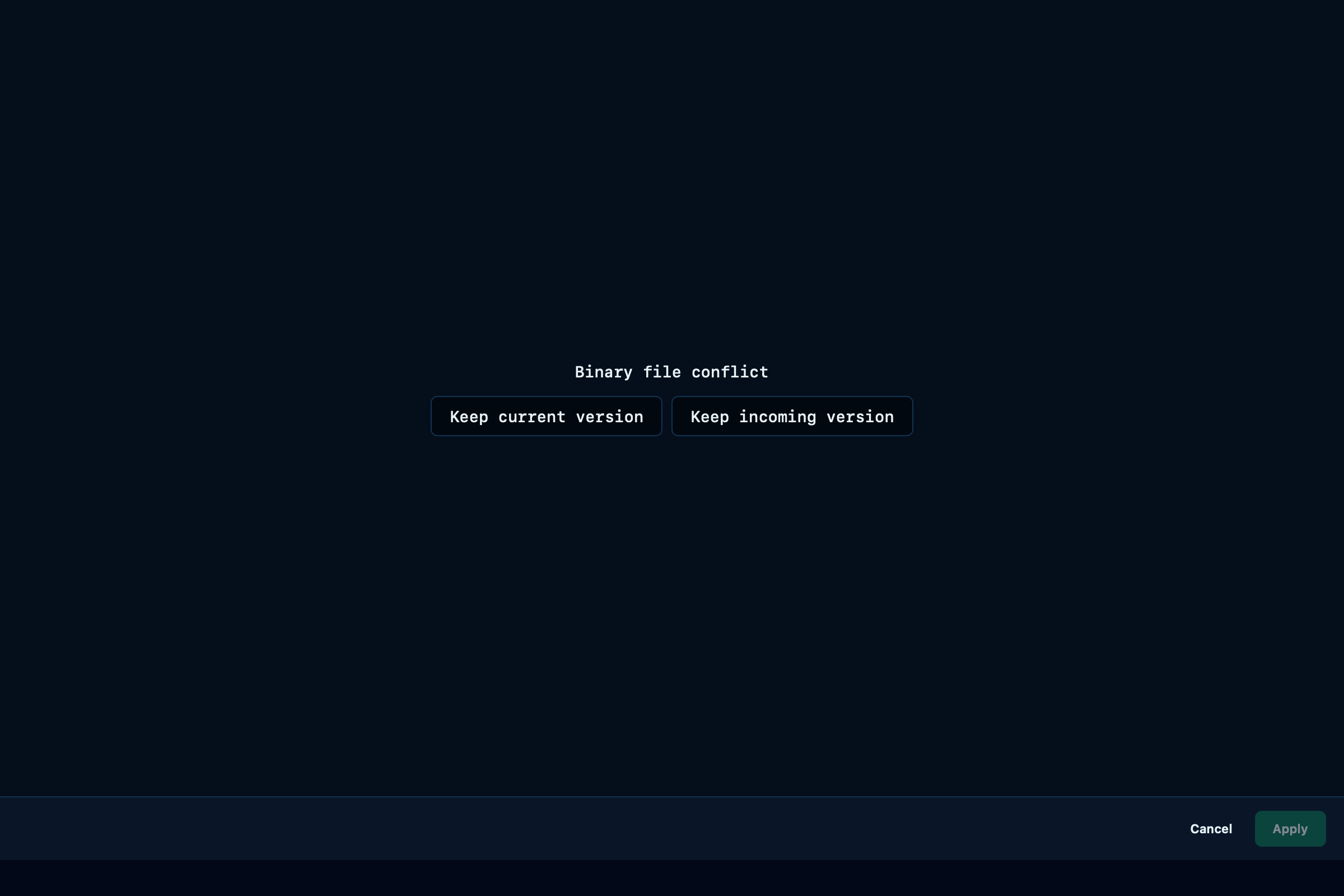
Captured from the running app by this scenario.
Do this
- Click the conflicted file
asset.binto resolve its binary conflict - Keep the
oursside of the binary conflict
You should see
- The binary conflict keep-ours/keep-theirs buttons are shown
- The file
asset.binis resolved with theoursside's bytes
This page is generated from apps/e2e/features/rebase-conflict.feature, the end-to-end test that drives the feature it describes.