
Creating and checking out branches
The toolbar's Branch button creates a new branch from wherever HEAD is right now, without leaving the graph — the same operation the command palette's "Create branch here" offers for an older commit, but reachable in one click for the common case of branching from HEAD. Creating a branch doesn't switch to it; picking it from the branch selector does.
Creating a branch from the toolbar and checking it out
Clicking the toolbar's Branch button opens a small popover pre-filled with where the new branch will start from — HEAD, by default. Typing a name and confirming creates it immediately, without switching to it; picking the new branch from the branch selector is the separate step that actually checks it out.
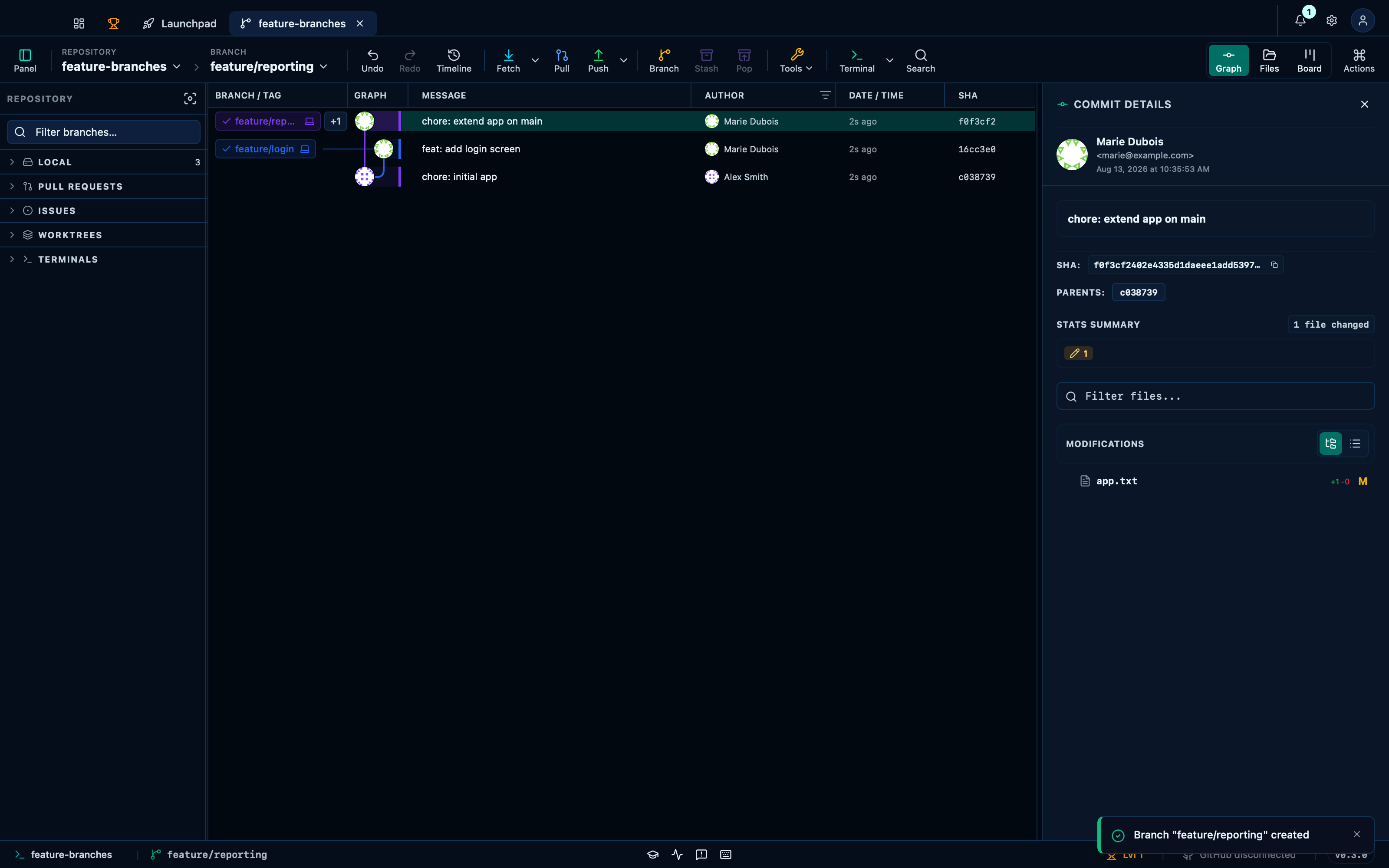
Captured from the running app by this scenario.
Do this
- Click the toolbar branch button
- Set the new branch name to
feature/reporting - Confirm the new branch creation
- Check out the
feature/reportingbranch
You should see
- The branch
feature/reportingexists - The branch indicator reads
feature/reporting
This page is generated from apps/e2e/features/branch-create.feature, the end-to-end test that drives the feature it describes.