
Interactive rebase editor (reword / squash / drop)
Git's git rebase -i drops you into a text file where one typo rewrites the wrong commit. Git Manager replaces that file with a plan editor in its own window: every commit of the range is a row, and the toolbar marks rows to be reworded, squashed together, or dropped. Nothing touches the repository until you confirm — the plan is just a plan, and Cancel throws it away.
Edit the plan, then rewrite history in one go
Open the editor from a commit and every commit from there to the branch tip becomes a row of the plan. Select a row to reword its message, or select several (⌘-click) to squash them into one commit — each edit shows as a badge on its row, and you can pile up as many as you need. When the plan reads right, one click on Start Rebasing replays the whole range; until then, nothing has happened to your repository.
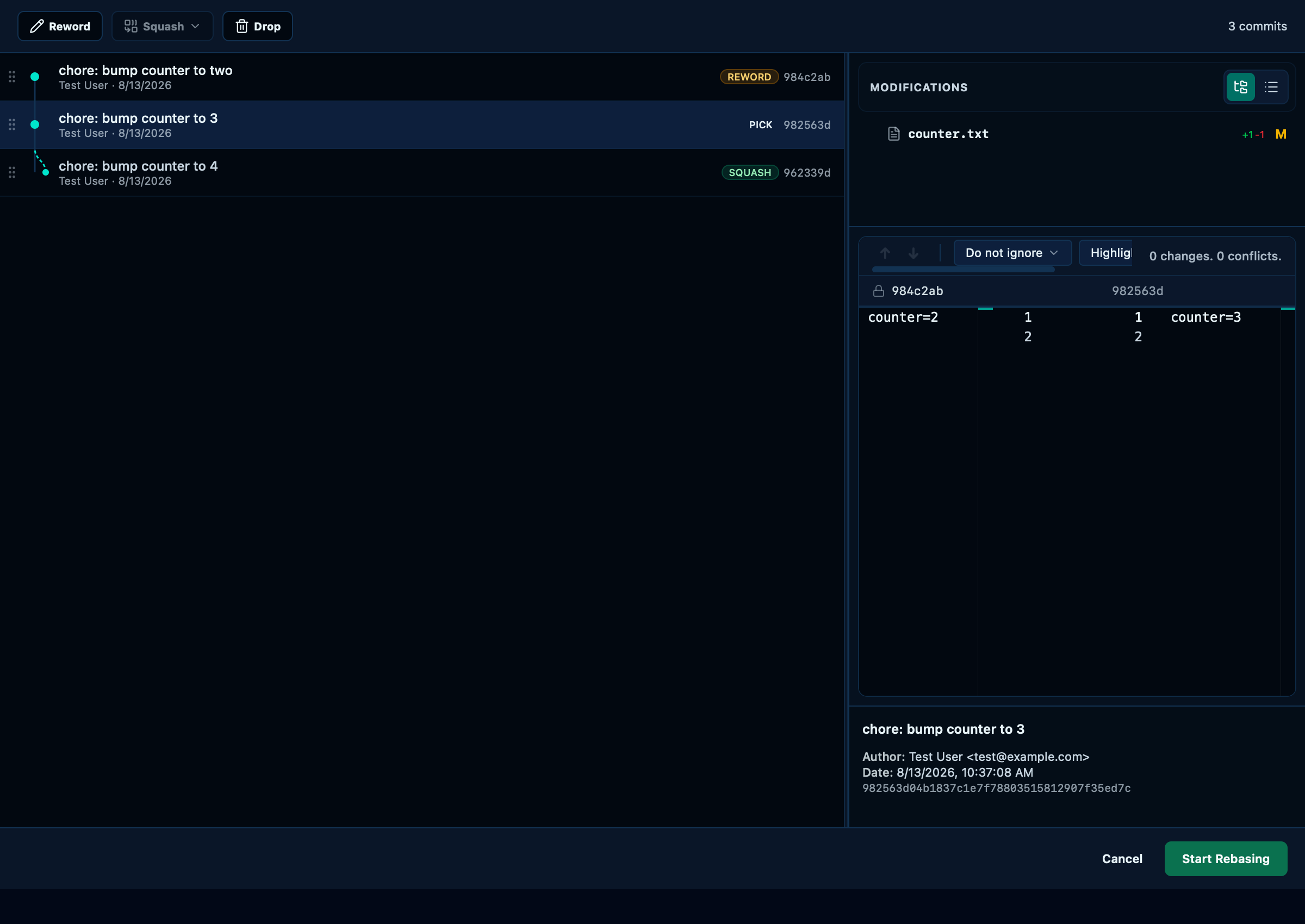
Captured from the running app by this scenario.
Do this
- Open the interactive rebase editor from the
HEAD~2commit - Select the rebase step
chore: bump counter to 2 - Reword the selected rebase step to
chore: bump counter to two - Select the rebase step
chore: bump counter to 3 - Add the rebase step
chore: bump counter to 4to the selection - Squash the selected rebase steps keeping both messages
- Start the interactive rebase
You should see
- The repository log lists the subject
chore: bump counter to two - The repository HEAD commit message contains
chore: bump counter to 4 - The repository log holds 4 commits
- The working file
counter.txtholds the linecounter=4
Rewording a commit rewrites its message in history
Selecting a single row and typing a new message is the plainest edit the plan offers — the commit itself is untouched otherwise, at whatever position in the range it started at, only the message changes.
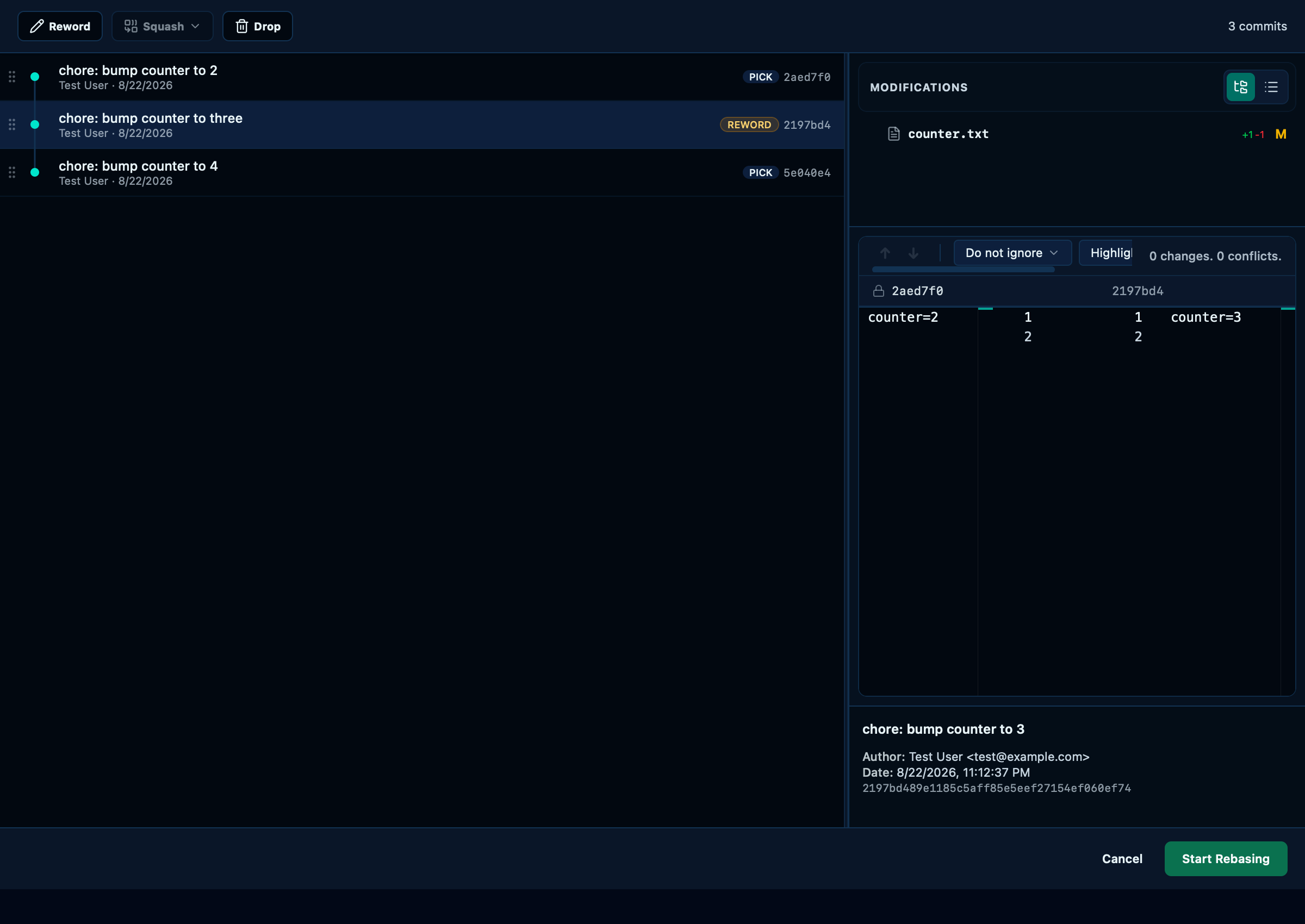
Captured from the running app by this scenario.
Do this
- Open the interactive rebase editor from the
HEAD~2commit - Select the rebase step
chore: bump counter to 3 - Reword the selected rebase step to
chore: bump counter to three - Start the interactive rebase
You should see
- The repository log lists the subject
chore: bump counter to three - The repository log does not list the subject
chore: bump counter to 3 - The repository log holds 5 commits
- The working file
counter.txtholds the linecounter=4
Dropping the tip commit removes it from history
Marking a row as dropped removes that commit from history outright when the plan runs — the rest of the range replays exactly as if it had never existed, one less commit for a change that turned out not to be worth keeping.
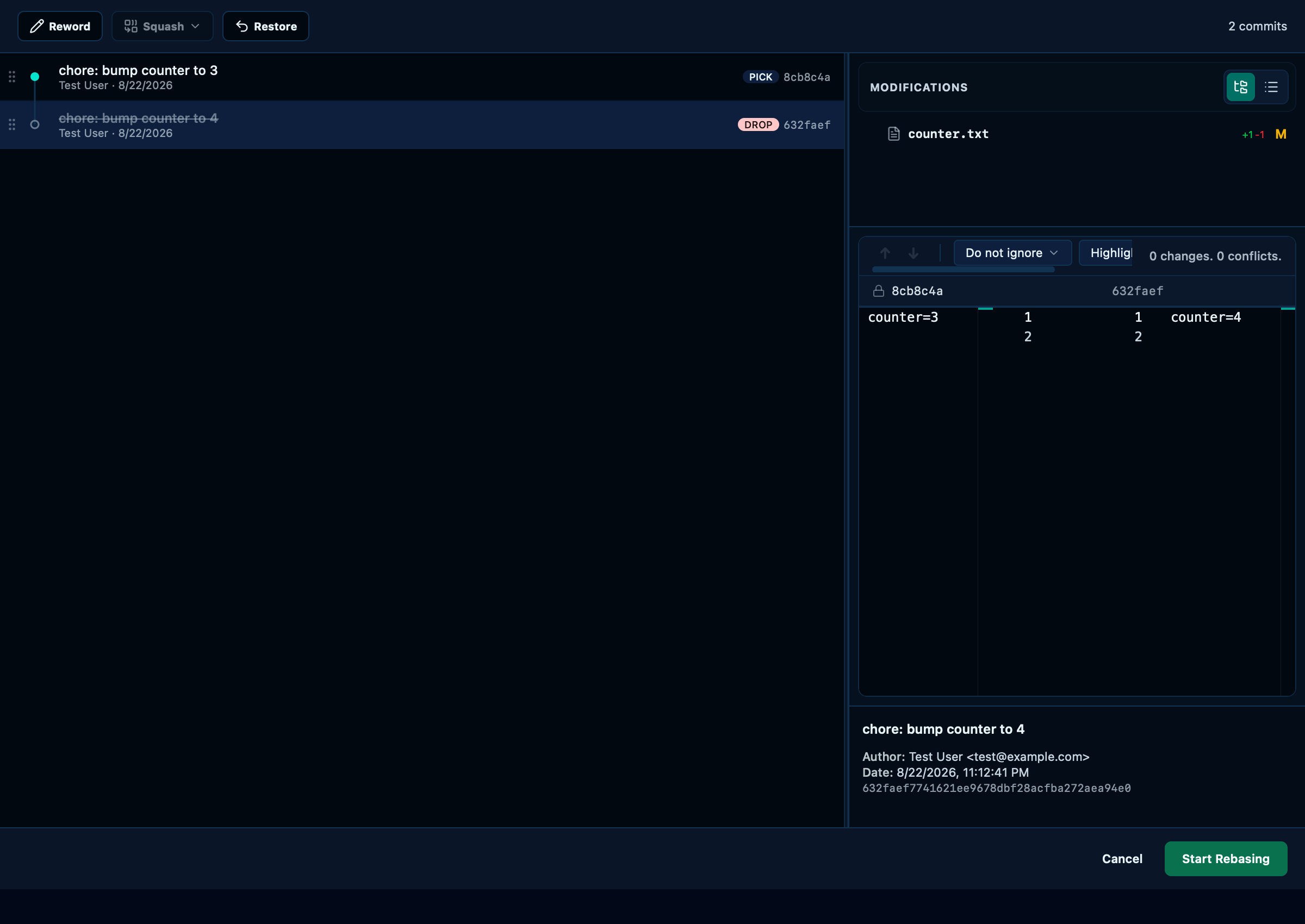
Captured from the running app by this scenario.
Do this
- Open the interactive rebase editor from the
HEAD~1commit - Select the rebase step
chore: bump counter to 4 - Mark the selected rebase step as dropped
- Start the interactive rebase
You should see
- The repository HEAD commit subject contains
chore: bump counter to 3 - The repository log holds 4 commits
- The working file
counter.txtholds the linecounter=3
Squashing the two newest commits combines them into one
⌘-clicking a second row adds it to the selection rather than replacing it, so squashing two (or more) commits is one selection and one click — the combined commit keeps both original messages rather than picking one and discarding the other's context.
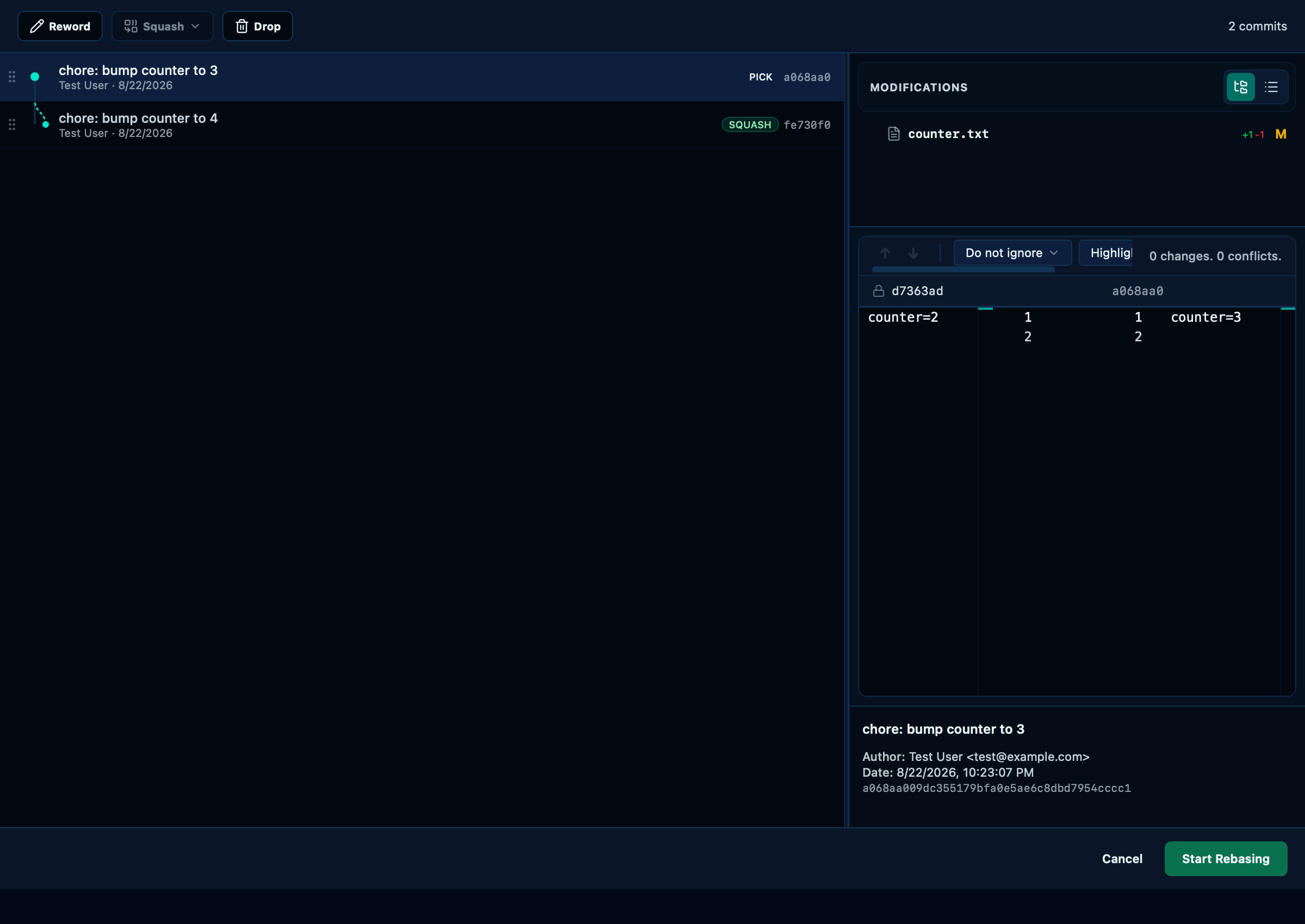
Captured from the running app by this scenario.
Do this
- Open the interactive rebase editor from the
HEAD~1commit - Select the rebase step
chore: bump counter to 3 - Add the rebase step
chore: bump counter to 4to the selection - Squash the selected rebase steps keeping both messages
- Start the interactive rebase
You should see
- The repository HEAD commit subject contains
chore: bump counter to 3 - The repository HEAD commit message contains
chore: bump counter to 4 - The repository log holds 4 commits
- The working file
counter.txtholds the linecounter=4
This page is generated from apps/e2e/features/interactive-rebase.feature, the end-to-end test that drives the feature it describes.