
Comparing two branches
The Compare … with entry — on a graph branch pill or a sidebar branch row's native context menu — opens a dedicated dialog that diffs two arbitrary refs directly against each other, independent of what is currently checked out. Either side can be re-picked from the same branch list without closing the dialog, and swapping them is a different diff, not a cosmetic flip.
Comparing two branches shows their real, per-file differences
Pick any two branches and the dialog shows what actually separates them, file by file, with per-file addition and deletion counts — regardless of which branch is checked out. Either side can be re-picked from the same list without closing the dialog, and swapping the sides asks the real question in the other direction rather than flipping the display.
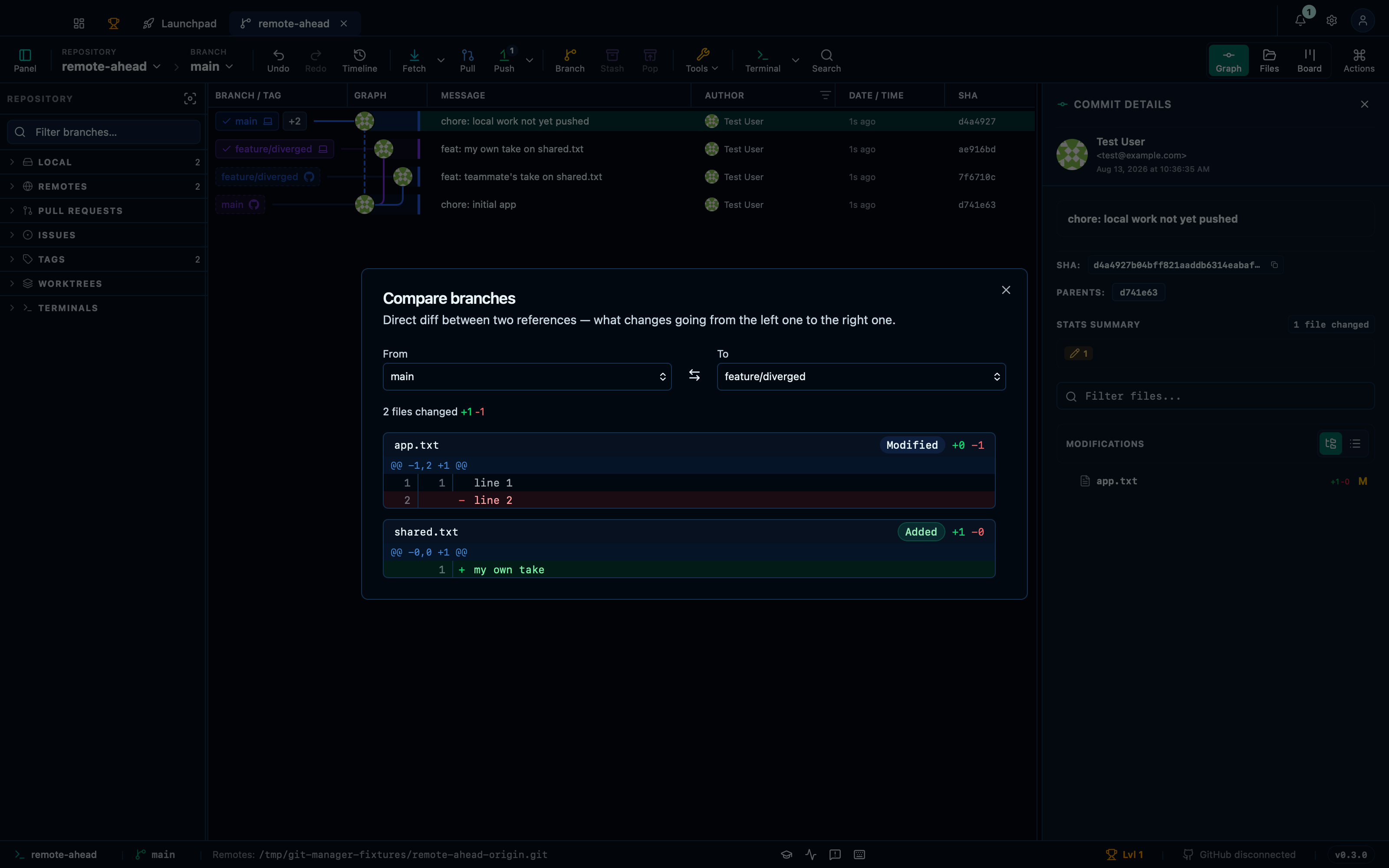
Captured from the running app by this scenario.
Do this
- Compare
mainwithfeature/diverged
You should see
- The compare branches dialog is shown
- The compare branches summary reads
2 files changed - The compare branches diff includes the file
app.txt - The compare branches diff includes the file
shared.txt
Swapping sides reverses which branch each change comes from
Diffing "main" against "feature/diverged" or the other way around is not the same question, and the backend has to be asked again — not just have its answer flipped on screen.
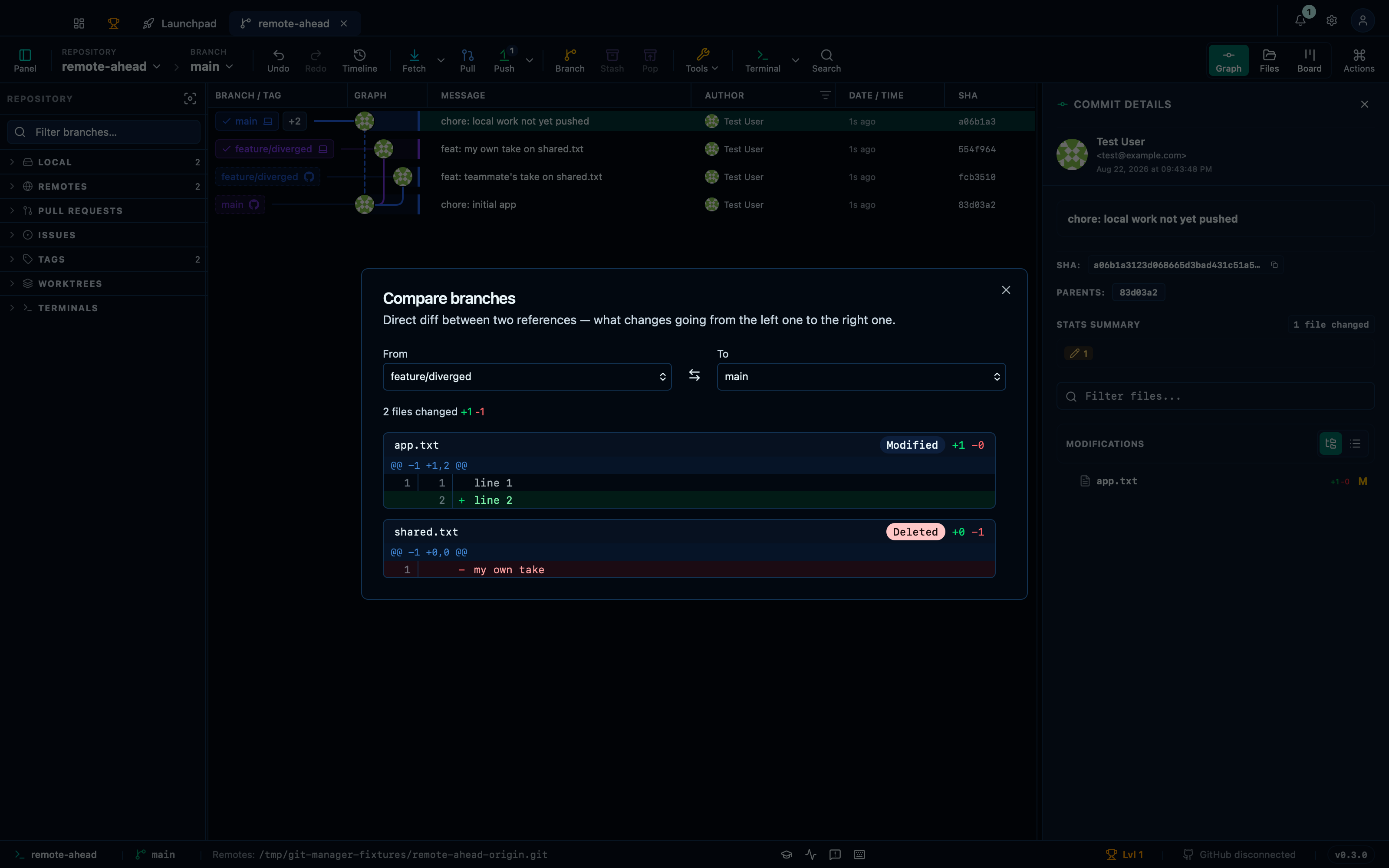
Captured from the running app by this scenario.
Do this
- Compare
mainwithfeature/diverged - Swap the compared sides
You should see
- The file
shared.txtin the compare view shows 1 addition and 0 deletions - The file
app.txtin the compare view shows 0 additions and 1 deletion - The file
shared.txtin the compare view shows 0 additions and 1 deletion - The file
app.txtin the compare view shows 1 addition and 0 deletions
Re-picking a side through the branch picker loads a real diff
Opening the dialog on two identical refs is a safe starting point — no backend call is even made — until one side is re-picked through the dialog's own branch selects, the same control a user would drive by hand.
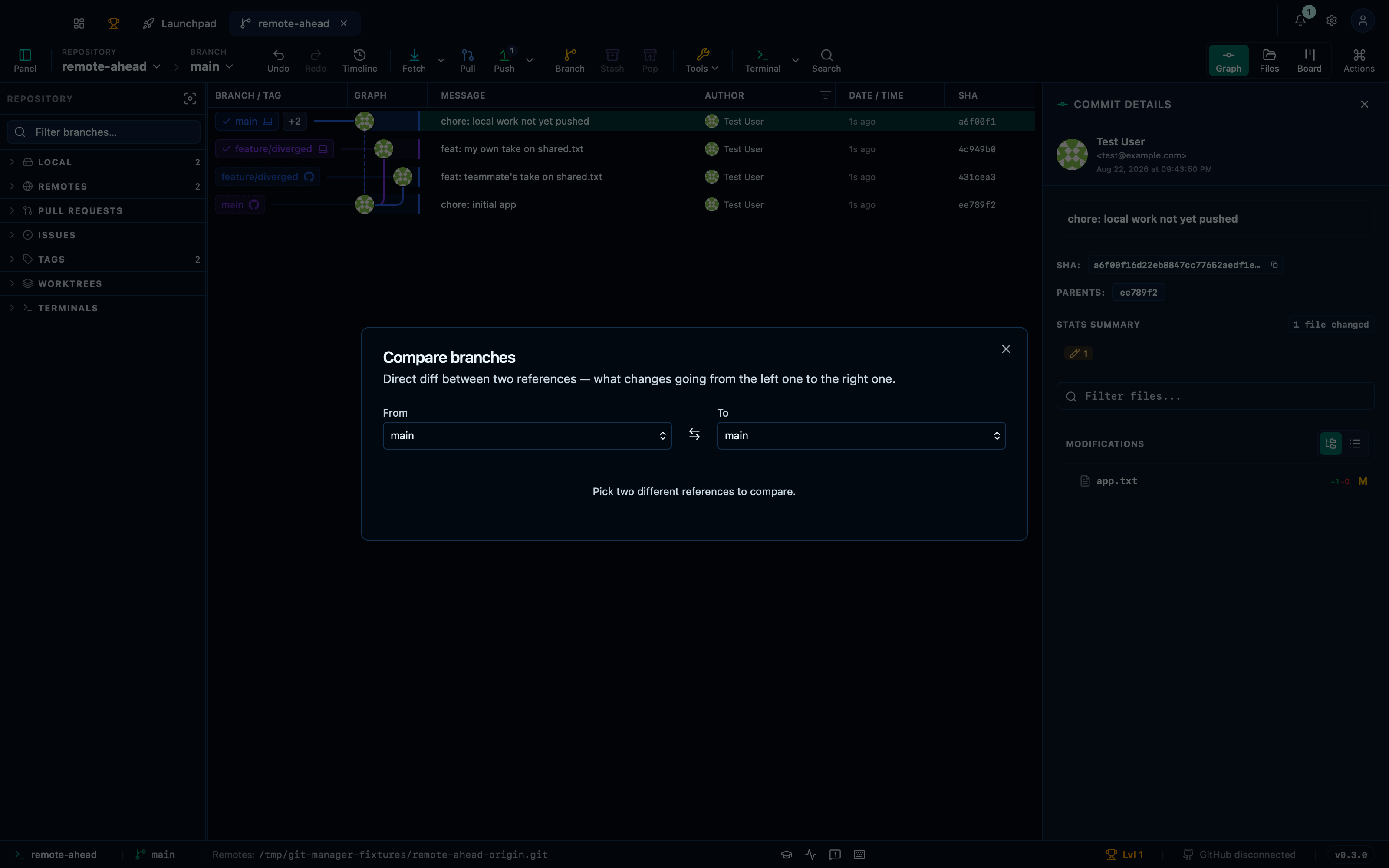
Captured from the running app by this scenario.
Do this
- Compare
mainwithmain - Pick
feature/divergedas the compare head
You should see
- The compare branches dialog reports the two sides are identical
- The compare branches diff includes the file
shared.txt - The compare branches diff includes the file
app.txt
This page is generated from apps/e2e/features/compare-branches.feature, the end-to-end test that drives the feature it describes.