
Follow, snooze & save views
Following a PR you don't own adds it to the Followed tab
Some PRs are worth watching without being on them — a teammate's release blocker, a dependency upgrade you're waiting on. Pasting its GitHub URL adds it to its own tab, tracked the same way as everything else in the Launchpad.
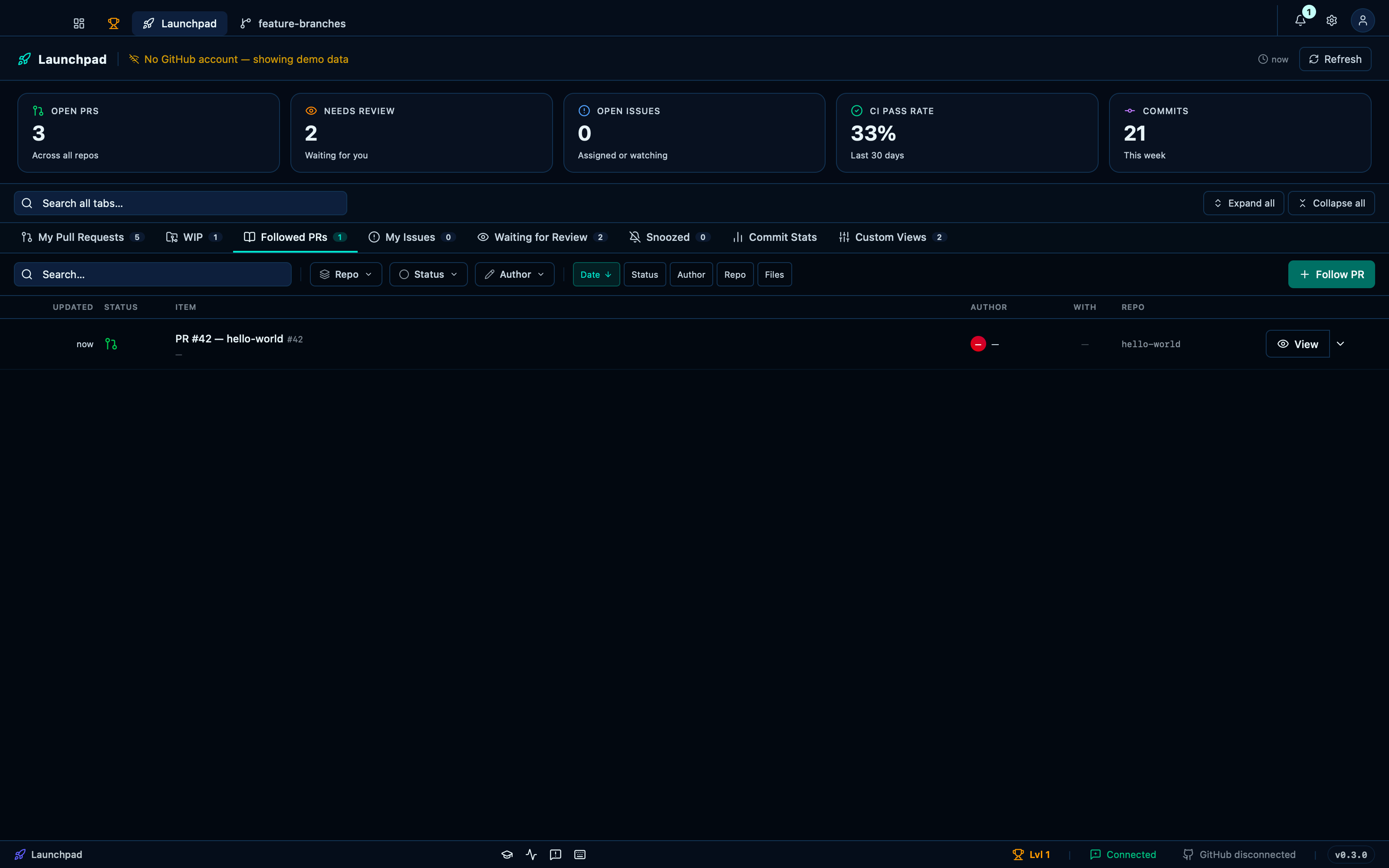
Captured from the running app by this scenario.
Do this
- Select the
followedlaunchpad tab - Follow the pull request at
https://github.com/octocat/hello-world/pull/42
You should see
- The
followedlaunchpad tab shows the followed pull requesthttps://github.com/octocat/hello-world/pull/42
Snoozing a PR moves it to the Snoozed tab until you're ready
A PR you can't act on yet — waiting on CI, waiting on someone else — doesn't have to keep competing for your attention. Snoozing it pulls it out of the normal tabs and into its own, until the time you picked arrives.
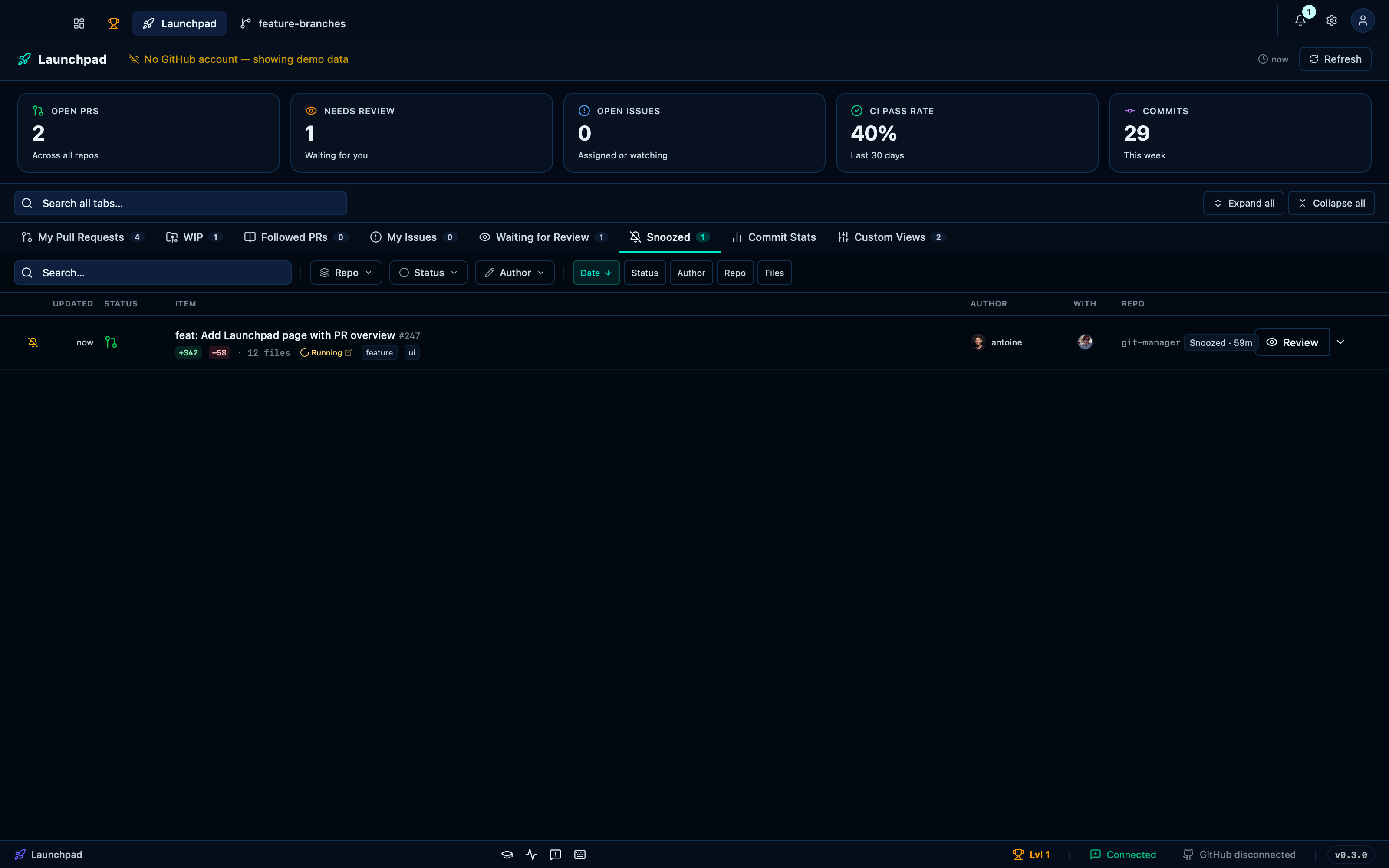
Captured from the running app by this scenario.
Do this
- Snooze the pull request
pr-1forhour - Select the
snoozedlaunchpad tab
You should see
- The
prslaunchpad tab does not show the pull requestpr-1 - The
snoozedlaunchpad tab shows the pull requestpr-1
Saving a custom filtered view persists it across a reload
The Custom Views tab lets you build your own filter — by title, author, repo, label, status, or review state — and save it as a standing view next to the built-in tabs, so a search you run often doesn't have to be rebuilt from scratch every time.
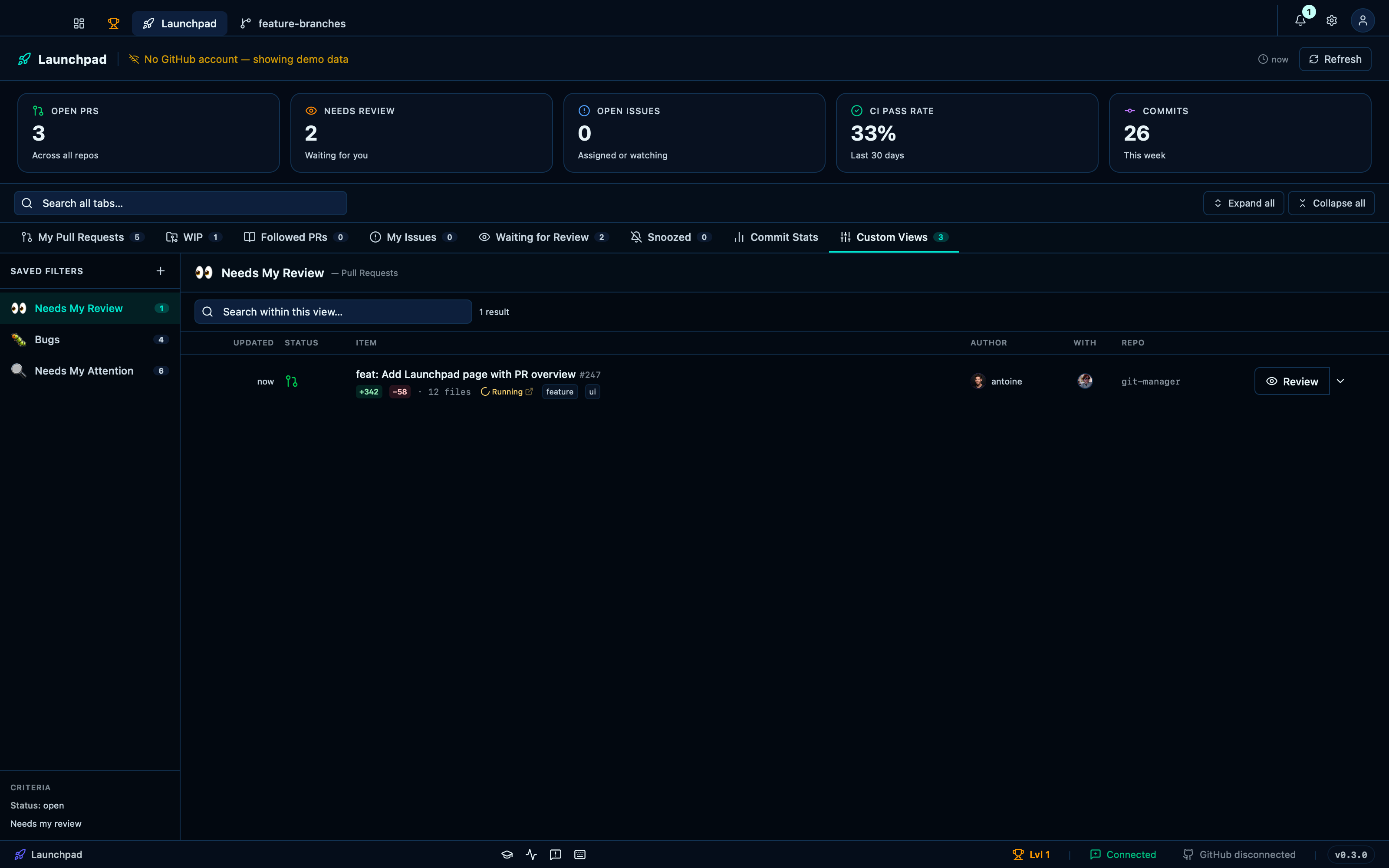
Captured from the running app by this scenario.
Do this
- Select the
viewslaunchpad tab - Create a saved filter named
Needs My Attentionthat matches PRs needing my review - Reload the launchpad
You should see
- The
Needs My Attentionsaved filter is shown - The
Needs My Attentionsaved filter is shown
This page is generated from apps/e2e/features/launchpad-organize.feature, the end-to-end test that drives the feature it describes.