
External tools & SSH
Two things the app reaches for outside itself: the editor and terminal it hands work off to, and the SSH key it authenticates a remote with.
Pointing the app at your own editor and terminal
External tools is where Git Manager learns which of your applications to hand work to: the editor that "Open in editor" actions use — from the dashboard's project rows to the toolbar — and the terminal that the toolbar's terminal shortcut and your repository tasks launch in. Both are picked straight from your installed applications. The terminal can stay unset — macOS's own Terminal is used then — while the editor button only appears in the toolbar once you've picked one.
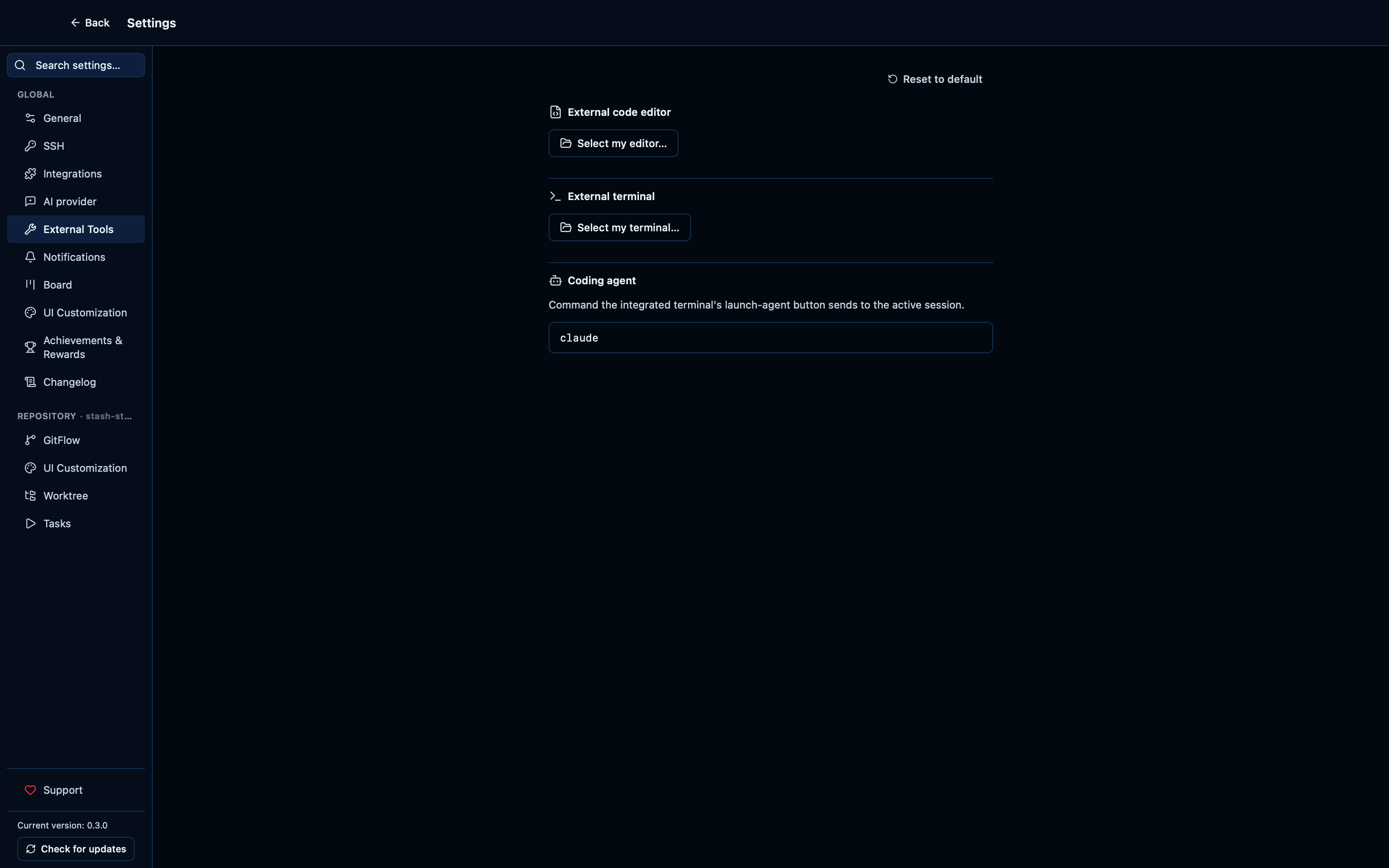
Captured from the running app by this scenario.
Do this
- Open the settings
- Open the
external_toolssettings tab
You should see
- The external tools section offers editor and terminal pickers
Generating a new SSH key pair writes real key files to disk
The SSH tab can generate a fresh Ed25519 key pair without leaving the app or opening a terminal — pick where it goes, and the app shells out to the real ssh-keygen, writing an actual private/public key pair to disk rather than a placeholder.
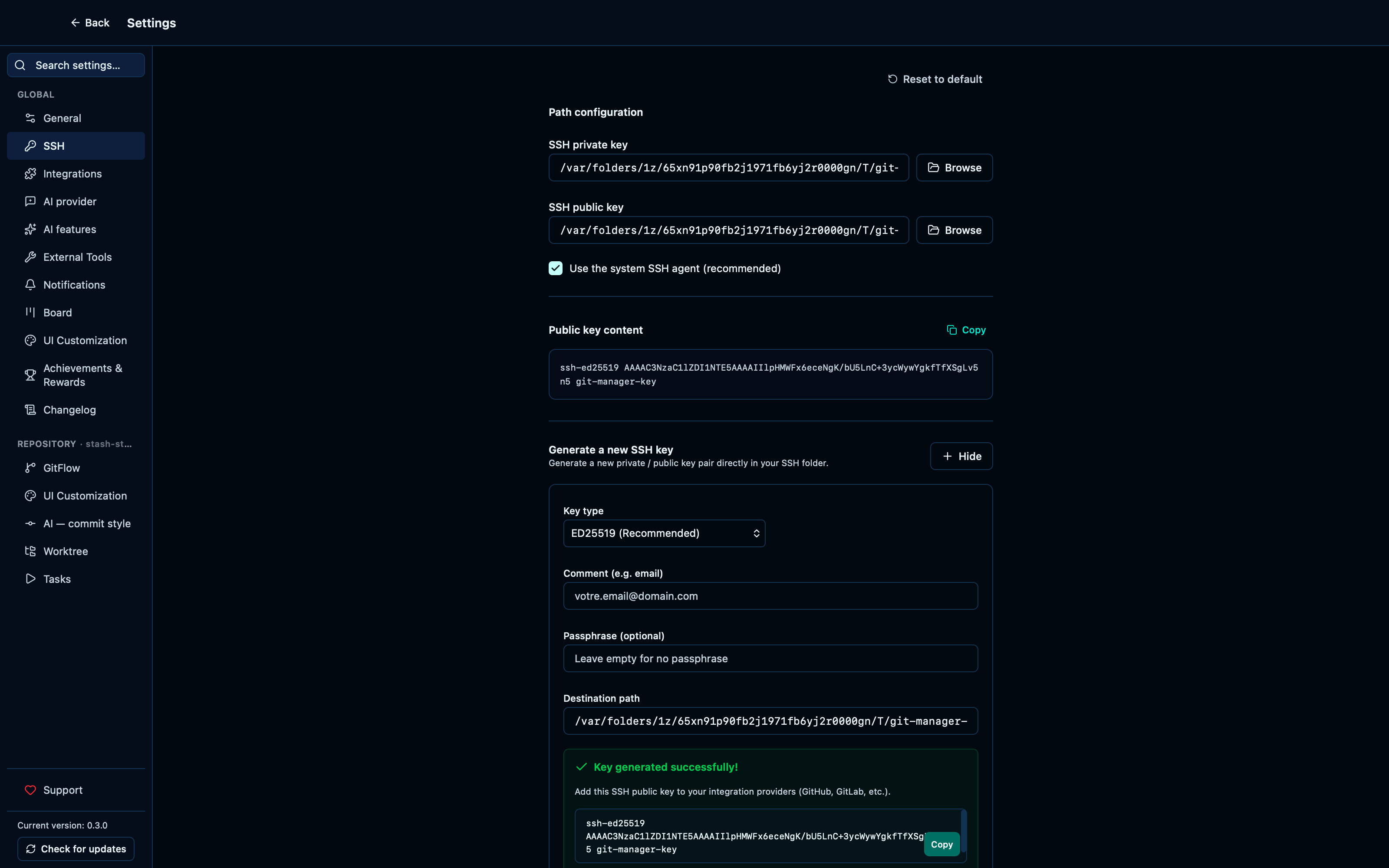
Captured from the running app by this scenario.
Do this
- Reload the application
- Open the settings
- Open the
sshsettings tab - Open the SSH key generator
- Set the SSH key generation path to a temporary location
- Click the generate SSH key button
You should see
- The generated SSH public key is shown
- A real SSH key pair exists at the generated path
Browsing to an already-existing SSH key shows its public key content
The SSH tab isn't only for generating a fresh key pair — pointing it at a key that already exists on disk reads and displays that key's public content the same way.
Do this
- Reload the application
- Open the settings
- Open the
sshsettings tab
You should see
- The SSH public key content matches the key on disk
This page is generated from apps/e2e/features/settings-tools.feature, the end-to-end test that drives the feature it describes.