
Checking for dependency updates, and what an upgrade would break
Updates has its own destination in the health tool, below the offline checks: it is the one part that reaches the network (through the repo's own package manager, not a call the app makes itself) and the only part that can change the repo. A plain update stays within what the manifests already allow; "Update to latest" can cross a major and asks for confirmation first. Release notes for a pending update sit behind their own button, and beneath them — only when AI is enabled — an assessment of what that upgrade would actually break in this repository, judged against the notes and the repo's own import sites rather than the release in the abstract.
Updating a dependency, then assessing what a bigger one would break
An in-range update needs one click and no confirmation — the declared range already allows it. "chalk"'s only available move crosses a major: before taking it, this scenario asks the AI assessment what that would break here (it reads the release notes against the files that actually import the package, and says whether the change lands on code this repo has), then takes the major update anyway — which, crossing a major, asks for confirmation first.
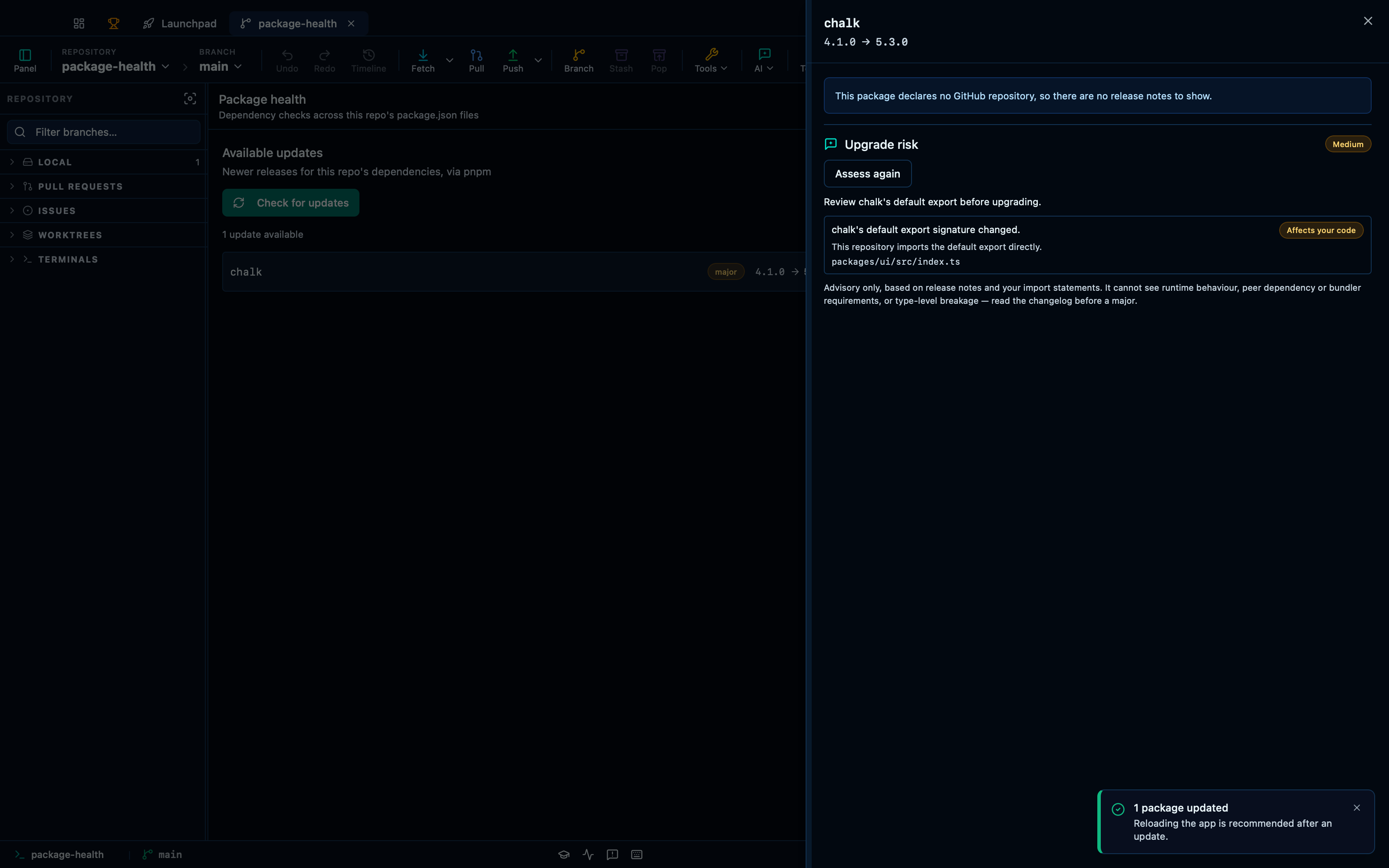
Captured from the running app by this scenario.
Do this
- Run a health check from the tools menu
- Open the package updates page
- Update
left-padto the in-range version - View the release notes for
chalk - Run the upgrade risk report
- Close the release notes panel
- Update
chalkto the latest version - Confirm the major-version update
You should see
- The updates page lists
left-padas outdated - The updates page lists
chalkas outdated - The updates page no longer lists
left-pad - The upgrade risk report names the affected file
packages/ui/src/index.ts - A major-version update confirmation is shown
- The updates page no longer lists
chalk
This page is generated from apps/e2e/features/package-health-updates.feature, the end-to-end test that drives the feature it describes.