
Reporting a problem
When something in the app fails, the footer's report button (the speech bubble, next to the activity button) opens the activity log filtered down to failures. Picking the operation that went wrong and choosing "Report this problem" assembles the whole issue for you: the error, the operations that led up to it, your app version and platform.
Nothing is sent on its own, and nothing is sent behind your back. The dialog shows the exact text that will be posted — paths, repository names and argument values are already stripped out of it — and you add what you were trying to do before submitting. With a GitHub account connected, one button opens the issue under your own account; without one, you copy the report and file it yourself.
The app also tells you what it makes of the failure first. A protected branch, a hook of your own that refused a commit, an AI provider that isn't running: those are explained rather than filed, because a tracker buried in reports nobody can act on stops being read. When it isn't sure — the case for most errors Git itself raises — it asks you to say what you expected, which is the one thing it cannot work out on its own.
Reporting a failed operation from the activity log
A fetch against a repository with no reachable remote fails, and the report dialog built from that failure shows what would be posted: the verdict on whether it is a bug, a box for what you were doing, and the complete issue body, ready to read before anything leaves your machine.
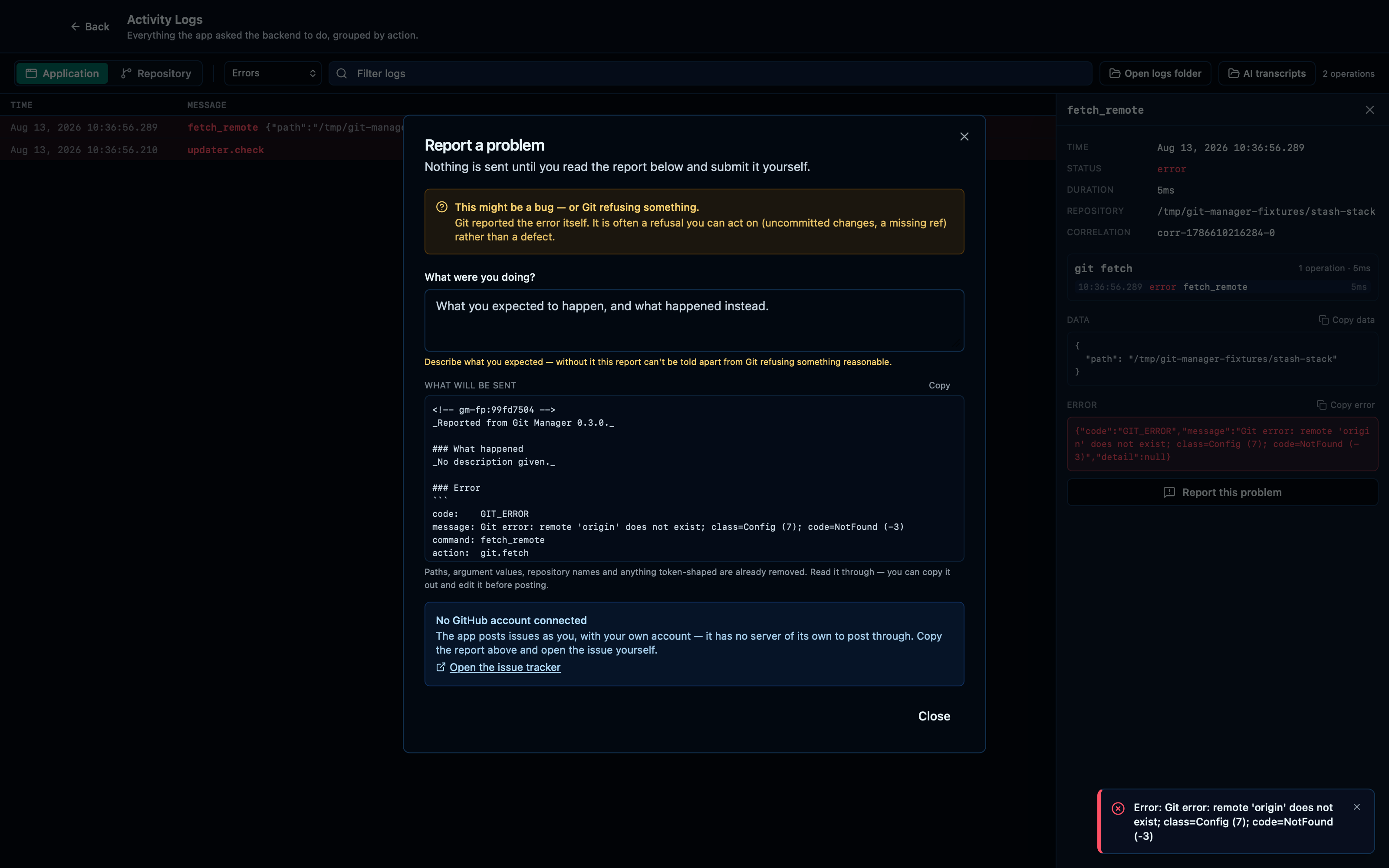
Captured from the running app by this scenario.
Do this
- Click the toolbar fetch button
- Open the activity logs from the report button
- Open the
fetch_remoteactivity log entry - Report the selected activity log entry
You should see
- The activity log shows only failed operations
- The report dialog shows what will be sent
- The report dialog hides the repository path
Submitting a report files a new issue, and reporting the same failure again finds it
Filing a report doesn't just post it and forget: a fingerprint of the failure goes into the issue body, and the next time you report that same failure, the app searches for that fingerprint first — so two people (or one person twice) hitting the same bug land on one issue instead of a pile of duplicates GitHub then has to be de-duplicated by hand.
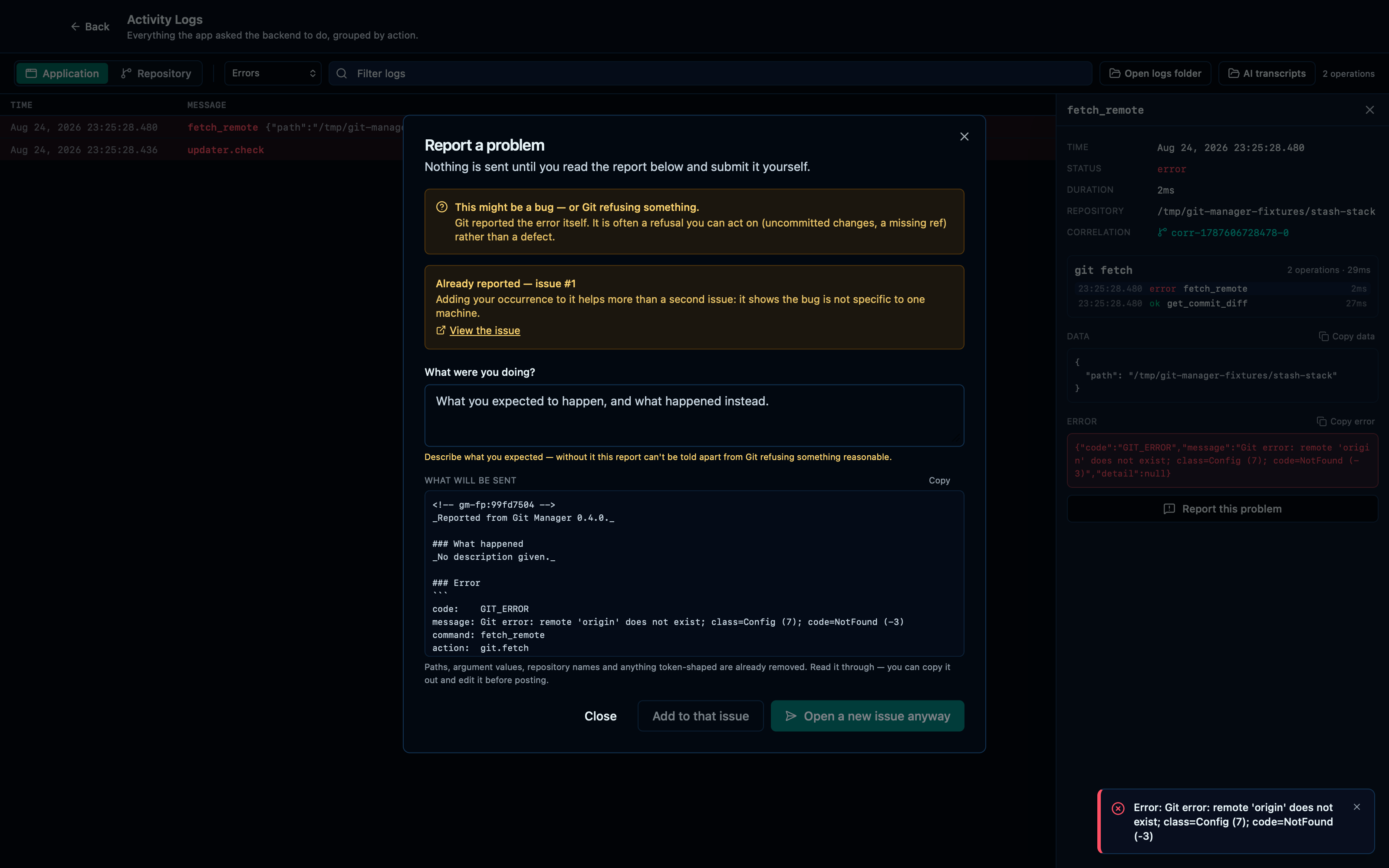
Captured from the running app by this scenario.
Do this
- Click the toolbar fetch button
- Open the activity logs from the report button
- Open the
fetch_remoteactivity log entry - Report the selected activity log entry
- Describe the report as
network was down - Submit the error report
- Reload the application
- Click the toolbar fetch button
- Open the activity logs from the report button
- Open the
fetch_remoteactivity log entry - Report the selected activity log entry
You should see
- The error report shows a created issue link
- The error report shows a duplicate of the previously filed issue
Reporting a crash from the top-level error boundary
A render-phase crash replaces the whole window with the app's last-resort fallback, which mounts its own separate instance of the same dialog — reached along a path the log-based flow above never takes, with no correlated action to show since nothing failed through the backend.
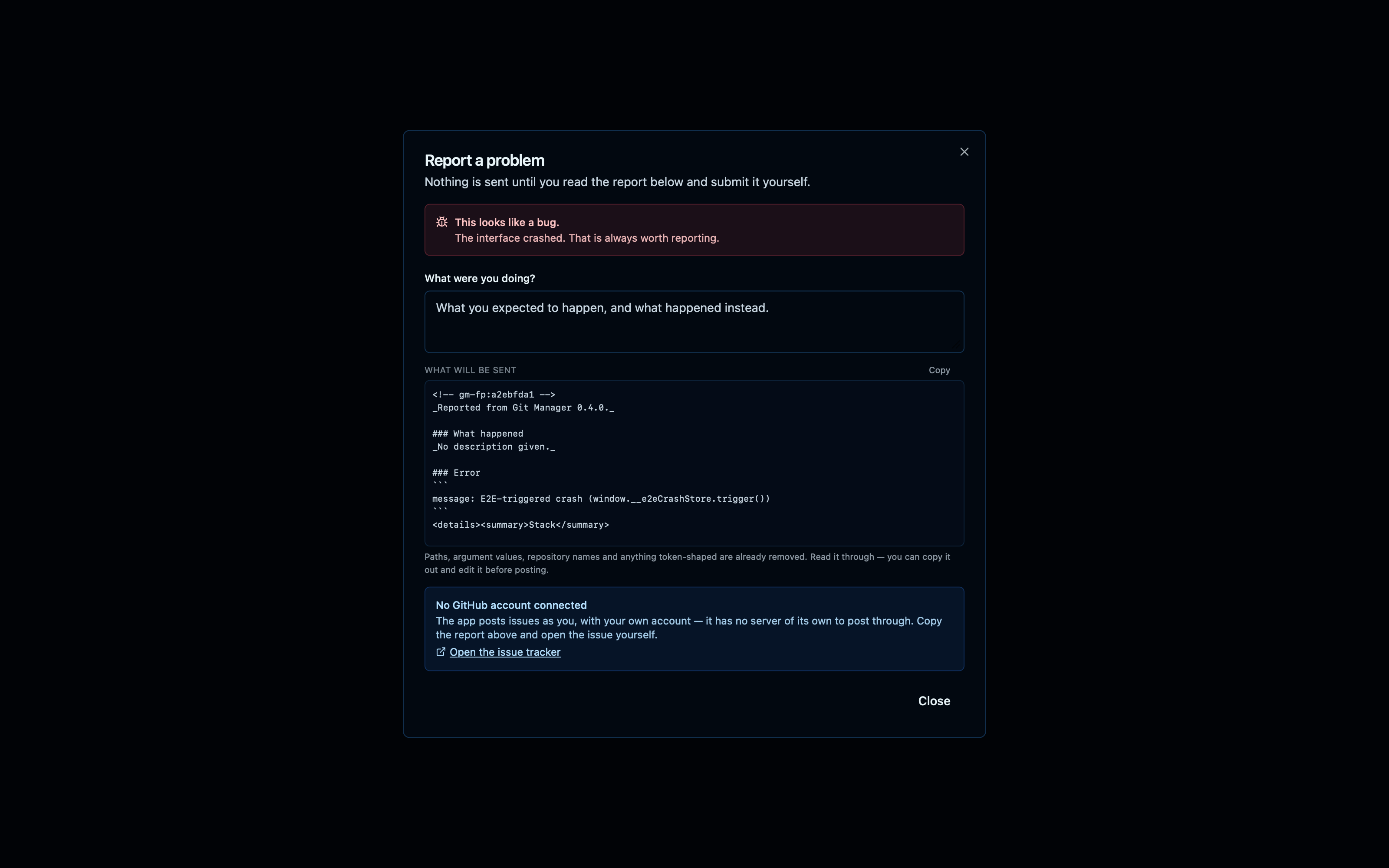
Captured from the running app by this scenario.
Do this
- Force a render crash
- Click the crash screen's report button
You should see
- The crash screen is shown
- The report dialog shows what will be sent
- The report dialog has no correlated activity block
This page is generated from apps/e2e/features/error-report.feature, the end-to-end test that drives the feature it describes.