
Git bisect
A bisect is a binary search over your history: give it one commit you know is good and one you know is bad, and it checks out the midpoint for you to test. Mark each step good or bad from the graph and it narrows the range automatically, converging on the exact commit that introduced the problem in a handful of steps rather than a manual git log hunt.
Picking the good and bad commits opens a range to test
Starting a bisect from the tools menu opens a floating setup bar with two slots, bad and good — click a slot, then click a commit in the graph to fill it, no memorising SHAs. The bad commit is usually HEAD, where you noticed the regression; the good one can be any earlier commit, or a release tag if you have one, like v1.0.0 here.
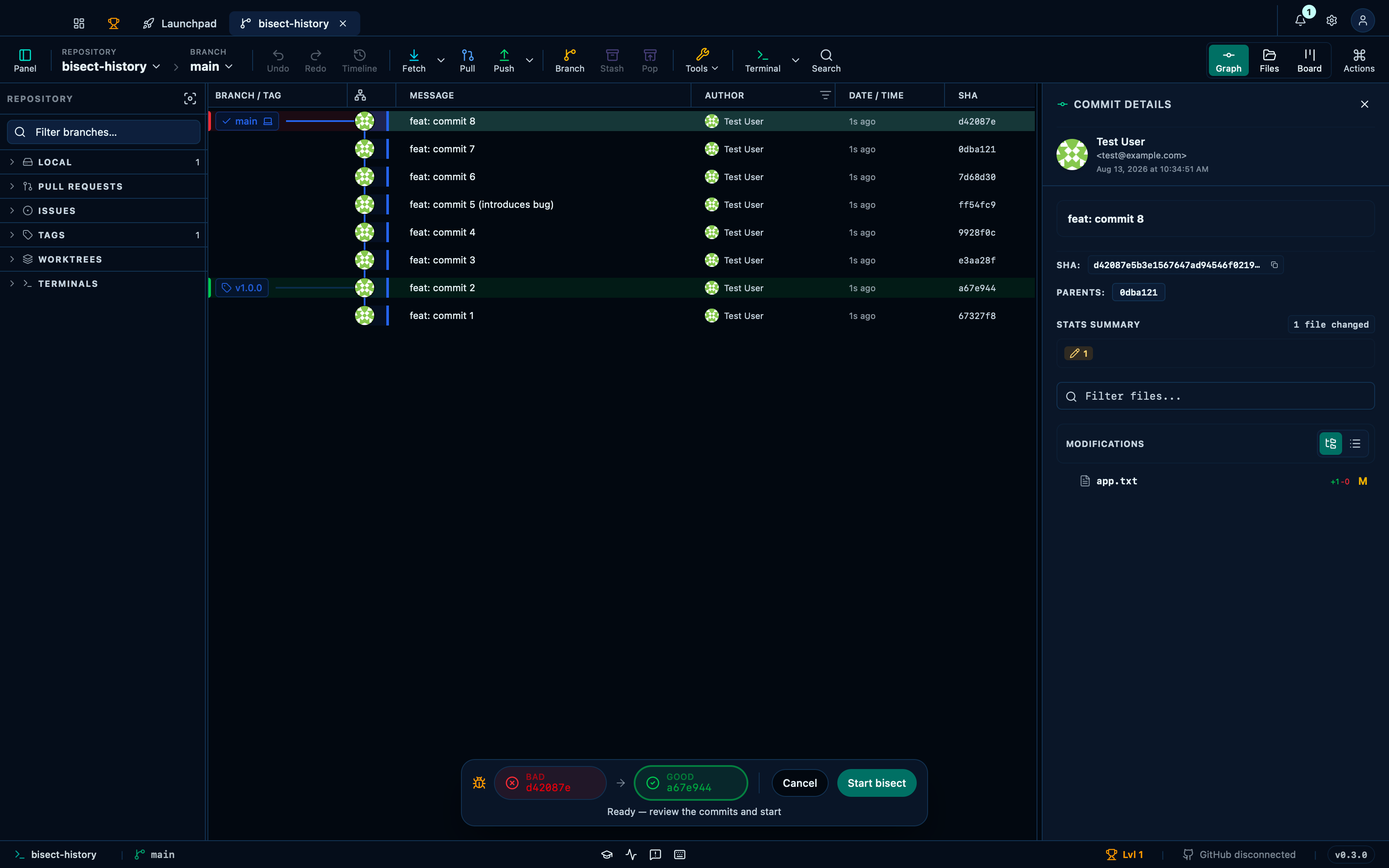
Captured from the running app by this scenario.
Do this
- Start a bisect from the tools menu
- Pick the
HEADcommit as thebadcommit - Pick the
v1.0.0commit as thegoodcommit
Testing each checkout narrows the range
Once the range is confirmed, Git Manager checks out the midpoint between your good and bad commits for you to test — run the build, reproduce the bug or don't, then mark that commit good or bad from the banner. Each answer halves the range and checks out the next candidate automatically, so a handful of yes/no answers is all it takes to close in on the exact commit that introduced the problem.
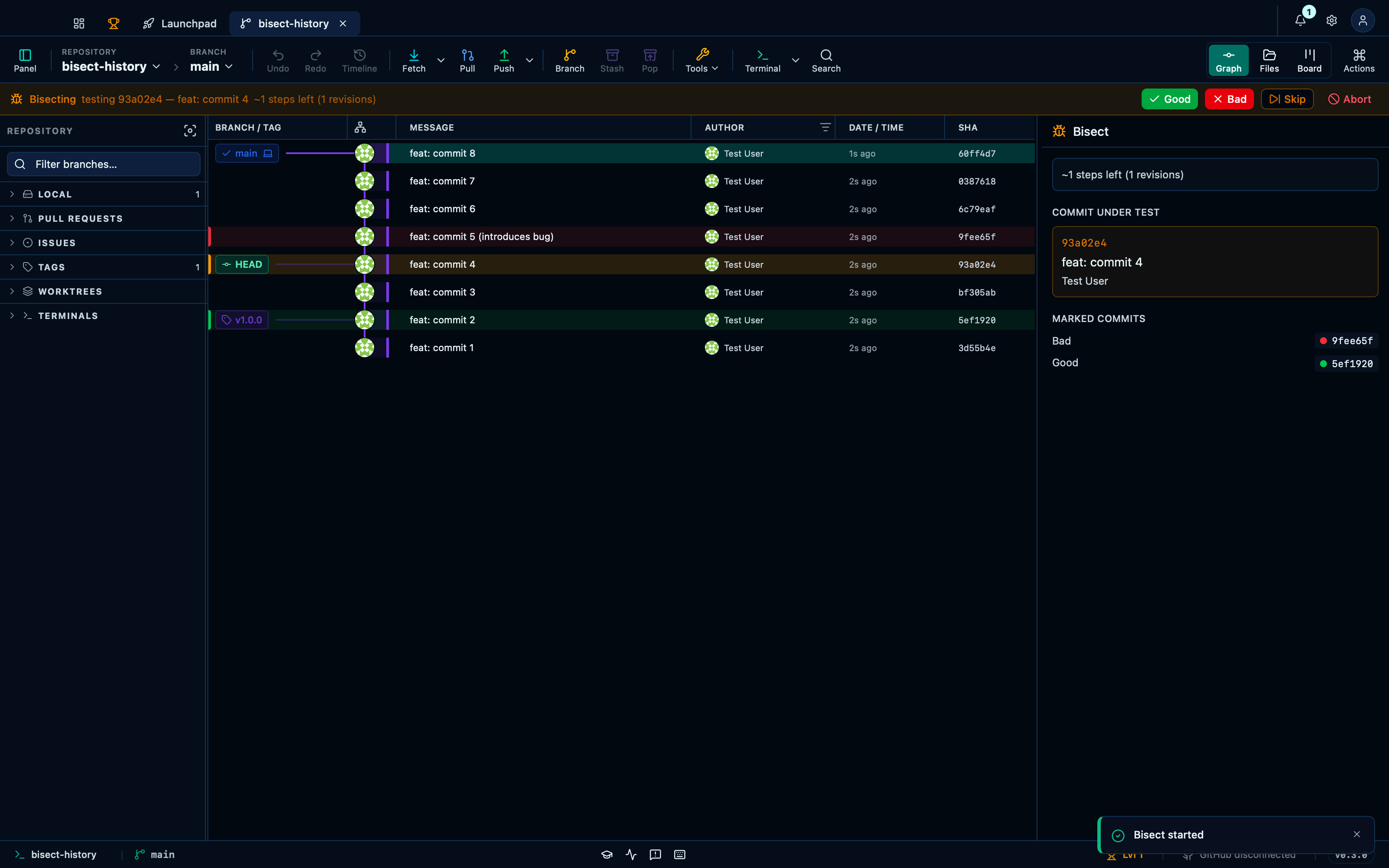
Captured from the running app by this scenario.
Do this
- Start a bisect from the tools menu
- Pick the
HEADcommit as thebadcommit - Pick the
v1.0.0commit as thegoodcommit - Start the bisect
- Test the current bisect candidate for the bug
You should see
- A bisect is in progress
Running a bisect converges on the first bad commit
A few steps of marking commits good or bad is all it takes: Git Manager lands on the exact commit that introduced the regression and shows it in a result banner, without you ever leaving the app or touching a terminal.
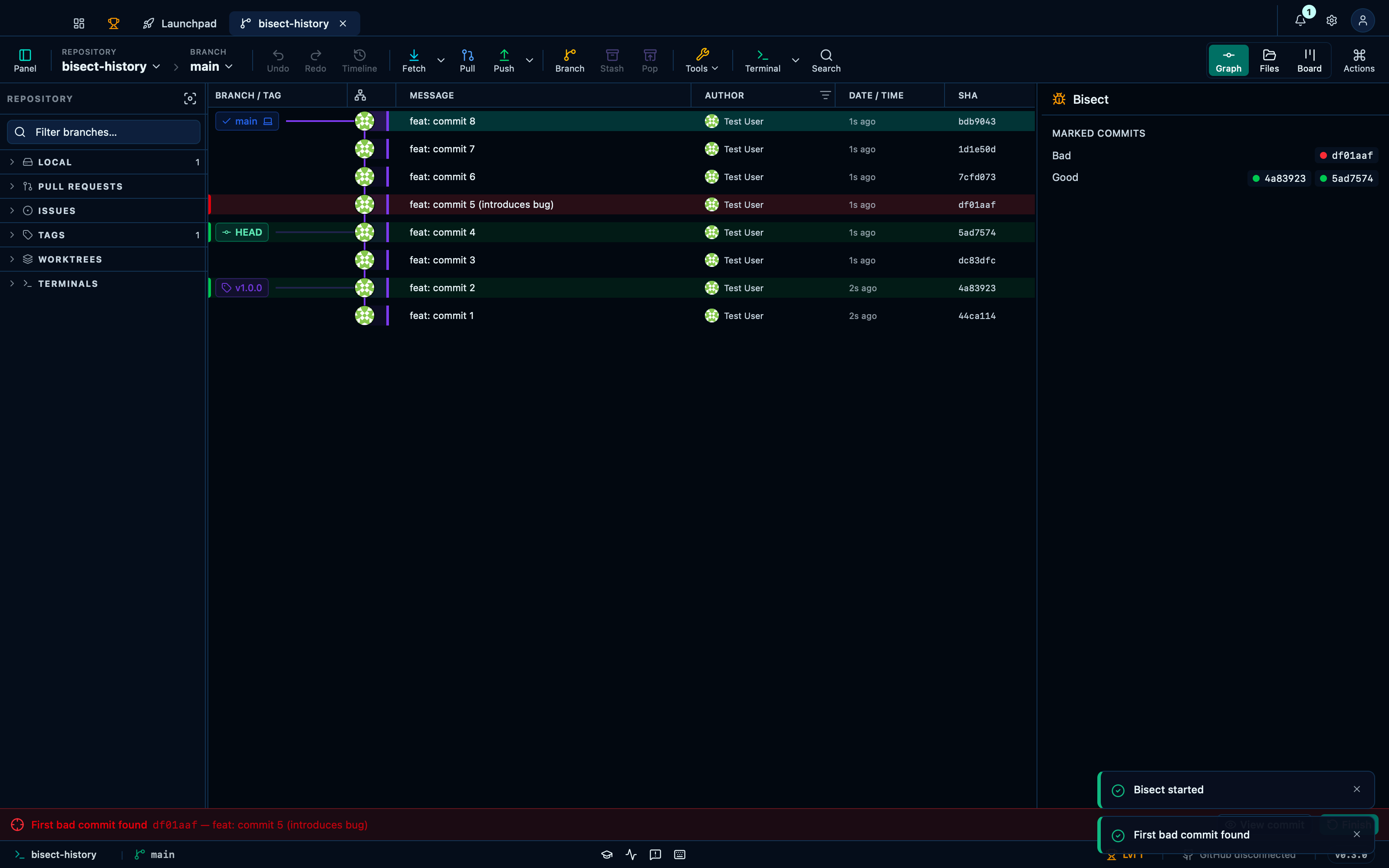
Captured from the running app by this scenario.
Do this
- Start a bisect from the tools menu
- Pick the
HEADcommit as thebadcommit - Pick the
v1.0.0commit as thegoodcommit - Start the bisect
- Bisect by testing for the bug until the first bad commit is found
You should see
- A bisect is in progress
- The first bad commit is
feat: commit 5 (introduces bug)
Aborting a bisect ends the session
A bisect doesn't have to run to the end: aborting at any point checks the branch back out where it was before the first "good"/"bad" pick and closes the session, no different from never having started one.
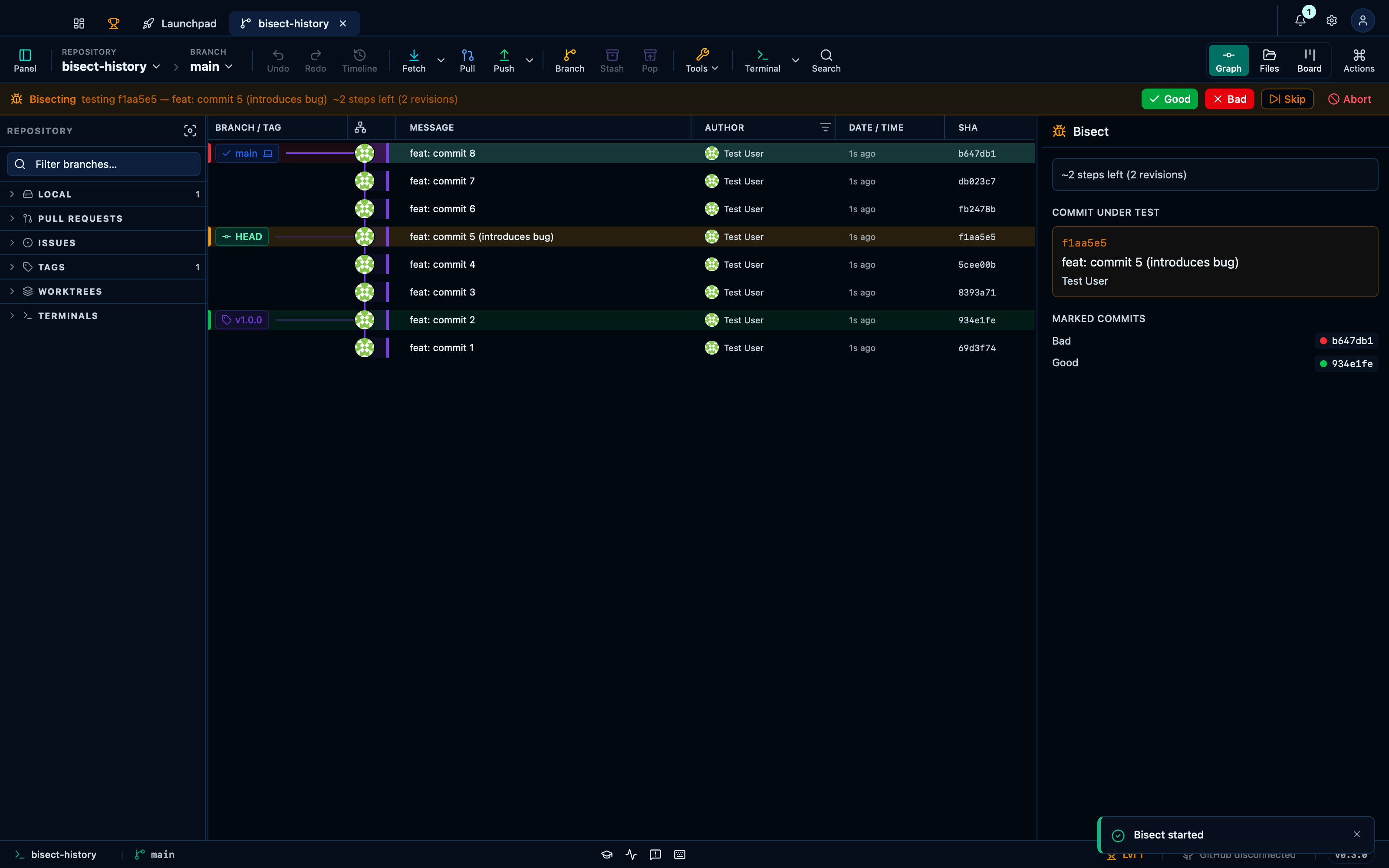
Captured from the running app by this scenario.
Do this
- Start a bisect from the tools menu
- Pick the
HEADcommit as thebadcommit - Pick the
v1.0.0commit as thegoodcommit - Start the bisect
- Abort the bisect
You should see
- A bisect is in progress
- No bisect is in progress
This page is generated from apps/e2e/features/bisect.feature, the end-to-end test that drives the feature it describes.