
Tagging a commit
A tag is a permanent name for one commit — a release, a known-good build, anything worth finding again. Any commit can take one, not just the latest: select it in the graph, run "Create tag" from the command palette, and the tag appears as a badge on its row.
Tagging an earlier commit from the palette
Select the commit you want to mark, open the palette with ⌘K and pick "Create tag": you name it, confirm, and the badge appears on that row — on the commit you chose, not on HEAD. This is a lightweight tag, just a name pointing at the commit.
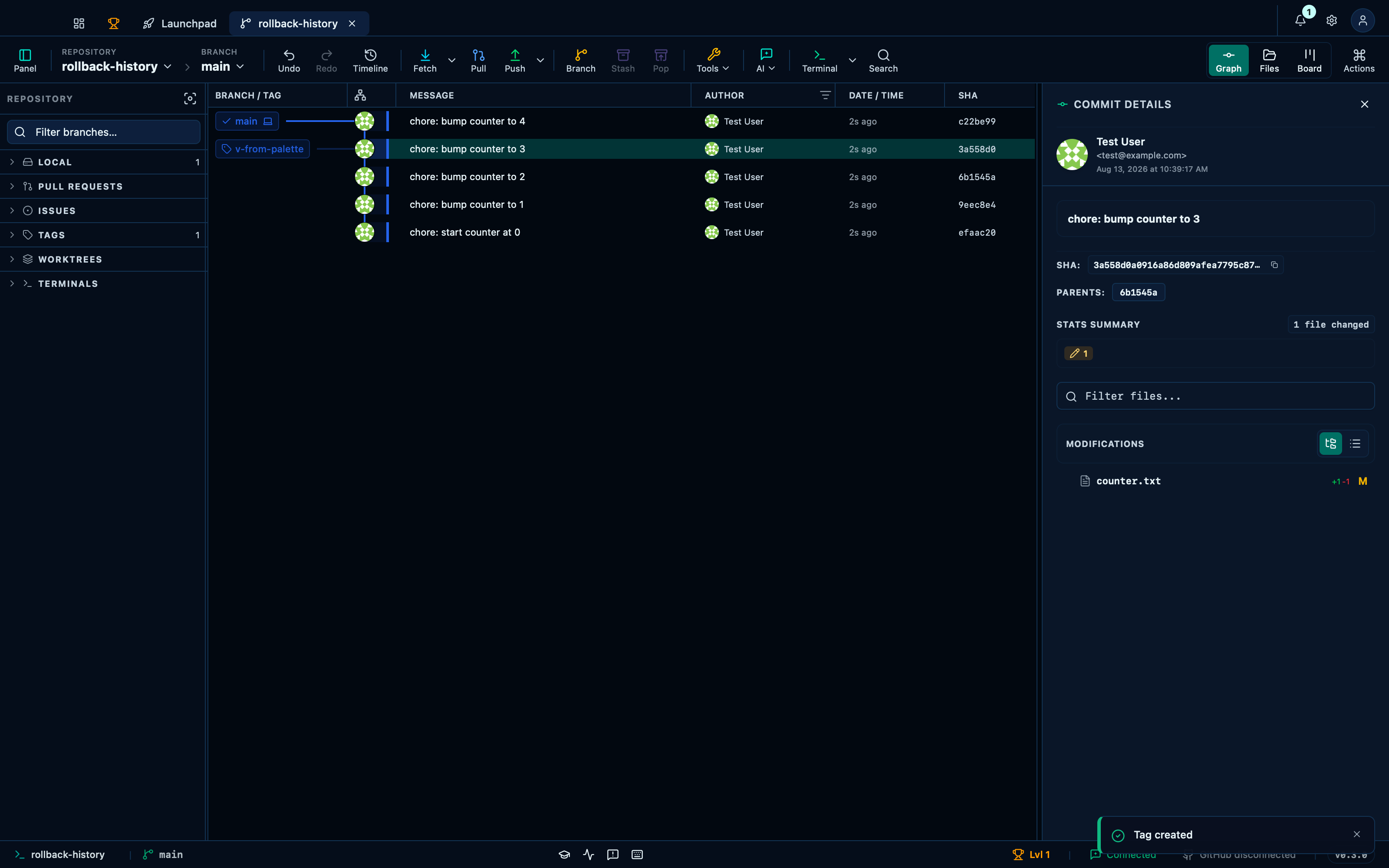
Captured from the running app by this scenario.
Do this
- Select the
HEAD~1commit in the graph - Open the command palette
- Pick
Create tag herefrom the palette - Enter the tag name
v-from-palette - Confirm the tag creation
You should see
- The command palette shows commit actions for
HEAD~1 - The tag name input is shown
- The tag
v-from-palettepoints at the commitchore: bump counter to 3 - The tag
v-from-paletteis shown as a ref in the graph
Creating an annotated tag instead
"Create annotated tag" makes a tag that is an object of its own, carrying a tagger, a date and a message — what release tooling generally expects, and what git describe prefers. Same flow, a different palette entry.
Do this
- Select the
HEAD~1commit in the graph - Open the command palette
- Pick
Create annotated tag herefrom the palette - Enter the tag name
v-annotated-from-palette - Confirm the tag creation
You should see
- The command palette shows commit actions for
HEAD~1 - The tag name input is shown
- The tag
v-annotated-from-palettepoints at the commitchore: bump counter to 3 - The tag
v-annotated-from-paletteis annotated
Publishing a tag to the remote, and taking it back
A tag you create is yours alone until you publish it: "Push tag" sends it to the remote, and the two deletions are deliberately separate — removing your local copy leaves the published one alone, and removing the remote's copy (which asks for confirmation, since it affects everyone who has fetched it) leaves yours.
Do this
- Open the command palette
- Pick
Push a tag…from the palette - Pick
v0.9from the palette - Open the command palette
- Pick
Delete a remote tag…from the palette - Pick
v1.0from the palette - Confirm the remote tag deletion
You should see
- The remote
originhas the tagv0.9 - No error notification is displayed
- The remote tag deletion dialog is shown
- The remote
originno longer has the tagv1.0 - The local tag
v1.0still exists
Deleting a local tag leaves the remote's copy alone
The two deletions are deliberately separate, the other way round from the one above: removing your local copy, from "Delete a local tag…" in the palette, never reaches the remote — the tag you already pushed stays exactly where it is until you delete it there too.
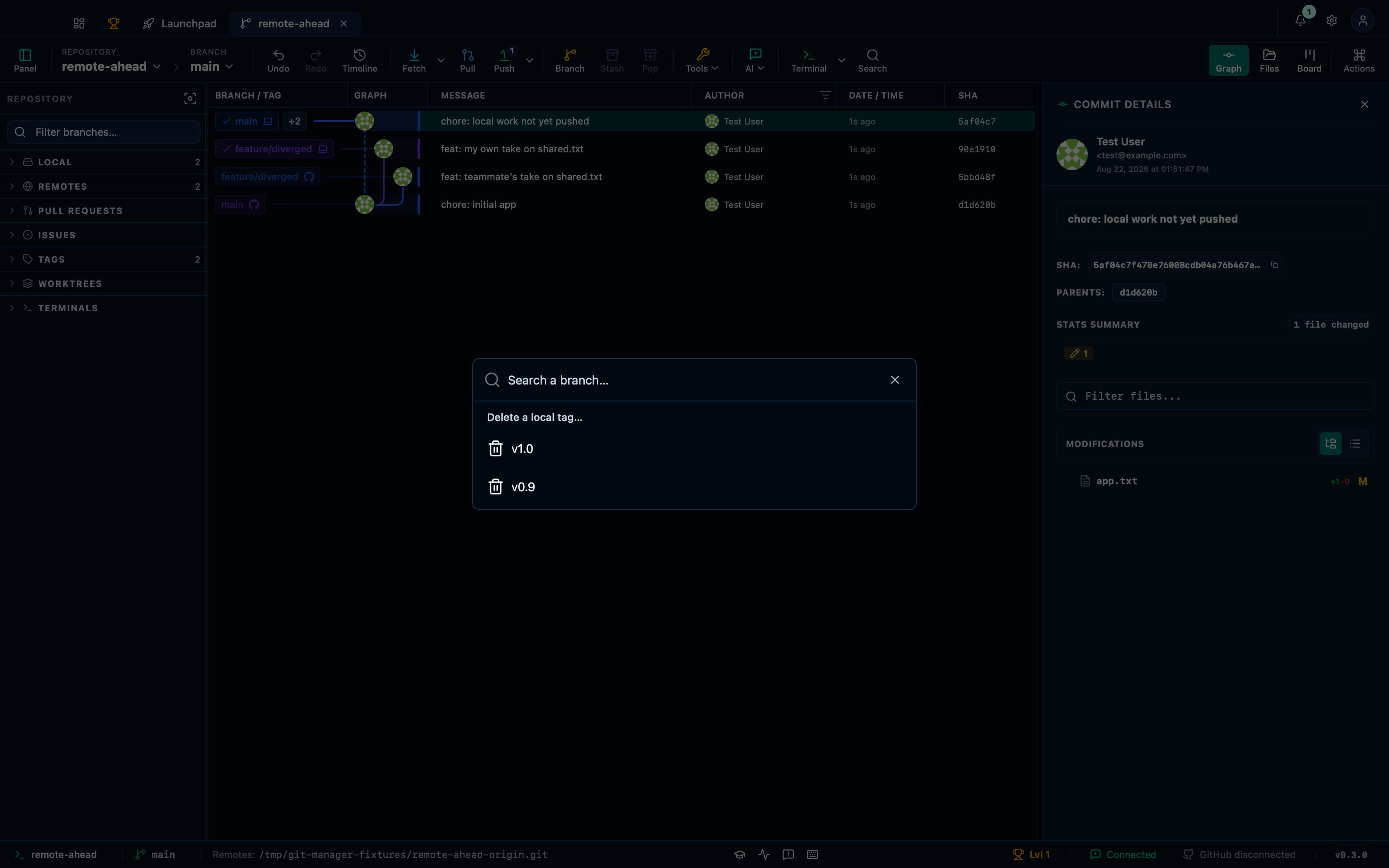
Captured from the running app by this scenario.
Do this
- Open the command palette
- Pick
Delete a local tag…from the palette - Pick
v1.0from the palette
You should see
- The local tag
v1.0no longer exists - The remote
originhas the tagv1.0 - No error notification is displayed
This page is generated from apps/e2e/features/tags.feature, the end-to-end test that drives the feature it describes.