
Cleaning up finished branches in bulk
The Branches section header's ⋯ menu offers two bulk actions, both excluding the checked-out branch, main/master, and anything checked out in a worktree. "Prune local branches" is the GitHub-independent signal: a branch whose upstream remote branch is gone (deleted after its PR merged, then pruned locally by a fetch). "Remove merged branches" widens that with a GitHub pull-request check when an account is connected, so a branch merged but not yet cleaned up on the remote is still caught.
Pruning local branches whose upstream is gone
Opening the dialog re-fetches with prune first, so a branch whose remote copy was deleted since the last fetch still shows up as gone without a manual fetch beforehand.
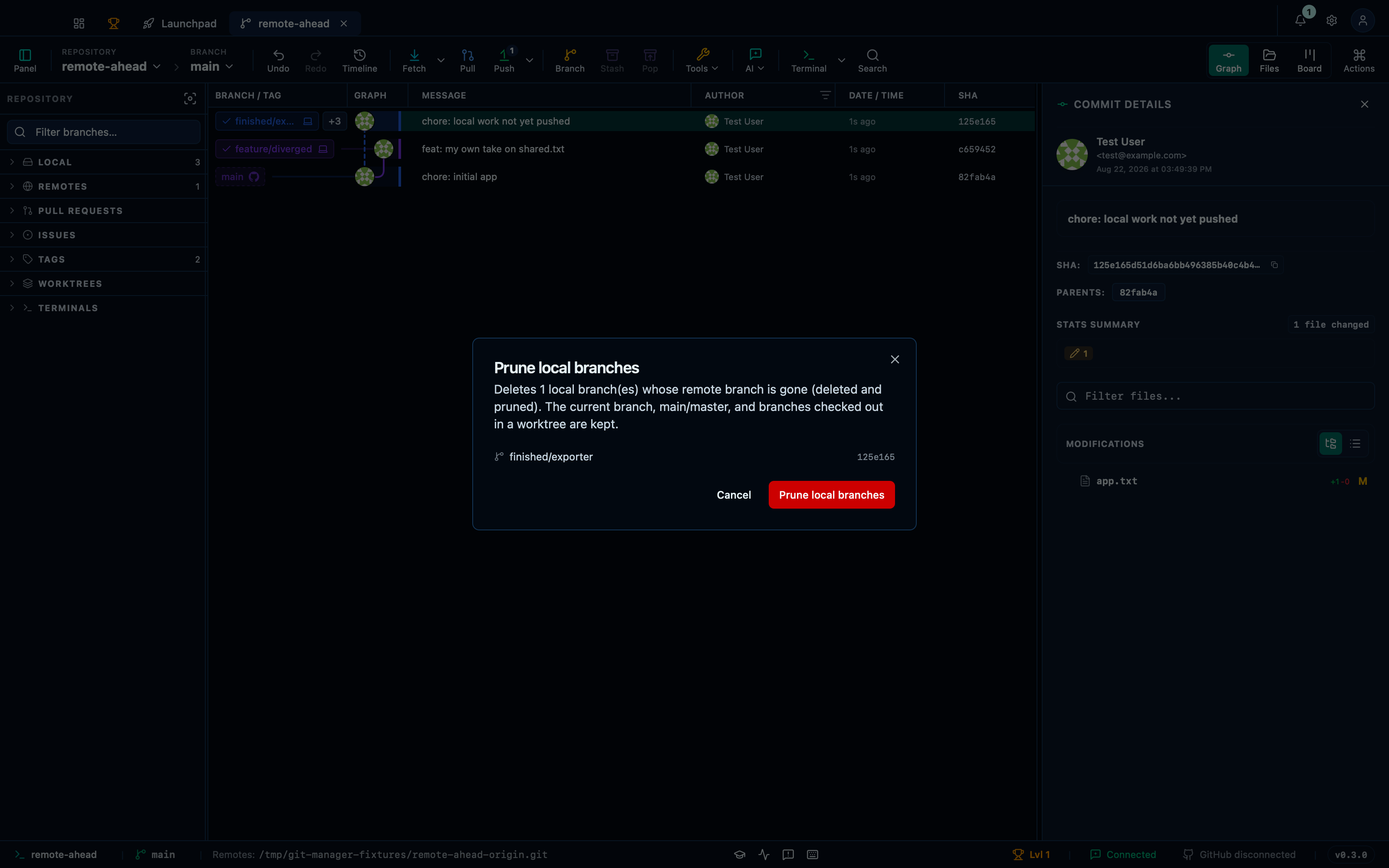
Captured from the running app by this scenario.
Do this
- Open the branch actions menu
- Pick
Prune local branchesfrom the branch actions menu - Confirm the branch-prune dialog
You should see
- The branch-prune dialog lists
finished/exporteras prunable - The branch
finished/exporterno longer exists in the repository
Removing merged branches in bulk
Without a connected GitHub account the check falls back to the same gone-upstream signal as pruning — the dialog says so, and still offers the branch.
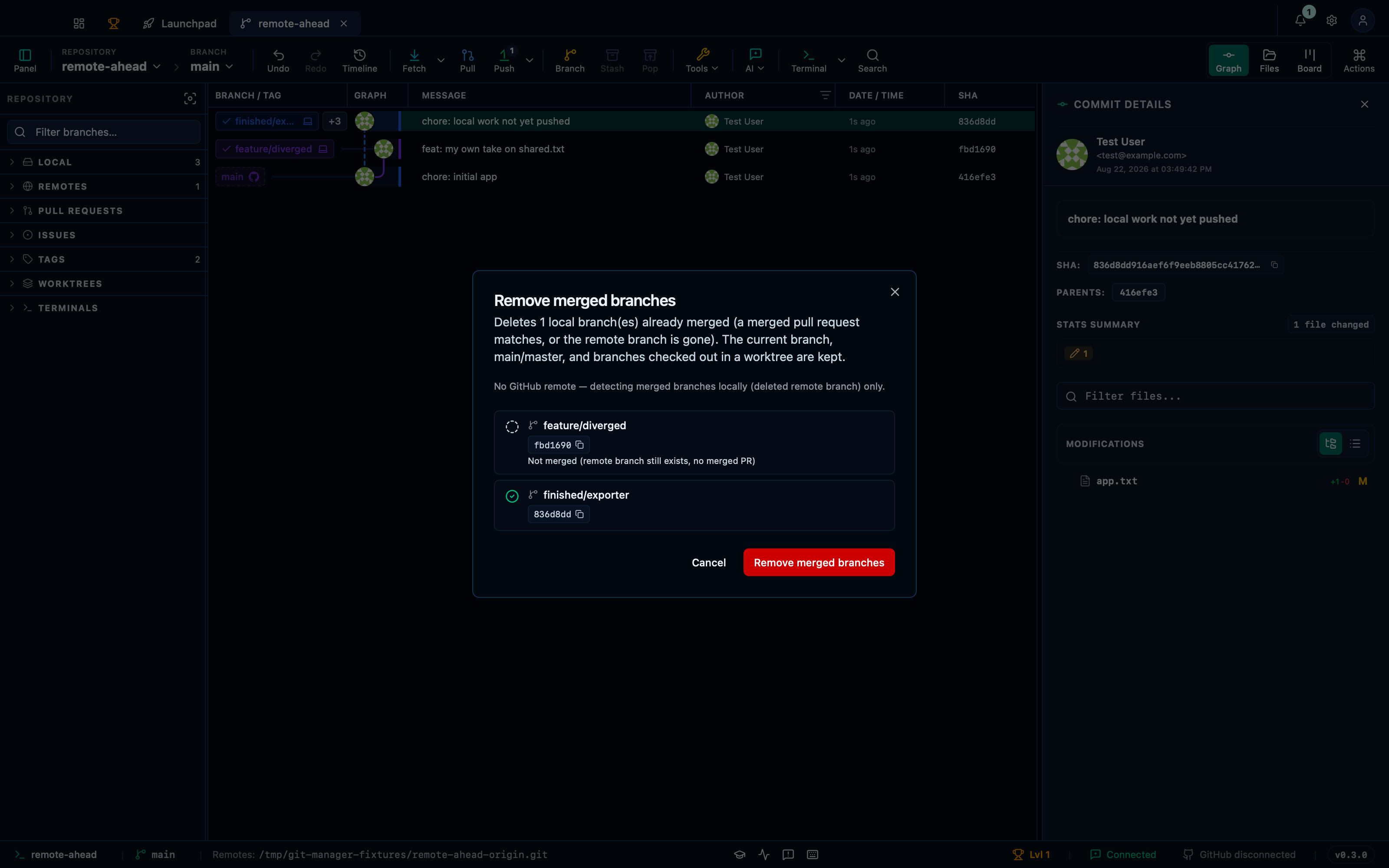
Captured from the running app by this scenario.
Do this
- Open the branch actions menu
- Pick
Remove merged branchesfrom the branch actions menu - Confirm the branch-remove-merged dialog
You should see
- The branch-remove-merged dialog lists
finished/exporteras removable - The branch
finished/exporterno longer exists in the repository
Narrowing bulk cleanup to your own merged branches
A third menu entry — "Remove my merged branches", offered for worktrees too — narrows the same cleanup to branches whose merged pull request was authored by the signed-in GitHub account, so clearing out your own finished work never also offers a teammate's. "Mine" can only be read from a real pull request's author, so without a connected account there is nothing to match against and the dialog says so rather than guessing.
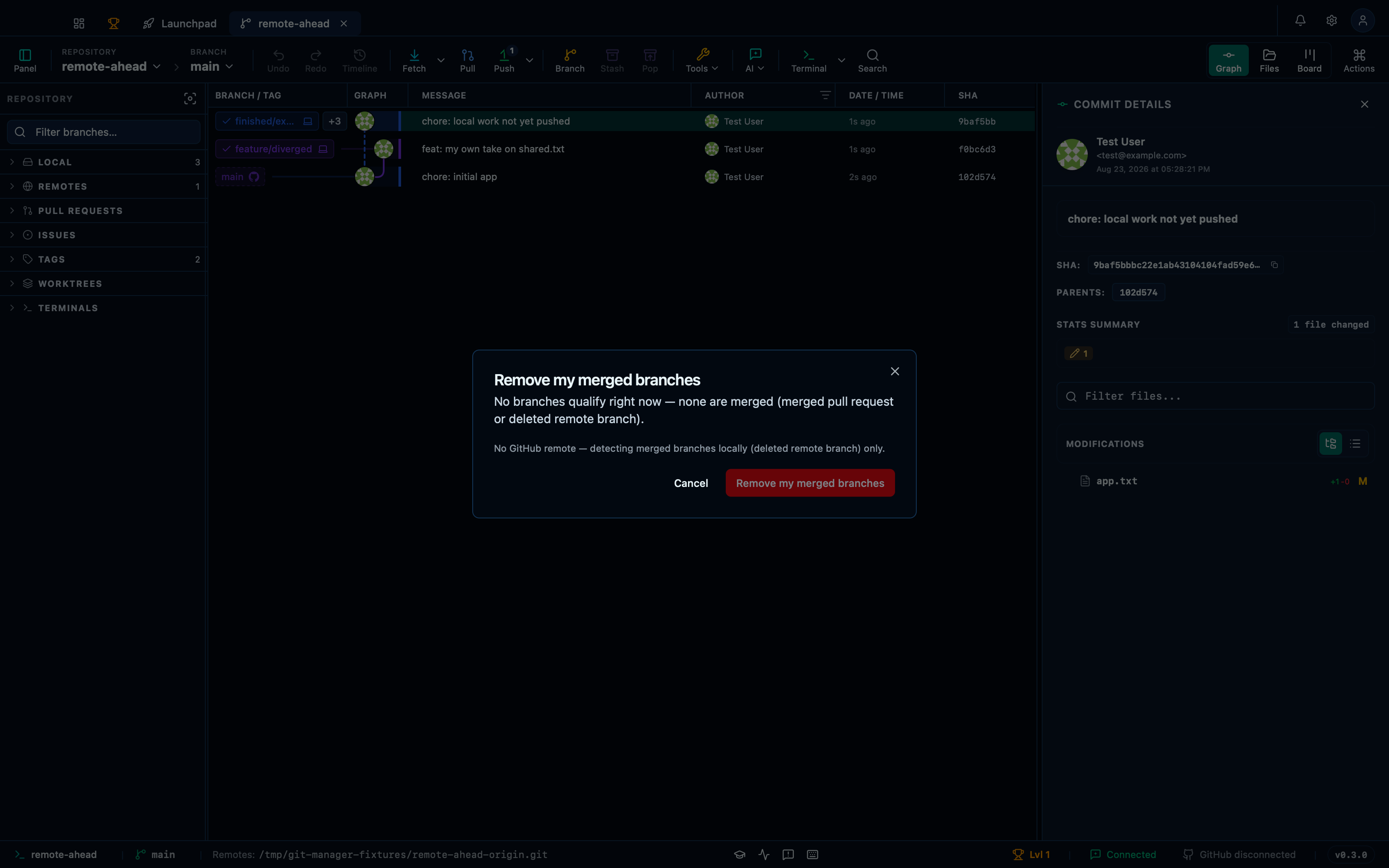
Captured from the running app by this scenario.
Do this
- Open the branch actions menu
- Pick
Remove my merged branchesfrom the branch actions menu
You should see
- The branch-remove-my-merged dialog reports nothing to remove
Removing only your own merged branches once an account is connected
With an account connected, "mine" is read from the merged pull request's real author, so the same menu entry now finds and offers your own finished branch.
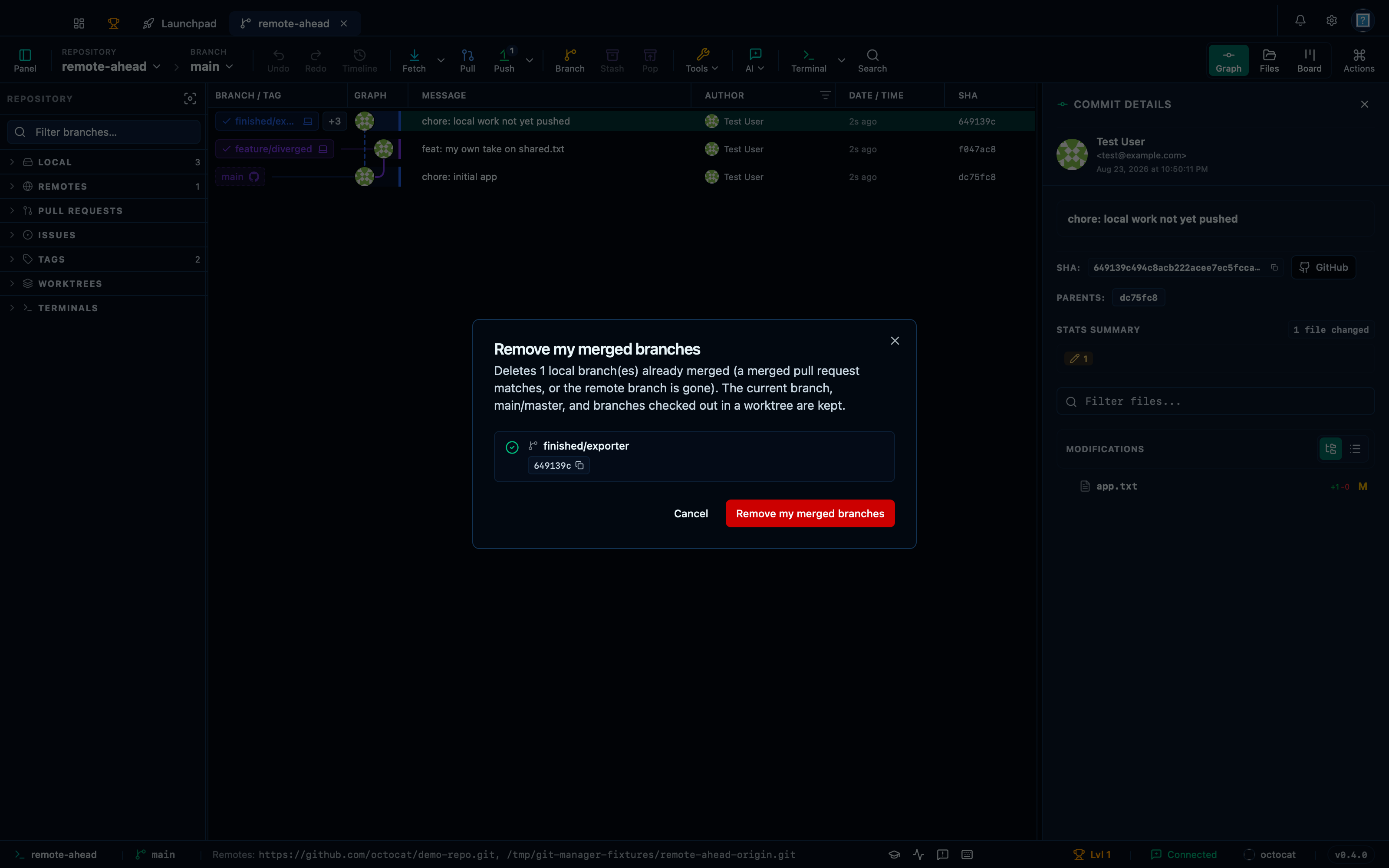
Captured from the running app by this scenario.
Do this
- Open the branch actions menu
- Pick
Remove my merged branchesfrom the branch actions menu - Confirm the branch-remove-merged dialog
You should see
- The branch-remove-merged dialog lists
finished/exporteras removable - The branch
finished/exporterno longer exists in the repository - No error notification is displayed
This page is generated from apps/e2e/features/branch-cleanup.feature, the end-to-end test that drives the feature it describes.